
Shiiiki - Minecraft Skins & Skin History
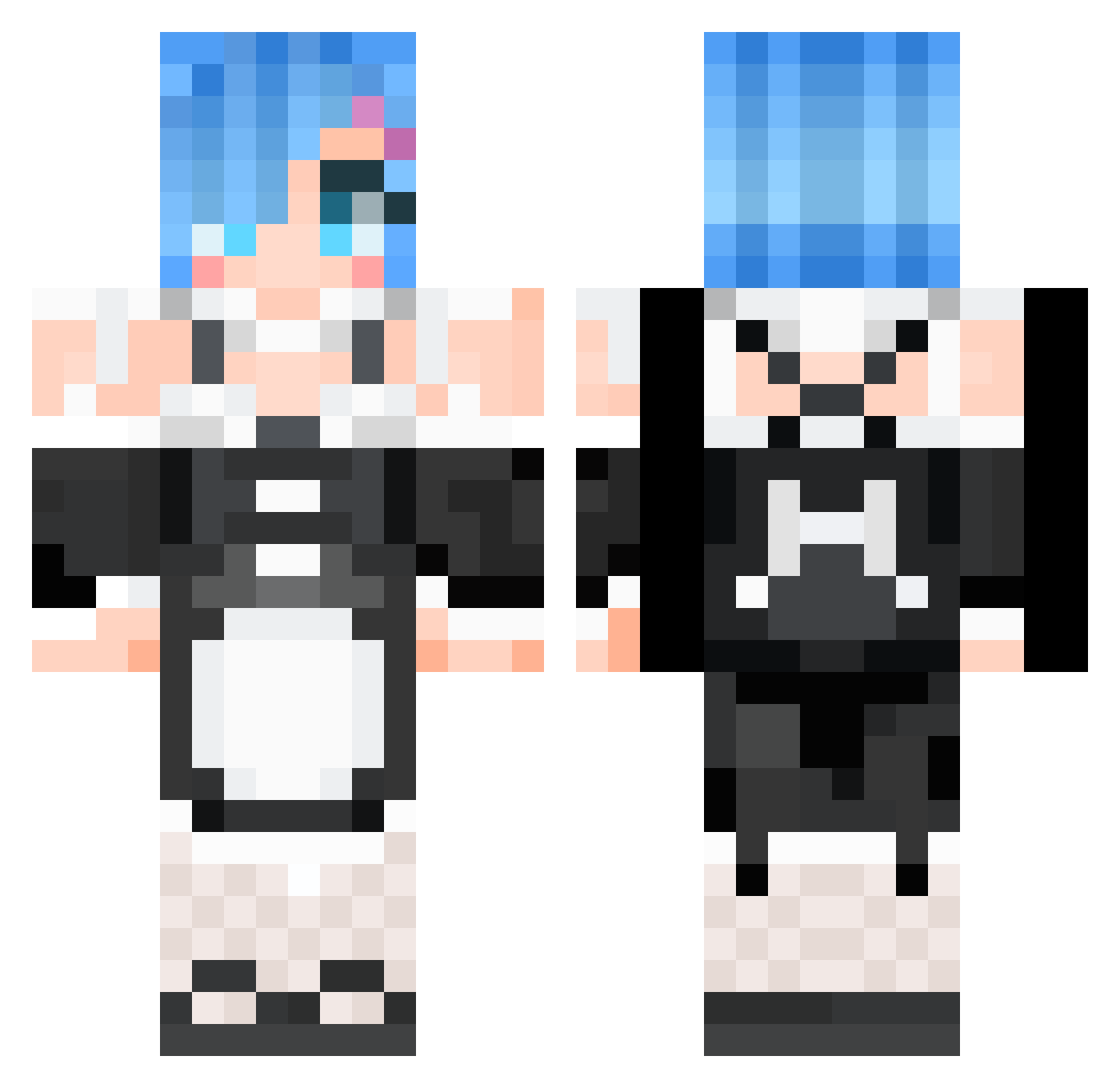
Current Minecraft skin of the player Shiiiki, loaded from the official Mojang API. Rotate the 3D model with your mouse or finger, then download the skin as a PNG file and use it in Minecraft: Bedrock Edition or Java Edition for free. When Shiiiki changes their skin, this page updates automatically and the old skin stays in the history below.
Other players with this skin (647)
Shiiiki was the 196th player we have seen with this skin, first spotted on 30.08.2026. The same skin was seen on these players. Open a nickname to see their current skin and skin history.
 Seal1Master6969 Voltanica_ Maris1999 QQOWO Yaliyaya stveatx IkeReed CXDRrr ikasama789 29nee JojoMugGi Mafaguinho FARTLEMON Gwon_C Blotrent remon486 Dilram zzwar2002 bill0601 mokacoco Kaeyoa RemTheDemon Hellokittyovo ZUEUI karashi1 Skwype zhuwenbo Spadone71 rayd3stroyr Zhang__Xuan Grave3712 benson0815 KiritoMrZ Santa245 mei157 xd_killua47 thenat357 Renatoh17 JaysonFF shimariin MrCaster Ruri_e Ma_jsk rxgen3dual JannaLin Zoro23111 ZheYeee PaLeSie ErinmayEco guimelll FernandoRuiz Satellizer01 Doobrick Shamsielll AnImElOvEr17
 mimideyan Yukabandit Remhoon R__E__M Phonecert
More Rem Minecraft skins
How to install the Shiiiki skin
- Press the Download button above to save the skin as a PNG file.
- Minecraft: Bedrock Edition (PE): open the Dressing Room from the main menu (or tap your character → Edit Character), go to Classic Skins → Owned, press the + (new skin) button, choose the downloaded PNG and pick the Classic (Steve) model. Works on PC and mobile; consoles cannot import custom skins.
- Minecraft: Java Edition: open the Minecraft Launcher, go to the Skins tab, click New Skin, load the PNG, pick the Classic (Steve) model and press Save & Use. You can also upload it at minecraft.net → Profile → Change Skin.
The skin does not show up after import - what should I do?
Restart Minecraft and open the Dressing Room again - imported skins sometimes appear only after a restart. Also make sure you selected the imported skin and picked the Classic (Steve) model.
Which model should I choose, Classic or Slim?
This skin is designed for the Classic (Steve) model. If you pick the wrong model, the arms of the skin will look stretched or squeezed.
Is the skin of Shiiiki free to download?
Yes. Press Download, save the PNG file and use it in Minecraft: Bedrock Edition or Java Edition - no payment or registration needed. The skin also works on multiplayer servers and Realms.
More skins
Looking for more? Go back to all Minecraft skins and check the top skins of the week, month and all time, or find any player's skin by nickname.