
Sheppard3 - Minecraft Skins & Skin History
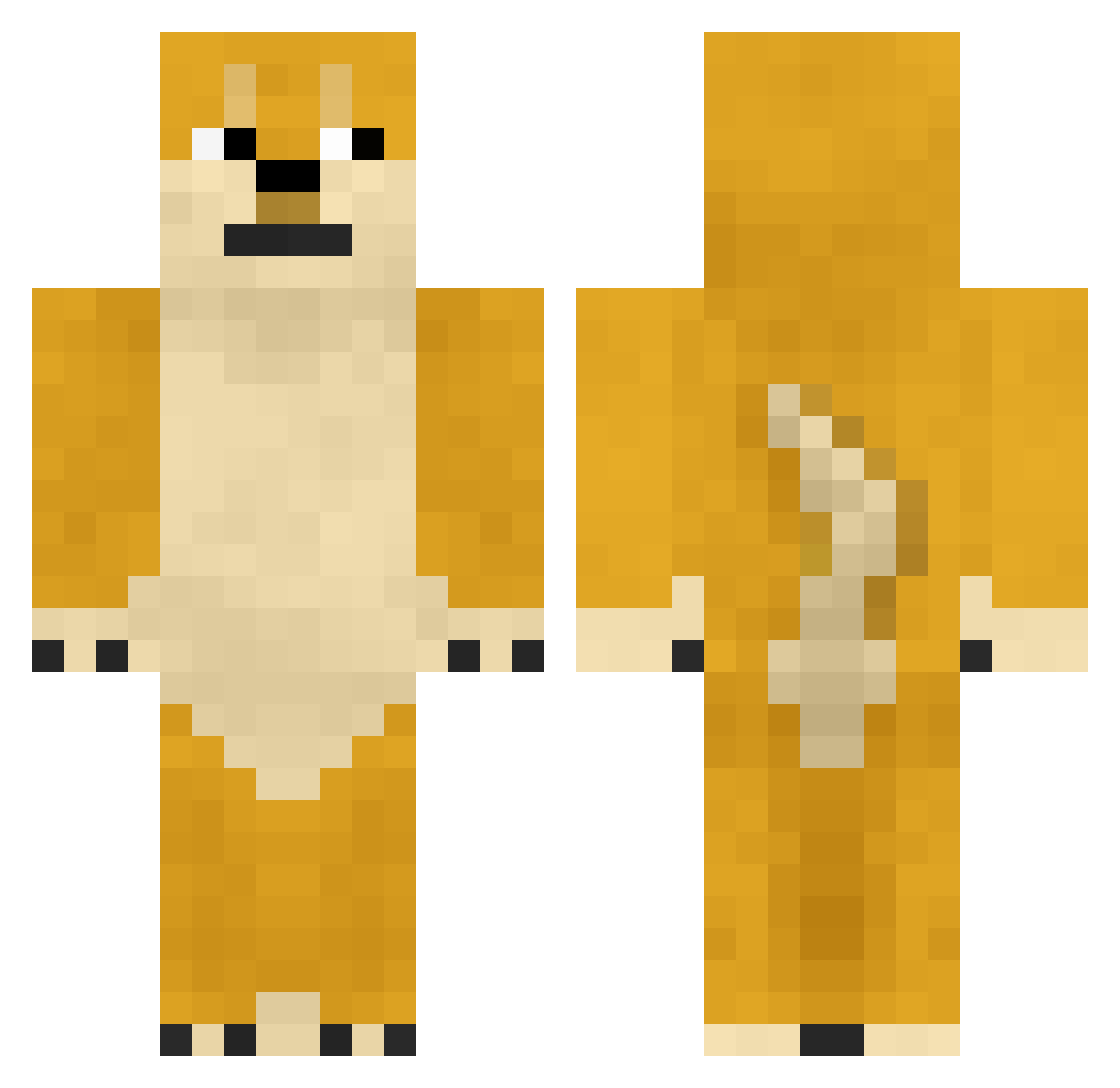
Current Minecraft skin of the player Sheppard3, loaded from the official Mojang API. Rotate the 3D model with your mouse or finger, then download the skin as a PNG file and use it in Minecraft: Bedrock Edition or Java Edition for free. When Sheppard3 changes their skin, this page updates automatically and the old skin stays in the history below.
Other players with this skin (747)
Sheppard3 was the 399th player we have seen with this skin, first spotted on 24.09.2026. The same skin was seen on these players. Open a nickname to see their current skin and skin history.
 LuKetHesTaMpYfAn Z_Gan Mahe512 GLeafL ShibaInuLD MartinezZ9 69LIL69 3JxX Myltrex Luccey KrugarJGR binglian666 bucket0118 dlehdbs0721 Bugle666 bi_n yyy112331 javiballe DogeTheHero 5CHEESE floishere INT3GO1337 rugby666 Melvith _DigitalRev_ Mythybooboobears 1couch1 xiaobailili ngdhue STRIIIV3 Jaway_QwQ askaxx taktakss mirzar123 wtw233 Sua_ sonoflyb haunsik sqy100803 xiaoxin1118 030118 CO_DEA WTFITPOS tony_vevo GavinCheng 14Miguel14 WoodBrickWater berkayeyub SurferDude69 Strayy_Cat natakonb RoBox6075 BBQANG mini1004 HuettisHome Br_Earth HGYU233 GfhyutI KeaneOlo69 12pizzaman12
More Shiba Inu Minecraft skins
How to install the Sheppard3 skin
- Press the Download button above to save the skin as a PNG file.
- Minecraft: Bedrock Edition (PE): open the Dressing Room from the main menu (or tap your character → Edit Character), go to Classic Skins → Owned, press the + (new skin) button, choose the downloaded PNG and pick the Classic (Steve) model. Works on PC and mobile; consoles cannot import custom skins.
- Minecraft: Java Edition: open the Minecraft Launcher, go to the Skins tab, click New Skin, load the PNG, pick the Classic (Steve) model and press Save & Use. You can also upload it at minecraft.net → Profile → Change Skin.
The skin does not show up after import - what should I do?
Restart Minecraft and open the Dressing Room again - imported skins sometimes appear only after a restart. Also make sure you selected the imported skin and picked the Classic (Steve) model.
Which model should I choose, Classic or Slim?
This skin is designed for the Classic (Steve) model. If you pick the wrong model, the arms of the skin will look stretched or squeezed.
Is the skin of Sheppard3 free to download?
Yes. Press Download, save the PNG file and use it in Minecraft: Bedrock Edition or Java Edition - no payment or registration needed. The skin also works on multiplayer servers and Realms.
More skins
Looking for more? Go back to all Minecraft skins and check the top skins of the week, month and all time, or find any player's skin by nickname.