
Shebis10 - Minecraft Skins & Skin History
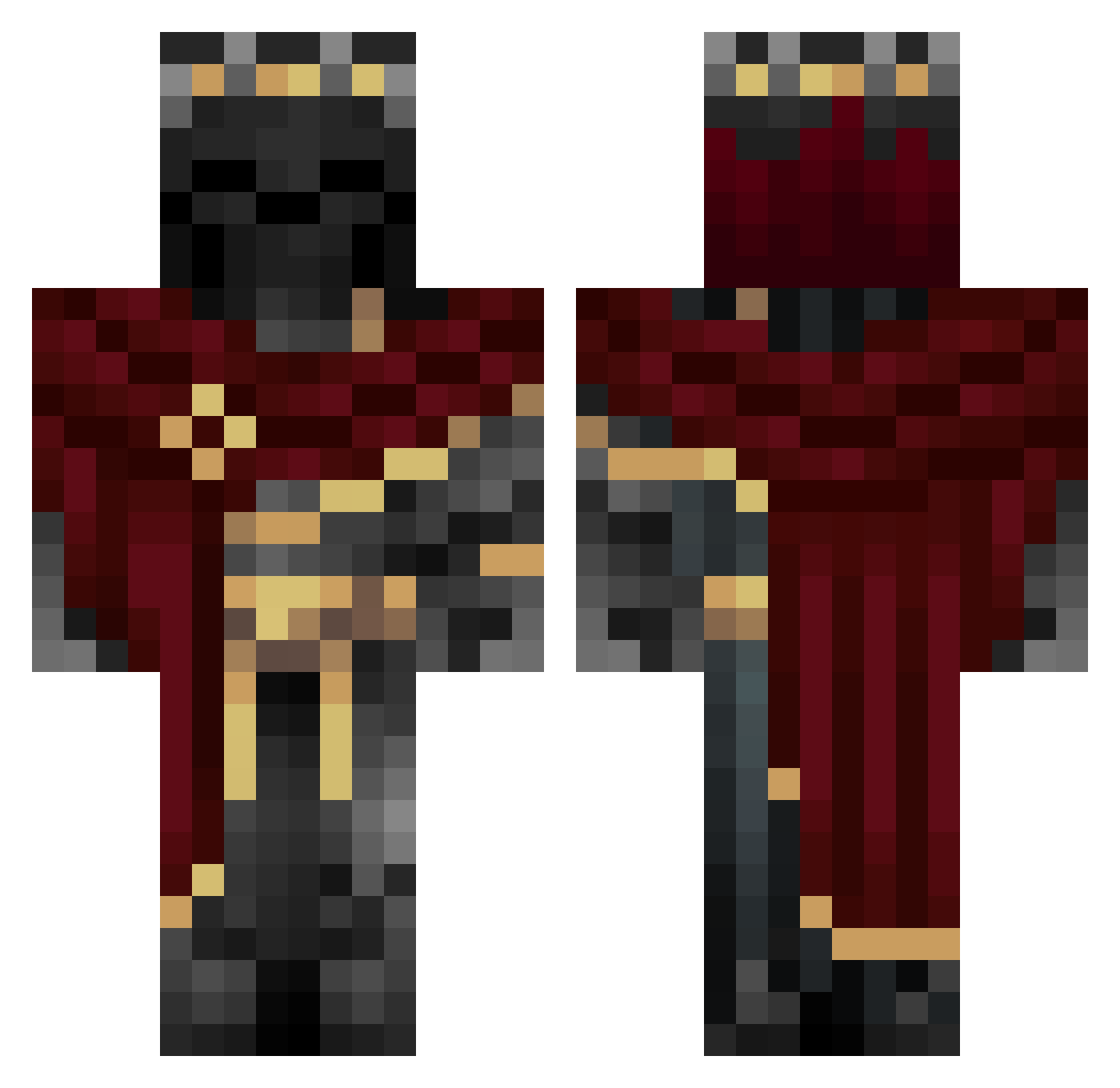
Current Minecraft skin of the player Shebis10, loaded from the official Mojang API. Rotate the 3D model with your mouse or finger, then download the skin as a PNG file and use it in Minecraft: Bedrock Edition or Java Edition for free. When Shebis10 changes their skin, this page updates automatically and the old skin stays in the history below.
Other players with this skin (1116)
Shebis10 was the 1081st player we have seen with this skin, first spotted on 07.11.2026. The same skin was seen on these players. Open a nickname to see their current skin and skin history.
 Sekiryuo NivLess yassefa EthanIsCalm ShweatyBallz24 PEKORAAAAAAA pablogoat1 NB99 Parraja23 Ynthara 4bdullah22 _Nitsuga Kt1_96 MetaVX hrdchrgrjr Vilhan NeoArchangelYT zthunderbolt lossofcolors CTDrainyy ROSHAN_KR LogabNates Frixel_ Balexfv DEV421 Fizzy_Loe Scorfel Harshiv_Mahida SonicEagle246 Moskes TwoSpies PrOfSeS ___ARTE___ B2pho Zikadas Mswish09 Gingerfella7 LiuBBolo Dzikas lostomatix KvikkO_o NobleAddiction xdboiyi MrKrisy2345 DoofieFiX Inaja001 Myth345 Pyr0Man1acz epicfoOT3 BlueEyedMushy TheChinitoGG megatron0609 A_FLY123 Sartax_7 antoineche1234 Ethan789987 SilentCryptic DarkSuperman04 Varger12 just_gud
More King Minecraft skins
How to install the Shebis10 skin
- Press the Download button above to save the skin as a PNG file.
- Minecraft: Bedrock Edition (PE): open the Dressing Room from the main menu (or tap your character → Edit Character), go to Classic Skins → Owned, press the + (new skin) button, choose the downloaded PNG and pick the Classic (Steve) model. Works on PC and mobile; consoles cannot import custom skins.
- Minecraft: Java Edition: open the Minecraft Launcher, go to the Skins tab, click New Skin, load the PNG, pick the Classic (Steve) model and press Save & Use. You can also upload it at minecraft.net → Profile → Change Skin.
The skin does not show up after import - what should I do?
Restart Minecraft and open the Dressing Room again - imported skins sometimes appear only after a restart. Also make sure you selected the imported skin and picked the Classic (Steve) model.
Which model should I choose, Classic or Slim?
This skin is designed for the Classic (Steve) model. If you pick the wrong model, the arms of the skin will look stretched or squeezed.
Is the skin of Shebis10 free to download?
Yes. Press Download, save the PNG file and use it in Minecraft: Bedrock Edition or Java Edition - no payment or registration needed. The skin also works on multiplayer servers and Realms.
More skins
Looking for more? Go back to all Minecraft skins and check the top skins of the week, month and all time, or find any player's skin by nickname.