
ShadowMagich - Minecraft Skins & Skin History
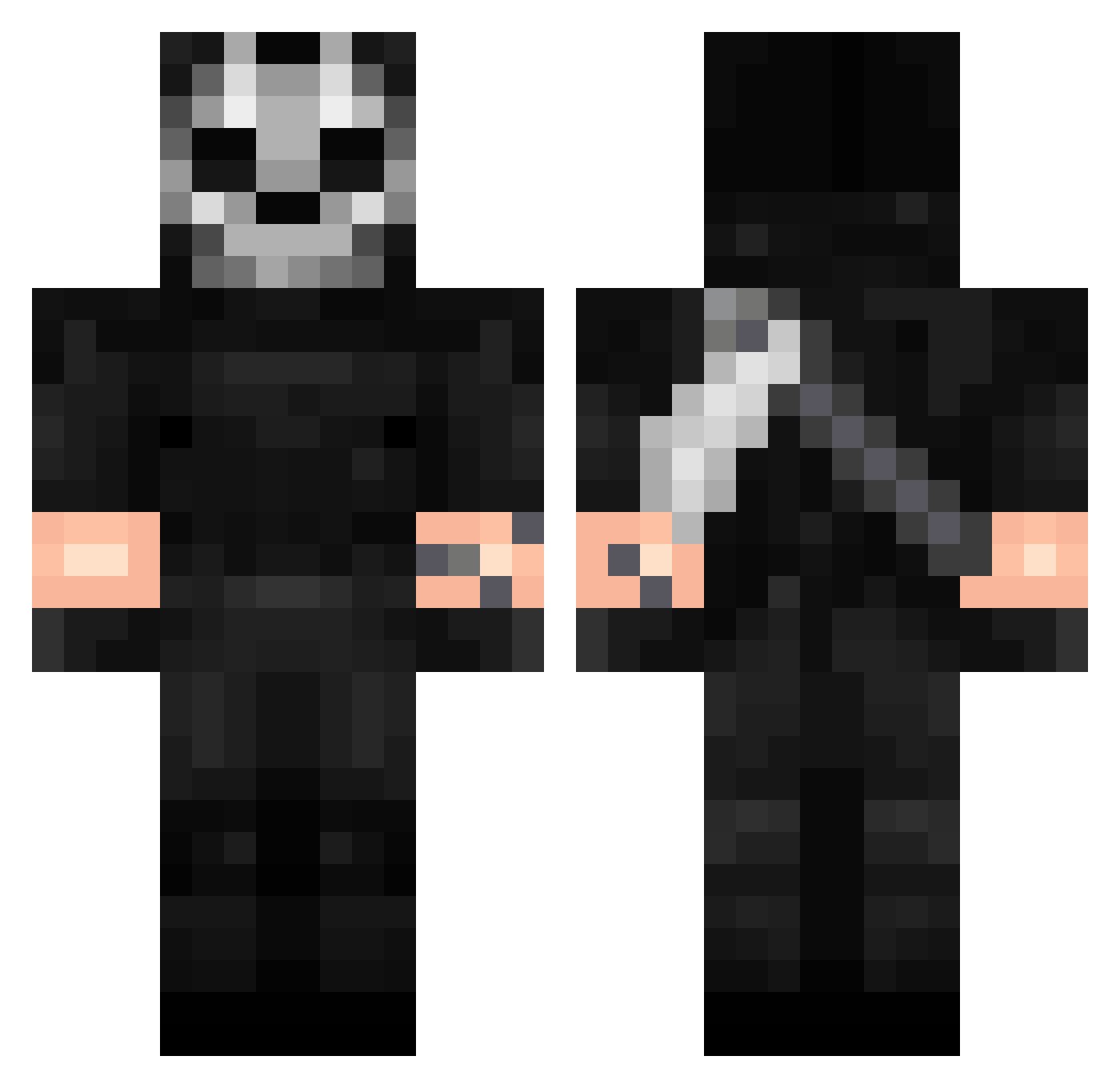
Current Minecraft skin of the player ShadowMagich, loaded from the official Mojang API. Rotate the 3D model with your mouse or finger, then download the skin as a PNG file and use it in Minecraft: Bedrock Edition or Java Edition for free. When ShadowMagich changes their skin, this page updates automatically and the old skin stays in the history below.
Other players with this skin (342)
ShadowMagich was the 41st player we have seen with this skin, first spotted on 07.08.2026. The same skin was seen on these players. Open a nickname to see their current skin and skin history.
 nokeimee Dreddzy xxKRALtrr BloodyUndead UrProperty Embrix23 Simon282 Aut_Crusader TonyTonyBugz HunterOfHonor NegativeSir AIjazi mamamelmonstruo vSLxzyy CubeFTG Tarcheann CowboySpiegel RoyalXtrinity Xeno_Toxic El_Ardre rye_ow M4x1m0ss
 aitorDead FlashFlowF
 FlyingSweat SevenMaz Demian08
 BotRipGt Naxozz MARM33 Seva_PAV EmissaryOfStorms dpsg Lothi_ CrRopr QuietSanity filthygrim6890 GrenrenFr TeoB2011 Softysoba ColdCricueto BlackoopYT brimstoone PurgeKing117
 X_Xred_ gijsel09 Lord_Fly Ramond_Z Ghost__Z
 miloviv Fedep05 BigTundraWolf Reytilin88 Immortalhulk
 G_GhostOne Mrck0s iMakhachevv eIMixowner EndurezMC Chand_One
More Call Of Duty Minecraft skins
See all 163 Call Of Duty skins
How to install the ShadowMagich skin
- Press the Download button above to save the skin as a PNG file.
- Minecraft: Bedrock Edition (PE): open the Dressing Room from the main menu (or tap your character → Edit Character), go to Classic Skins → Owned, press the + (new skin) button, choose the downloaded PNG and pick the Classic (Steve) model. Works on PC and mobile; consoles cannot import custom skins.
- Minecraft: Java Edition: open the Minecraft Launcher, go to the Skins tab, click New Skin, load the PNG, pick the Classic (Steve) model and press Save & Use. You can also upload it at minecraft.net → Profile → Change Skin.
The skin does not show up after import - what should I do?
Restart Minecraft and open the Dressing Room again - imported skins sometimes appear only after a restart. Also make sure you selected the imported skin and picked the Classic (Steve) model.
Which model should I choose, Classic or Slim?
This skin is designed for the Classic (Steve) model. If you pick the wrong model, the arms of the skin will look stretched or squeezed.
Is the skin of ShadowMagich free to download?
Yes. Press Download, save the PNG file and use it in Minecraft: Bedrock Edition or Java Edition - no payment or registration needed. The skin also works on multiplayer servers and Realms.
More skins
Looking for more? Go back to all Minecraft skins and check the top skins of the week, month and all time, or find any player's skin by nickname.