
SemiOztrkk - Minecraft Skins & Skin History
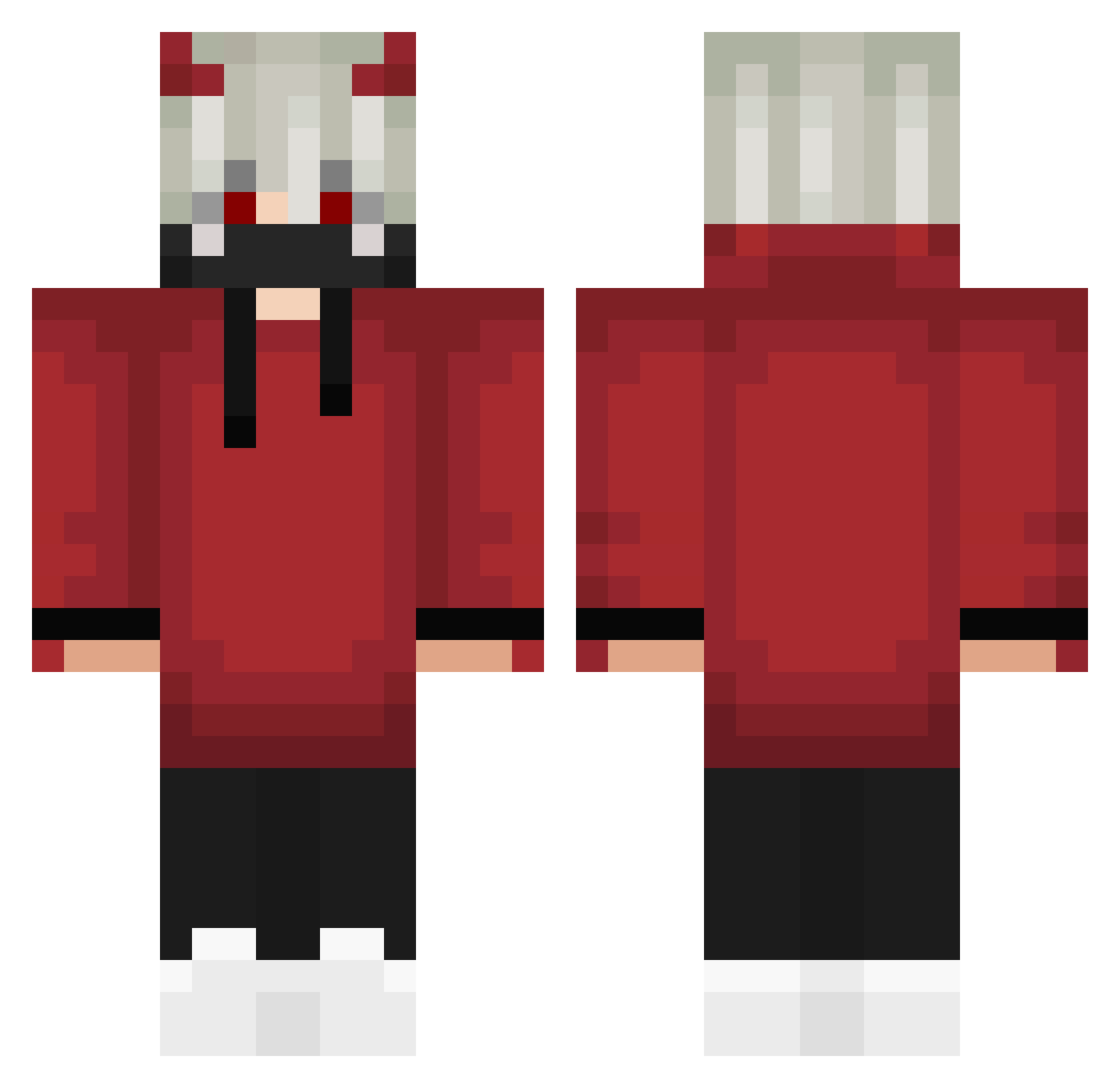
Current Minecraft skin of the player SemiOztrkk, loaded from the official Mojang API. Rotate the 3D model with your mouse or finger, then download the skin as a PNG file and use it in Minecraft: Bedrock Edition or Java Edition for free. When SemiOztrkk changes their skin, this page updates automatically and the old skin stays in the history below.
Other players with this skin (305)
SemiOztrkk was the 69th player we have seen with this skin, first spotted on 15.08.2026. The same skin was seen on these players. Open a nickname to see their current skin and skin history.
 yuzumayo Xakery Choogerz UrarkaV2 kasiwa8 ultandino art57 ART_MINE 0_0b00bies AldeQ Auangel Sxd_Sxtxn PulseXz guilherme5217 MURAVITA2007 Fabi_JFG
 simoG4mer08 abssaisse ZkittlesPlay epic_erim SendWind FreezePlay0 kayo00w2012 wFnDevil mOneSy_fail SHRKYTL DIDFORIOUS jesus_crazy_deus FerrariF90 Gibba848 ImWeasels Manzanaa28 d1dax Prewbie123 Shiro_Sensei21 Satanachia666 Potiay Atratusphere Lovingprincewolf MoiSoba PATYCZAK13 FateOfDarkHollow yotugi25 kanra627 illusion4ever OG_Paul1337 Simp_Wilson Atombeast1 Devilking_666 SIRIUSLK3759 NotMrGamerXD_ Chaneliux Updowngame KuRobin920 NotRealBixi Dings_Bums Hisyo0314 zebradust NurilDzn64 ItzNikicha
More Devil Minecraft skins
How to install the SemiOztrkk skin
- Press the Download button above to save the skin as a PNG file.
- Minecraft: Bedrock Edition (PE): open the Dressing Room from the main menu (or tap your character → Edit Character), go to Classic Skins → Owned, press the + (new skin) button, choose the downloaded PNG and pick the Classic (Steve) model. Works on PC and mobile; consoles cannot import custom skins.
- Minecraft: Java Edition: open the Minecraft Launcher, go to the Skins tab, click New Skin, load the PNG, pick the Classic (Steve) model and press Save & Use. You can also upload it at minecraft.net → Profile → Change Skin.
The skin does not show up after import - what should I do?
Restart Minecraft and open the Dressing Room again - imported skins sometimes appear only after a restart. Also make sure you selected the imported skin and picked the Classic (Steve) model.
Which model should I choose, Classic or Slim?
This skin is designed for the Classic (Steve) model. If you pick the wrong model, the arms of the skin will look stretched or squeezed.
Is the skin of SemiOztrkk free to download?
Yes. Press Download, save the PNG file and use it in Minecraft: Bedrock Edition or Java Edition - no payment or registration needed. The skin also works on multiplayer servers and Realms.
More skins
Looking for more? Go back to all Minecraft skins and check the top skins of the week, month and all time, or find any player's skin by nickname.