
Semeitze - Minecraft Skins & Skin History
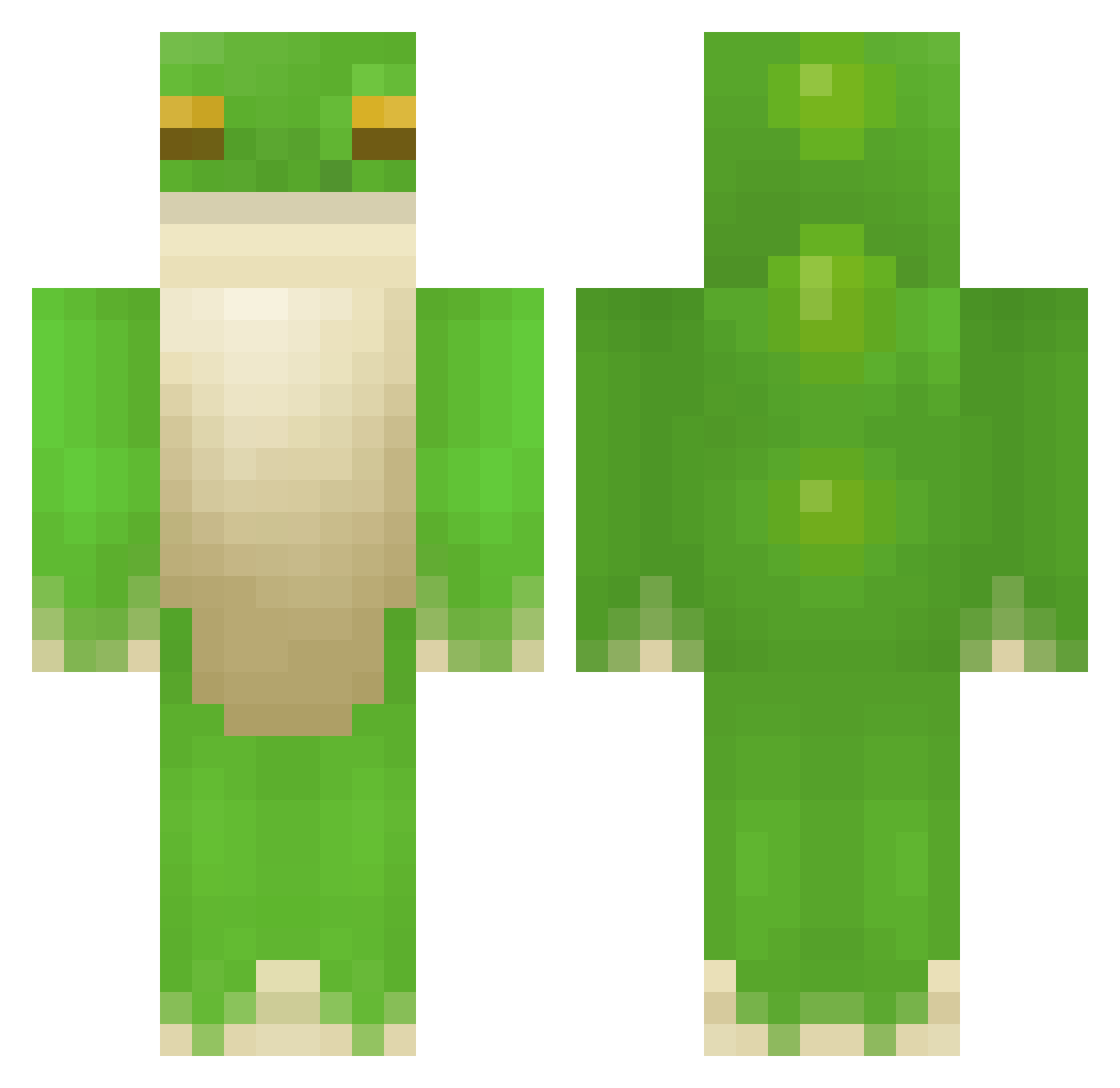
Current Minecraft skin of the player Semeitze, loaded from the official Mojang API. Rotate the 3D model with your mouse or finger, then download the skin as a PNG file and use it in Minecraft: Bedrock Edition or Java Edition for free. When Semeitze changes their skin, this page updates automatically and the old skin stays in the history below.
Other players with this skin (408)
Semeitze was the 70th player we have seen with this skin, first spotted on 13.08.2026. The same skin was seen on these players. Open a nickname to see their current skin and skin history.
 Yellooooooooooow abyssxplorer d444 Octane302 ellenymellony zack99999 PredatedApollo RyanSFielder Covonuts FatFrogTahm yXwas DiggeyDowney sqwuaggle Forgman21 lmAlright ruminantia bigc_4905 _CaptainTbone Vameca Le4pFr0g StinkButton RanE_ JoeyP0lio Arkeda1 Juliabugulia Nikodemszczur3 Bigfrogonalog Zodiac22 Blobber26 bastoche_zinzin Sneaky76 Tumbleween _Requis__ sock_tm Teresska BeachManager BakedOmelet geometrytrip Arvgus clindahl22 jakefreg peppepepepep iamhernia Waller122 Chucklles lynnndsey CatPetter420 Boss_Bi frogeling pphr0g kingemma1 Papapaya Froggg_ssss Theriople JazzyP83 ThefinalFrog_ mazikayo_ Eduard1822 Tawnytree aythuh
More Frog Minecraft skins
How to install the Semeitze skin
- Press the Download button above to save the skin as a PNG file.
- Minecraft: Bedrock Edition (PE): open the Dressing Room from the main menu (or tap your character → Edit Character), go to Classic Skins → Owned, press the + (new skin) button, choose the downloaded PNG and pick the Classic (Steve) model. Works on PC and mobile; consoles cannot import custom skins.
- Minecraft: Java Edition: open the Minecraft Launcher, go to the Skins tab, click New Skin, load the PNG, pick the Classic (Steve) model and press Save & Use. You can also upload it at minecraft.net → Profile → Change Skin.
The skin does not show up after import - what should I do?
Restart Minecraft and open the Dressing Room again - imported skins sometimes appear only after a restart. Also make sure you selected the imported skin and picked the Classic (Steve) model.
Which model should I choose, Classic or Slim?
This skin is designed for the Classic (Steve) model. If you pick the wrong model, the arms of the skin will look stretched or squeezed.
Is the skin of Semeitze free to download?
Yes. Press Download, save the PNG file and use it in Minecraft: Bedrock Edition or Java Edition - no payment or registration needed. The skin also works on multiplayer servers and Realms.
More skins
Looking for more? Go back to all Minecraft skins and check the top skins of the week, month and all time, or find any player's skin by nickname.