
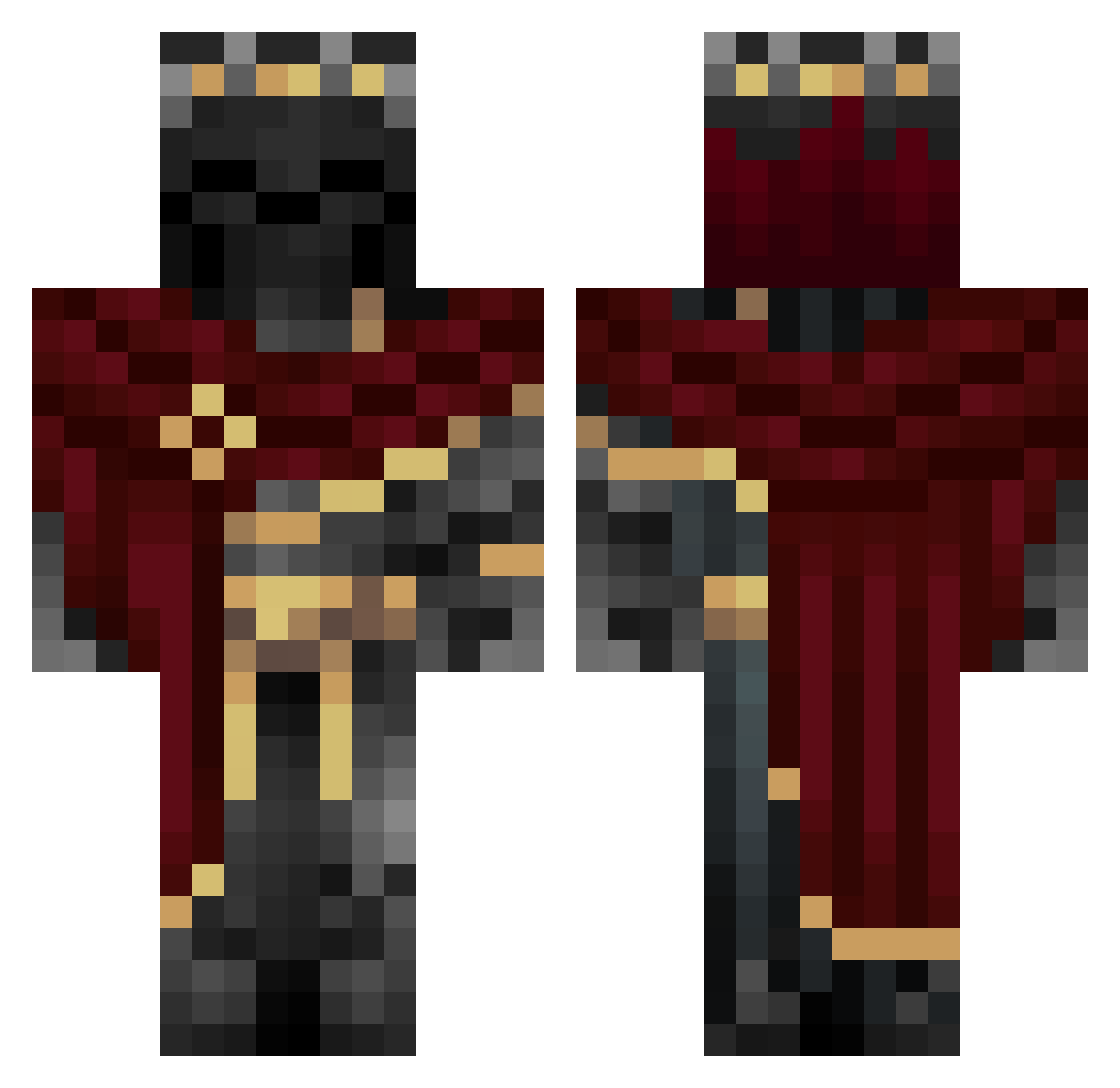
Current Minecraft skin of the player ScuzLord, loaded from the official Mojang API. Rotate the 3D model with your mouse or finger, then download the skin as a PNG file and use it in Minecraft: Bedrock Edition or Java Edition for free. When ScuzLord changes their skin, this page updates automatically and the old skin stays in the history below.
Other players with this skin (760)
ScuzLord was the 491st player we have seen with this skin, first spotted on 16.09.2026. The same skin was seen on these players. Open a nickname to see their current skin and skin history.
 MysticBleu corazon2203 Skill_Ba11 unclestoplease TheUnknownKingg gieune LordOfShadow59 KermitduhFrug dragonslayer404 Zofficial metaknight1 Jkremes tonito1600 ky1us Beste_Leben cz141 NonexistentAngel ART_BLADE I00754 cdl15yt DecafAntelope HonzikSilak MrLYFT xDHAllu Jian8824 ked123jk TeaWindow sansun12 Steuerfuzy Sanguisorba Nissassin23 TripleGang Dodriguez_0918 Ndane Br1odo TOSTOME zadocan xdDragonofdeath Keiichii03 ninjagomagnus13 Louisgra Fabloid LaZyKilleR1206
 IwantHAPINES StopSpying PandaXI ragnahhr Ashura1905 Beez_Churger AnimalBeet1261 ItsBradE99 MADCM PLMPlay sakura7745 Yggdr8zil eramium __Oog__ Klaut100 Jxmye iliann99
More King Minecraft skins
How to install the ScuzLord skin
- Press the Download button above to save the skin as a PNG file.
- Minecraft: Bedrock Edition (PE): open the Dressing Room from the main menu (or tap your character → Edit Character), go to Classic Skins → Owned, press the + (new skin) button, choose the downloaded PNG and pick the Classic (Steve) model. Works on PC and mobile; consoles cannot import custom skins.
- Minecraft: Java Edition: open the Minecraft Launcher, go to the Skins tab, click New Skin, load the PNG, pick the Classic (Steve) model and press Save & Use. You can also upload it at minecraft.net → Profile → Change Skin.
The skin does not show up after import - what should I do?
Restart Minecraft and open the Dressing Room again - imported skins sometimes appear only after a restart. Also make sure you selected the imported skin and picked the Classic (Steve) model.
Which model should I choose, Classic or Slim?
This skin is designed for the Classic (Steve) model. If you pick the wrong model, the arms of the skin will look stretched or squeezed.
Is the skin of ScuzLord free to download?
Yes. Press Download, save the PNG file and use it in Minecraft: Bedrock Edition or Java Edition - no payment or registration needed. The skin also works on multiplayer servers and Realms.
More skins
Looking for more? Go back to all Minecraft skins and check the top skins of the week, month and all time, or find any player's skin by nickname.