
ScufflesDaRacc - Minecraft Skins & Skin History
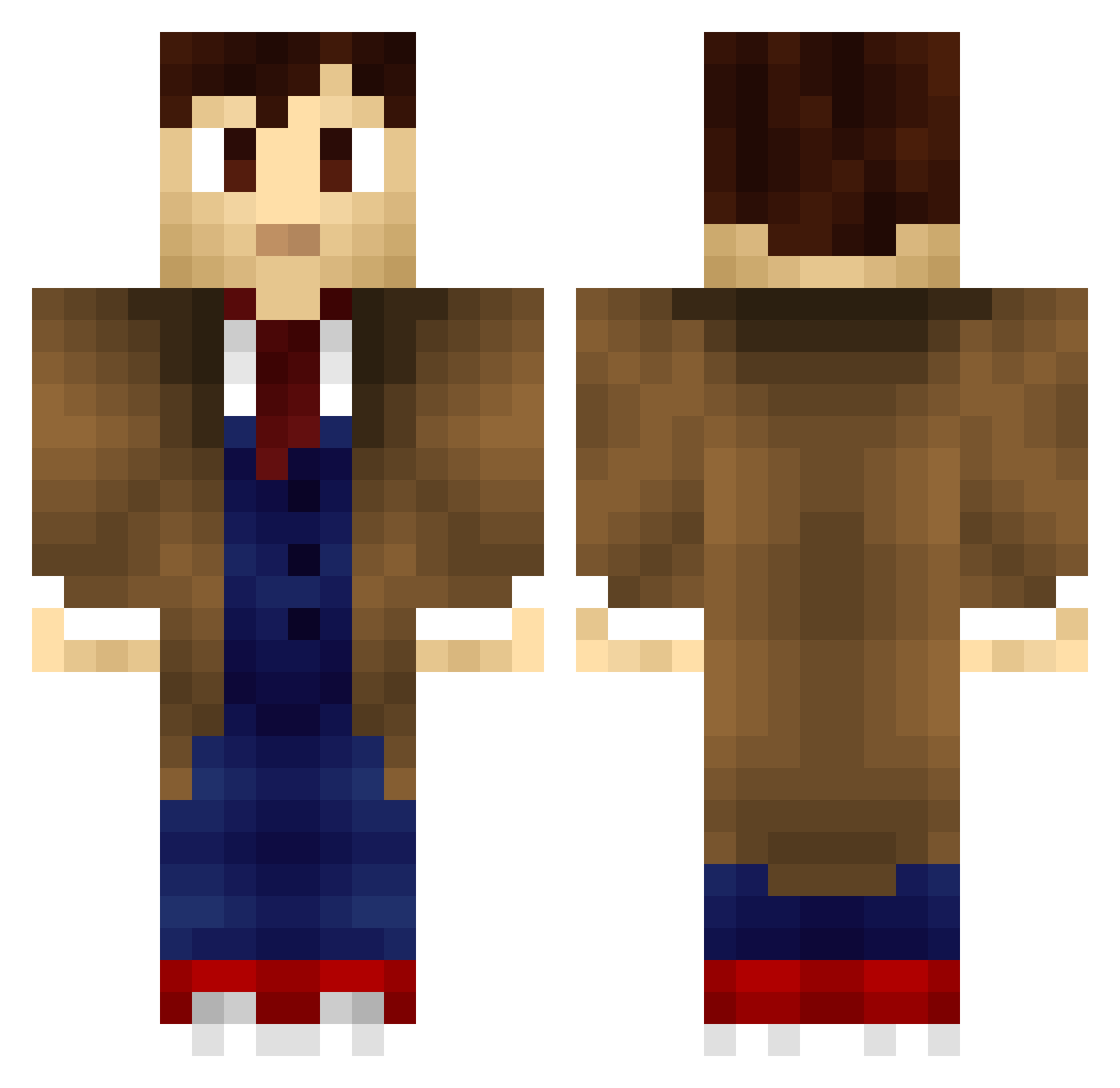
Current Minecraft skin of the player ScufflesDaRacc, loaded from the official Mojang API. Rotate the 3D model with your mouse or finger, then download the skin as a PNG file and use it in Minecraft: Bedrock Edition or Java Edition for free. When ScufflesDaRacc changes their skin, this page updates automatically and the old skin stays in the history below.
Other players with this skin (198)
ScufflesDaRacc was the 110th player we have seen with this skin, first spotted on 19.09.2026. The same skin was seen on these players. Open a nickname to see their current skin and skin history.
 D3xt4r haydncarline SplitBasket7085 Tejira nyknicksfan33 Danwils18 Groone The10thDoctr70 BeanGirl98 x24rules HandAnkled TheOnly_Patron Ya_Ya_Uganda csabax007 leezor82 IwantheMarxist17 Rotorodri17 Time_Lord_Steven tomash345 hacksaw34 hary_su Minecraftmarro DrummerBoy27 WhovianBrowncoat Havranovic Prata_fe lewho_op Artyom90 Shontrizzy ASSMDSVD eichan1129 Conflicted_ AimStr1ke MarcusTheHobo shockwave69 gemkarrie Noj_Werdna MurphyLittle Joshua_Yue Liondragon2003 Sedicious CrafterStar987 daisycole29 Inghambert TarenDusk Ravenshagh lpgonzalez 1080mirmsknes SYDK_32 Puupuce worktodayloser MrHarkness SirToilettes Lunalies hypnotek Stuber94 JavoxRL MHenri_ HideousHamster alex9853
More Tenth Doctor Minecraft skins
See all 199 Tenth Doctor skins
How to install the ScufflesDaRacc skin
- Press the Download button above to save the skin as a PNG file.
- Minecraft: Bedrock Edition (PE): open the Dressing Room from the main menu (or tap your character → Edit Character), go to Classic Skins → Owned, press the + (new skin) button, choose the downloaded PNG and pick the Classic (Steve) model. Works on PC and mobile; consoles cannot import custom skins.
- Minecraft: Java Edition: open the Minecraft Launcher, go to the Skins tab, click New Skin, load the PNG, pick the Classic (Steve) model and press Save & Use. You can also upload it at minecraft.net → Profile → Change Skin.
The skin does not show up after import - what should I do?
Restart Minecraft and open the Dressing Room again - imported skins sometimes appear only after a restart. Also make sure you selected the imported skin and picked the Classic (Steve) model.
Which model should I choose, Classic or Slim?
This skin is designed for the Classic (Steve) model. If you pick the wrong model, the arms of the skin will look stretched or squeezed.
Is the skin of ScufflesDaRacc free to download?
Yes. Press Download, save the PNG file and use it in Minecraft: Bedrock Edition or Java Edition - no payment or registration needed. The skin also works on multiplayer servers and Realms.
More skins
Looking for more? Go back to all Minecraft skins and check the top skins of the week, month and all time, or find any player's skin by nickname.