
Scolder127 - Minecraft Skins & Skin History
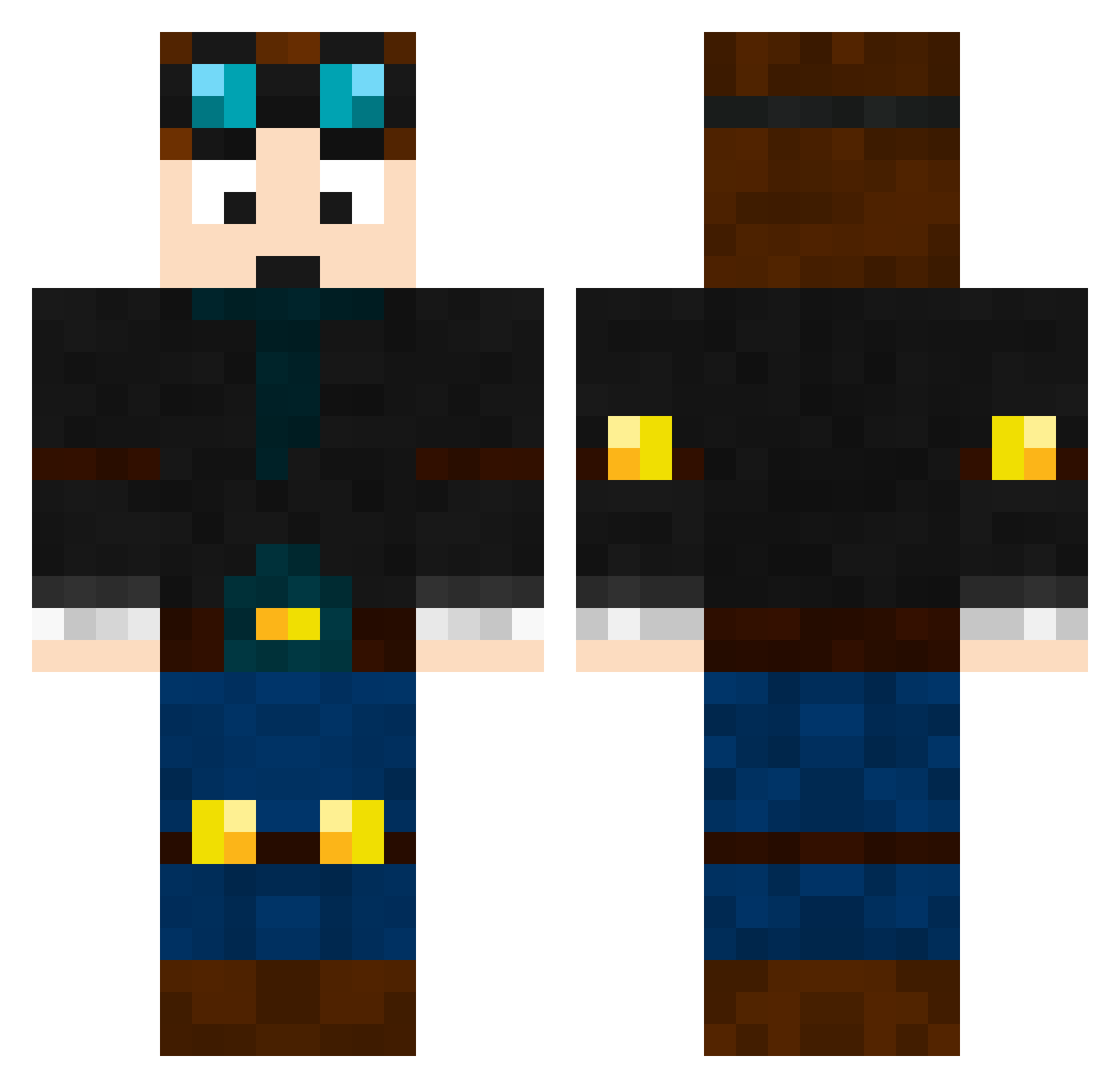
Current Minecraft skin of the player Scolder127, loaded from the official Mojang API. Rotate the 3D model with your mouse or finger, then download the skin as a PNG file and use it in Minecraft: Bedrock Edition or Java Edition for free. When Scolder127 changes their skin, this page updates automatically and the old skin stays in the history below.
Other players with this skin (464)
Scolder127 was the 126th player we have seen with this skin, first spotted on 23.08.2026. The same skin was seen on these players. Open a nickname to see their current skin and skin history.
 WilliamScott minecraftmansam MaxBartos cammolad Mastermaster268 Jelly114 Com202 piggynhippo Kade2202 GannonHamilton kzeebbg dancraft64 hunter2014usa jackerino FreakyB3 colina13 DiamondDemonPvP Vexxar_6 Coolbrae45 cool_gamerzx SteveBrown11 supernic3000 IncantarEd thismomsageek wyguy06 moonsaver2003 CamoCadeO ChEmA69 furiousbanana99 diamonddude630 tijswijnen ChristianMessana Camoern Frogscan Marko5000 Sp00nstastical Vegancraft69 JB5555 herobrime_11 nm385 BlockboyCaleb ConnorTheGreat KiterJ mjf2923 TDSergeant jujubug2014 Sammy_D_123 tropicanaTM hellschild1991 Tommyrock buggybunny Celt08 AquaCloud050 EnderCrypt satanah MarceloMC johnstone ANGTDM8 sam3112 Daniel010106
More Engineer Minecraft skins
How to install the Scolder127 skin
- Press the Download button above to save the skin as a PNG file.
- Minecraft: Bedrock Edition (PE): open the Dressing Room from the main menu (or tap your character → Edit Character), go to Classic Skins → Owned, press the + (new skin) button, choose the downloaded PNG and pick the Classic (Steve) model. Works on PC and mobile; consoles cannot import custom skins.
- Minecraft: Java Edition: open the Minecraft Launcher, go to the Skins tab, click New Skin, load the PNG, pick the Classic (Steve) model and press Save & Use. You can also upload it at minecraft.net → Profile → Change Skin.
The skin does not show up after import - what should I do?
Restart Minecraft and open the Dressing Room again - imported skins sometimes appear only after a restart. Also make sure you selected the imported skin and picked the Classic (Steve) model.
Which model should I choose, Classic or Slim?
This skin is designed for the Classic (Steve) model. If you pick the wrong model, the arms of the skin will look stretched or squeezed.
Is the skin of Scolder127 free to download?
Yes. Press Download, save the PNG file and use it in Minecraft: Bedrock Edition or Java Edition - no payment or registration needed. The skin also works on multiplayer servers and Realms.
More skins
Looking for more? Go back to all Minecraft skins and check the top skins of the week, month and all time, or find any player's skin by nickname.