
Schmidty_69 - Minecraft Skins & Skin History
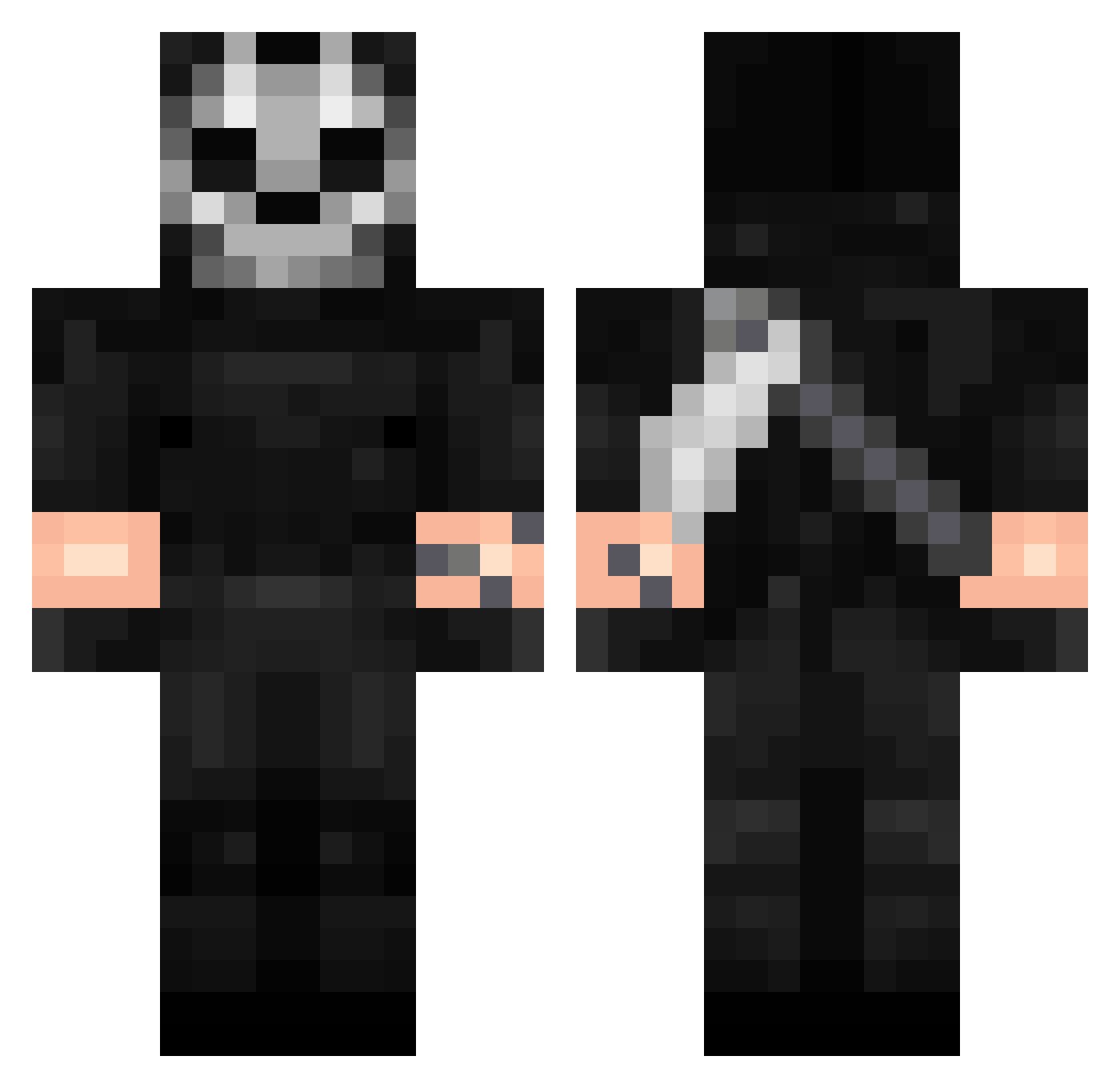
Current Minecraft skin of the player Schmidty_69, loaded from the official Mojang API. Rotate the 3D model with your mouse or finger, then download the skin as a PNG file and use it in Minecraft: Bedrock Edition or Java Edition for free. When Schmidty_69 changes their skin, this page updates automatically and the old skin stays in the history below.
Other players with this skin (342)
Schmidty_69 was the 85th player we have seen with this skin, first spotted on 23.08.2026. The same skin was seen on these players. Open a nickname to see their current skin and skin history.
 GhostlyRampage03 as9110 Olacak Camazotz1974 DresssEXE BlackOpps23 167gefy GIMOZZIMAN1205 Cemkut285 Aisifiw Secin007 Stasik_06 KillaIsBack RaxorF MasakiTL FoxRaino
 koki_Fak vahsiben Teddy7274 Oneleo01 Rhosty Ghostxis7 FLAY96 Catiboiy Derek55 b_nchmark pusepilote elbendy2070 eIMixowner AZHCR1 Gigaponel iMakhachevv BombardierS lafantoma11
 G_GhostOne Immortalhulk Johell1126 cb7151 Ghost__Z ghostIk666 Pozdro_Kosaz G0bb4 ModExcel Bidim Lord_Fly DaddyDillon13 Adeptus_Xiao56 aaandrexx Jager669 ColdCricueto ANNee232 TeoB2011 sabtain GrenrenFr Hoxtonn777 ki0sh1 QuietSanity CrRopr Thisismykingdo92 IvanovichCh
More Call Of Duty Minecraft skins
See all 163 Call Of Duty skins
How to install the Schmidty_69 skin
- Press the Download button above to save the skin as a PNG file.
- Minecraft: Bedrock Edition (PE): open the Dressing Room from the main menu (or tap your character → Edit Character), go to Classic Skins → Owned, press the + (new skin) button, choose the downloaded PNG and pick the Classic (Steve) model. Works on PC and mobile; consoles cannot import custom skins.
- Minecraft: Java Edition: open the Minecraft Launcher, go to the Skins tab, click New Skin, load the PNG, pick the Classic (Steve) model and press Save & Use. You can also upload it at minecraft.net → Profile → Change Skin.
The skin does not show up after import - what should I do?
Restart Minecraft and open the Dressing Room again - imported skins sometimes appear only after a restart. Also make sure you selected the imported skin and picked the Classic (Steve) model.
Which model should I choose, Classic or Slim?
This skin is designed for the Classic (Steve) model. If you pick the wrong model, the arms of the skin will look stretched or squeezed.
Is the skin of Schmidty_69 free to download?
Yes. Press Download, save the PNG file and use it in Minecraft: Bedrock Edition or Java Edition - no payment or registration needed. The skin also works on multiplayer servers and Realms.
More skins
Looking for more? Go back to all Minecraft skins and check the top skins of the week, month and all time, or find any player's skin by nickname.