
Sceryx - Minecraft Skins & Skin History
Current Minecraft skin of the player Sceryx, loaded from the official Mojang API. Rotate the 3D model with your mouse or finger, then download the skin as a PNG file and use it in Minecraft: Bedrock Edition or Java Edition for free. When Sceryx changes their skin, this page updates automatically and the old skin stays in the history below.
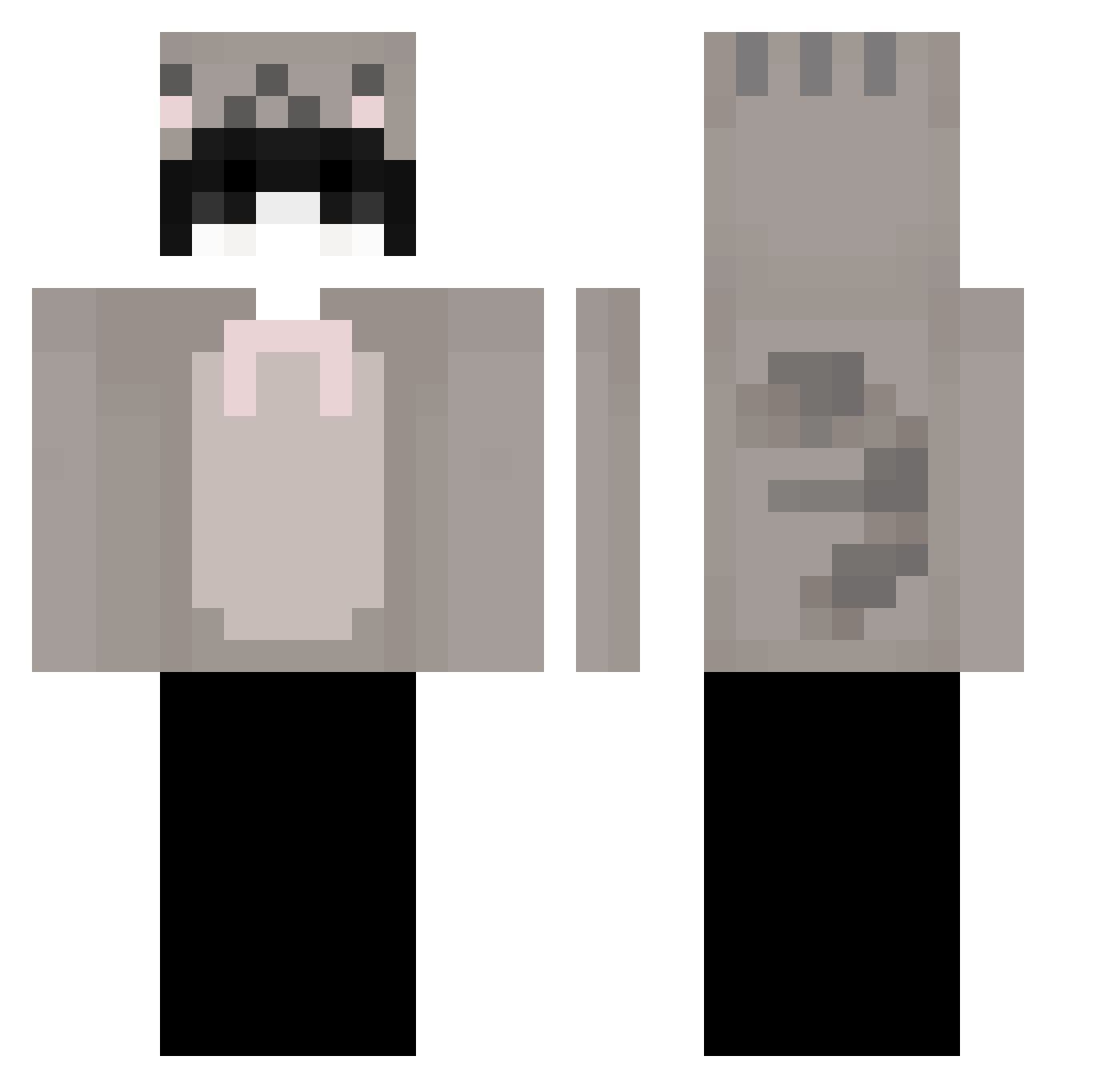
Other players with this skin (64)
Sceryx was the 27th player we have seen with this skin, first spotted on 01.09.2026. The same skin was seen on these players. Open a nickname to see their current skin and skin history.
 Maziuchka
 SHomer101 pinkangie ThatTobyy kwt1234 YumeNijino oldblackraven iu_o BoyName Macchimu ItzRealLx LYYREES Redix45 Ziubelek
 zzagara bluusito iwiorn Dylanrock04
 plazo kysnon ilovemarian225 lycrowmancer Luxebois plycarti 61f 123_LORENZZO Dependszu Boxnaj
 bunter_creeper_ freashK ZeroIV Mr_B1ue Jans360 C1R3SL4T sv3h ZalithMarshal nvcasino hitablinker chrvry Ripaj yozii14 Vylxz KacuskaXD g5n_ loudsour Syrup092 aleksoboss uzwis uppitygabe GYUBUL yvq0 XKarvil winterremnants zaue3 fooiiansbf phantom5101 ApolloIly vDamis
 Luigi2128 funny11
More Cat Ears Minecraft skins
How to install the Sceryx skin
- Press the Download button above to save the skin as a PNG file.
- Minecraft: Bedrock Edition (PE): open the Dressing Room from the main menu (or tap your character → Edit Character), go to Classic Skins → Owned, press the + (new skin) button, choose the downloaded PNG and pick the Classic (Steve) model. Works on PC and mobile; consoles cannot import custom skins.
- Minecraft: Java Edition: open the Minecraft Launcher, go to the Skins tab, click New Skin, load the PNG, pick the Classic (Steve) model and press Save & Use. You can also upload it at minecraft.net → Profile → Change Skin.
The skin does not show up after import - what should I do?
Restart Minecraft and open the Dressing Room again - imported skins sometimes appear only after a restart. Also make sure you selected the imported skin and picked the Classic (Steve) model.
Which model should I choose, Classic or Slim?
This skin is designed for the Classic (Steve) model. If you pick the wrong model, the arms of the skin will look stretched or squeezed.
Is the skin of Sceryx free to download?
Yes. Press Download, save the PNG file and use it in Minecraft: Bedrock Edition or Java Edition - no payment or registration needed. The skin also works on multiplayer servers and Realms.
More skins
Looking for more? Go back to all Minecraft skins and check the top skins of the week, month and all time, or find any player's skin by nickname.