
ScarySockDealer - Minecraft Skins & Skin History
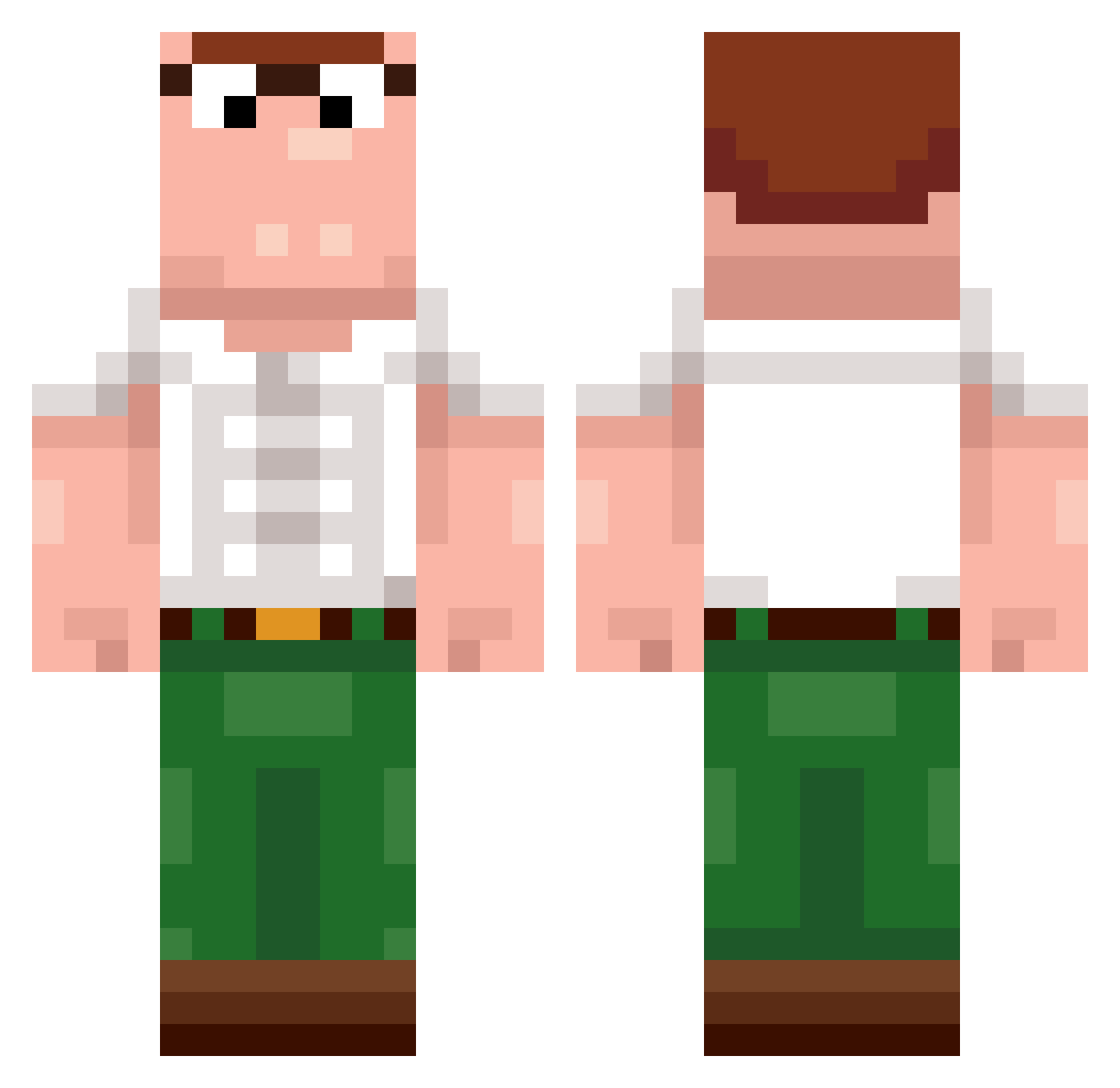
Current Minecraft skin of the player ScarySockDealer, loaded from the official Mojang API. Rotate the 3D model with your mouse or finger, then download the skin as a PNG file and use it in Minecraft: Bedrock Edition or Java Edition for free. When ScarySockDealer changes their skin, this page updates automatically and the old skin stays in the history below.
Other players with this skin (482)
ScarySockDealer was the 433rd player we have seen with this skin, first spotted on 07.11.2026. The same skin was seen on these players. Open a nickname to see their current skin and skin history.
 KolopoChops Piasek_Floryda VarusVu MeatyMarc PocoyoMonke FrogBones_ ZieleAngielskie Frugula DanishDream MAII0 FatBrit aussieali10 szyumon Nissan_juke CinekKox NastyGriffin Luigi_Dangerous Rabbies Klammsteiner harorut GUNTHERHAHAH SuperBoofOG420 BUNGSNIFFER16 Skinnerr3 arthurpoup ggwp140tt Mr_Laychip Dragonheart_90 itsatoon Gbff WojteW Tse7en5 0Stroke WhoKilledDavid bizzz1 unconsciousfrag mynameiswade btamonkey EHV_DireWolf sens_x Maksixxx Rosvz ItzRedKill SCREAM222M BigManDude9 Koostosh_420 FamilyGuySoFunny Buh4315 Chingy84 _MiK0O_ I8f9 Grifotti lnr_dongfang mnz_05 DoMb0 poustra cashflow802 AnGeLpLoXdD daniell_q8 Mertoskimine
More Peter Griffin Minecraft skins
See all 245 Peter Griffin skins
How to install the ScarySockDealer skin
- Press the Download button above to save the skin as a PNG file.
- Minecraft: Bedrock Edition (PE): open the Dressing Room from the main menu (or tap your character → Edit Character), go to Classic Skins → Owned, press the + (new skin) button, choose the downloaded PNG and pick the Classic (Steve) model. Works on PC and mobile; consoles cannot import custom skins.
- Minecraft: Java Edition: open the Minecraft Launcher, go to the Skins tab, click New Skin, load the PNG, pick the Classic (Steve) model and press Save & Use. You can also upload it at minecraft.net → Profile → Change Skin.
The skin does not show up after import - what should I do?
Restart Minecraft and open the Dressing Room again - imported skins sometimes appear only after a restart. Also make sure you selected the imported skin and picked the Classic (Steve) model.
Which model should I choose, Classic or Slim?
This skin is designed for the Classic (Steve) model. If you pick the wrong model, the arms of the skin will look stretched or squeezed.
Is the skin of ScarySockDealer free to download?
Yes. Press Download, save the PNG file and use it in Minecraft: Bedrock Edition or Java Edition - no payment or registration needed. The skin also works on multiplayer servers and Realms.
More skins
Looking for more? Go back to all Minecraft skins and check the top skins of the week, month and all time, or find any player's skin by nickname.