
SavoryTaffy - Minecraft Skins & Skin History
Current Minecraft skin of the player SavoryTaffy, loaded from the official Mojang API. Rotate the 3D model with your mouse or finger, then download the skin as a PNG file and use it in Minecraft: Bedrock Edition or Java Edition for free. When SavoryTaffy changes their skin, this page updates automatically and the old skin stays in the history below.

Other players with this skin (13405)
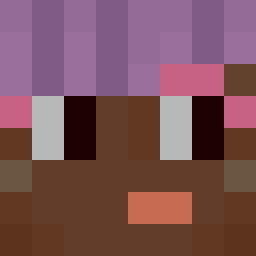
SavoryTaffy was the 4427th player we have seen with this skin, first spotted on 31.08.2026. The same skin was seen on these players. Open a nickname to see their current skin and skin history.
 VoidOsshirov zDenizzzK qsvenq maciejka3tysiace FeelsDonkMan Scott1441 ParadoxBuilder COWDOGPLAYS realSalt_Ree Bangiore Casual_Gaming101 doomgaa anthropology MichaelFraMeny Knock GHOSTPRO7089 Tacoasaurus Pholidota jangbangg YataroNiklas Not_Henry5152 CrunchyBoi69 wooja_nunna DrDonutjr harry_kawx Toniezbys VampireWerewolf qmp4p XongZing Altarix2709 Kerel231 Wind6332 Urajis Marcothebuilder MXLightning noviwave adrianvn MystiikHD Tennisser kush551 xDqO CitedCrown90331 papitoxhulo
 MaBu12 jiteric Lbozo
 WoolAttorney NotVegan_
 Khomie Christiano203 urikto VitaliALR Reseaz Coolcoen
 OverlordX3
 vaechuu Lor232 FrankitoArg lgto SMALLtank87
How to install the SavoryTaffy skin
- Press the Download button above to save the skin as a PNG file.
- Minecraft: Bedrock Edition (PE): open the Dressing Room from the main menu (or tap your character → Edit Character), go to Classic Skins → Owned, press the + (new skin) button, choose the downloaded PNG and pick the Classic (Steve) model. Works on PC and mobile; consoles cannot import custom skins.
- Minecraft: Java Edition: open the Minecraft Launcher, go to the Skins tab, click New Skin, load the PNG, pick the Classic (Steve) model and press Save & Use. You can also upload it at minecraft.net → Profile → Change Skin.
The skin does not show up after import - what should I do?
Restart Minecraft and open the Dressing Room again - imported skins sometimes appear only after a restart. Also make sure you selected the imported skin and picked the Classic (Steve) model.
Which model should I choose, Classic or Slim?
This skin is designed for the Classic (Steve) model. If you pick the wrong model, the arms of the skin will look stretched or squeezed.
Is the skin of SavoryTaffy free to download?
Yes. Press Download, save the PNG file and use it in Minecraft: Bedrock Edition or Java Edition - no payment or registration needed. The skin also works on multiplayer servers and Realms.
More skins
Looking for more? Go back to all Minecraft skins and check the top skins of the week, month and all time, or find any player's skin by nickname.