
SamyXx - Minecraft Skins & Skin History
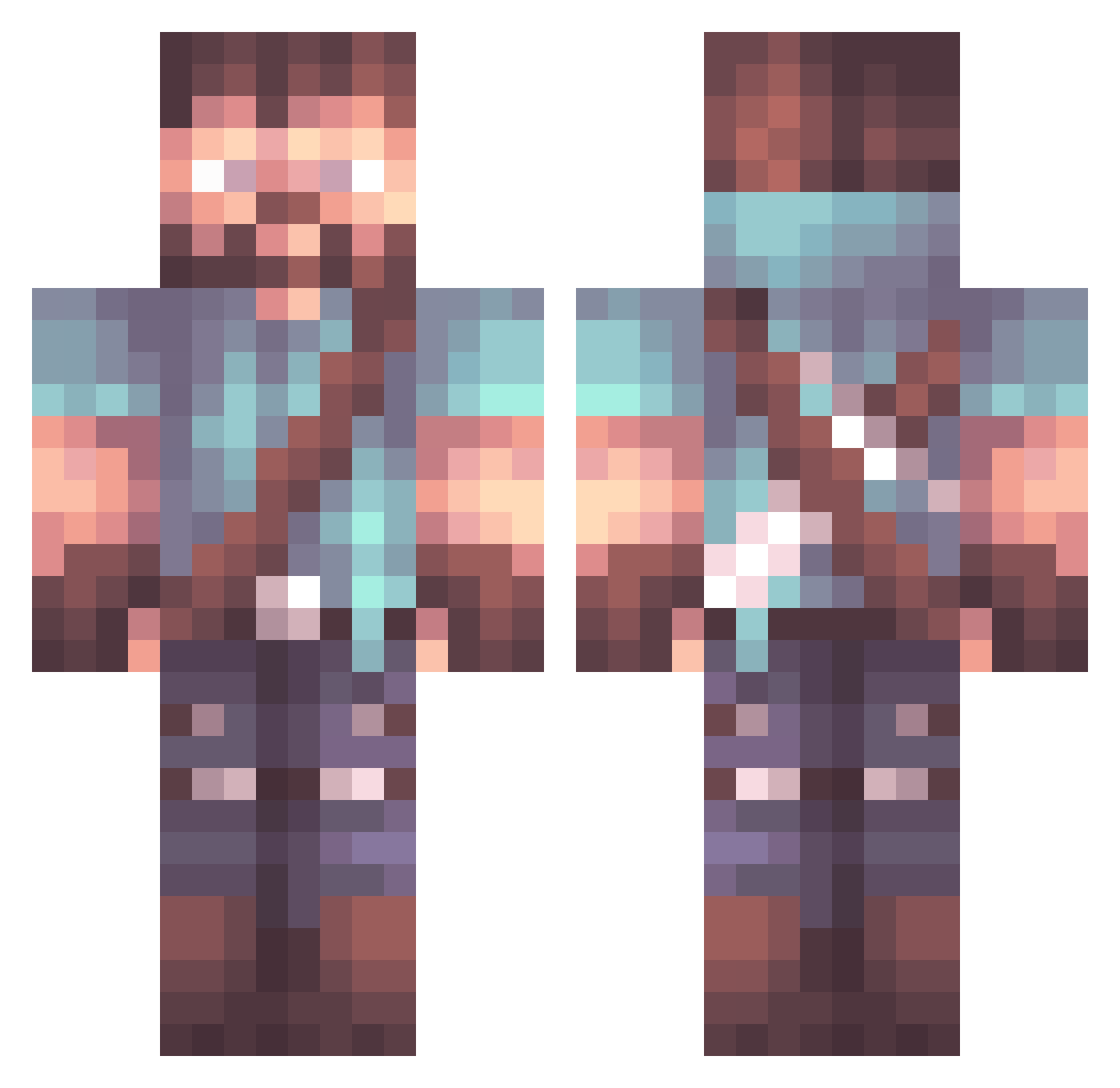
Current Minecraft skin of the player SamyXx, loaded from the official Mojang API. Rotate the 3D model with your mouse or finger, then download the skin as a PNG file and use it in Minecraft: Bedrock Edition or Java Edition for free. When SamyXx changes their skin, this page updates automatically and the old skin stays in the history below.
Other players with this skin (1070)
SamyXx was the 894th player we have seen with this skin, first spotted on 24.10.2026. The same skin was seen on these players. Open a nickname to see their current skin and skin history.
 perch_pro Aylwin XtremeMonster07 EMBERTV 98Wolf KMGKrew ri9atony MoeMelek skyflyer212 Cassebx BigMackk69 k4bezon BobbyBlack80 stewie_grifnnn T0IXCGUN1324 Zeny25 Acebacsi matiego_ notDaki ChiefBakes_ Alseha hajav ArcadeLove pi45 LZX127 triff6871 sleepinmaster _Flick_ Sevon45 NickleToes Vollt13 ProtoGears lTricksl Amendrum terrytickly TKT_the_pro Khaeos97 Elritch JuanPot1991 Winderdbz SeungwooJung Idc35 sadboyzpro ElliotJUK Enesars_1 giannis9394 convict38 MortyTownLocos realyamamoto Mrboomshkalaka InfiniRage Covant13 _Keone_ Mitraille62 Kapazzii SleepyBoar LOSTMU53 MoNingMo JMJJ_ Bresee47
More Herobrine Minecraft skins
How to install the SamyXx skin
- Press the Download button above to save the skin as a PNG file.
- Minecraft: Bedrock Edition (PE): open the Dressing Room from the main menu (or tap your character → Edit Character), go to Classic Skins → Owned, press the + (new skin) button, choose the downloaded PNG and pick the Classic (Steve) model. Works on PC and mobile; consoles cannot import custom skins.
- Minecraft: Java Edition: open the Minecraft Launcher, go to the Skins tab, click New Skin, load the PNG, pick the Classic (Steve) model and press Save & Use. You can also upload it at minecraft.net → Profile → Change Skin.
The skin does not show up after import - what should I do?
Restart Minecraft and open the Dressing Room again - imported skins sometimes appear only after a restart. Also make sure you selected the imported skin and picked the Classic (Steve) model.
Which model should I choose, Classic or Slim?
This skin is designed for the Classic (Steve) model. If you pick the wrong model, the arms of the skin will look stretched or squeezed.
Is the skin of SamyXx free to download?
Yes. Press Download, save the PNG file and use it in Minecraft: Bedrock Edition or Java Edition - no payment or registration needed. The skin also works on multiplayer servers and Realms.
More skins
Looking for more? Go back to all Minecraft skins and check the top skins of the week, month and all time, or find any player's skin by nickname.