
SaltySquanto98 - Minecraft Skins & Skin History
Current Minecraft skin of the player SaltySquanto98, loaded from the official Mojang API. Rotate the 3D model with your mouse or finger, then download the skin as a PNG file and use it in Minecraft: Bedrock Edition or Java Edition for free. When SaltySquanto98 changes their skin, this page updates automatically and the old skin stays in the history below.

Other players with this skin (47)
SaltySquanto98 was the 20th player we have seen with this skin, first spotted on 26.08.2026. The same skin was seen on these players. Open a nickname to see their current skin and skin history.
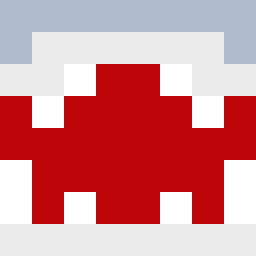 smartin1234 IDeletedAlex appleeesauceee dire13 ASHFKX MrMonkeyJrz junseong84 harueater GiddiGamer 7963building Coinbasee SinonBlossom aitorjg16 NewUtopia squoshTV fer_0212 yorichi87 mav1x koutan1204 Z3nrique
 kiwi_cro Khazen_EZ
 Brevonator mtthwhnh Milancraft17 CANDY0528 Ccpillow UNI1111 Trxshrrr jStNoocb 24riatc ikaiker ScrubDaddy5 jessssus
 TeodorV clownpiece7 Idunna86 ItzMajo_ jonik0 patience29 PhatZeroVideos fittonia W000d phallicies MaddoxMaddog261 rederatr Avioh
More Shark Minecraft skins
How to install the SaltySquanto98 skin
- Press the Download button above to save the skin as a PNG file.
- Minecraft: Bedrock Edition (PE): open the Dressing Room from the main menu (or tap your character → Edit Character), go to Classic Skins → Owned, press the + (new skin) button, choose the downloaded PNG and pick the Classic (Steve) model. Works on PC and mobile; consoles cannot import custom skins.
- Minecraft: Java Edition: open the Minecraft Launcher, go to the Skins tab, click New Skin, load the PNG, pick the Classic (Steve) model and press Save & Use. You can also upload it at minecraft.net → Profile → Change Skin.
The skin does not show up after import - what should I do?
Restart Minecraft and open the Dressing Room again - imported skins sometimes appear only after a restart. Also make sure you selected the imported skin and picked the Classic (Steve) model.
Which model should I choose, Classic or Slim?
This skin is designed for the Classic (Steve) model. If you pick the wrong model, the arms of the skin will look stretched or squeezed.
Is the skin of SaltySquanto98 free to download?
Yes. Press Download, save the PNG file and use it in Minecraft: Bedrock Edition or Java Edition - no payment or registration needed. The skin also works on multiplayer servers and Realms.
More skins
Looking for more? Go back to all Minecraft skins and check the top skins of the week, month and all time, or find any player's skin by nickname.