
Sakura_GIrrrA572 - Minecraft Skins & Skin History
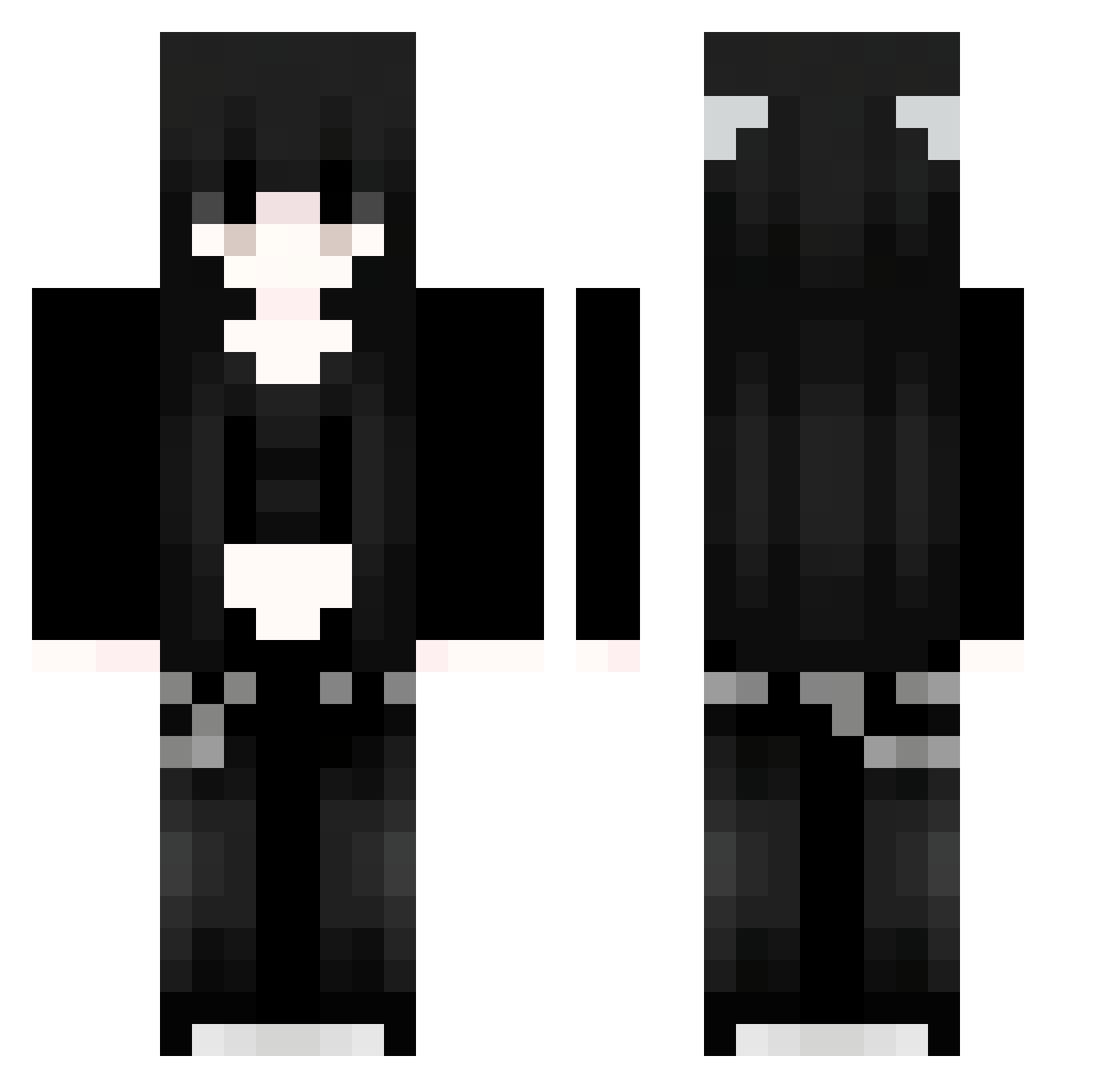
Current Minecraft skin of the player Sakura_GIrrrA572, loaded from the official Mojang API. Rotate the 3D model with your mouse or finger, then download the skin as a PNG file and use it in Minecraft: Bedrock Edition or Java Edition for free. When Sakura_GIrrrA572 changes their skin, this page updates automatically and the old skin stays in the history below.
Other players with this skin (1298)
Sakura_GIrrrA572 was the 1275th player we have seen with this skin, first spotted on 17.11.2026. The same skin was seen on these players. Open a nickname to see their current skin and skin history.
 zMb747 ngV755 bcL716 Mika_Gremory OHU489 uaU968 VIq8 CowNotFound777 TKj683 Sakura_vKPFlZ607 kkb229 vlF400 Ige923 JHO449 uYM807 jYb744 QaI448 nQT289 feui77e auralittleword ofcEnK766 aOl955 91_PWirzOmcwa734 Sakura_avCiFb617 SavathiccsGoomba vLS119 oWNrAPKCtMKoP254 FCa813 Ewika_Gween lyg12138 vDT821 Kkl763 xaiorui1 pzj404 ZLU931 WmV746 Sakura_wjmtzc575 Sakura_kUNUGT243 cQZ921 WHykeVglYXPDx945 Zpw390 Sakura_PVQiaH190 Sakura_NlDAZg641 mma456 Lji639 bJT706 MWD942 xqS58 GeF34 DAYBREAKSTAR92 FhT974 lDq713 LAk368 ESD983 mtr952 fhQ707 shu_ron mpQ680 BJX716 pmM676
More Emo Minecraft skins
How to install the Sakura_GIrrrA572 skin
- Press the Download button above to save the skin as a PNG file.
- Minecraft: Bedrock Edition (PE): open the Dressing Room from the main menu (or tap your character → Edit Character), go to Classic Skins → Owned, press the + (new skin) button, choose the downloaded PNG and pick the Classic (Steve) model. Works on PC and mobile; consoles cannot import custom skins.
- Minecraft: Java Edition: open the Minecraft Launcher, go to the Skins tab, click New Skin, load the PNG, pick the Classic (Steve) model and press Save & Use. You can also upload it at minecraft.net → Profile → Change Skin.
The skin does not show up after import - what should I do?
Restart Minecraft and open the Dressing Room again - imported skins sometimes appear only after a restart. Also make sure you selected the imported skin and picked the Classic (Steve) model.
Which model should I choose, Classic or Slim?
This skin is designed for the Classic (Steve) model. If you pick the wrong model, the arms of the skin will look stretched or squeezed.
Is the skin of Sakura_GIrrrA572 free to download?
Yes. Press Download, save the PNG file and use it in Minecraft: Bedrock Edition or Java Edition - no payment or registration needed. The skin also works on multiplayer servers and Realms.
More skins
Looking for more? Go back to all Minecraft skins and check the top skins of the week, month and all time, or find any player's skin by nickname.