
SSWIMMX - Minecraft Skins & Skin History
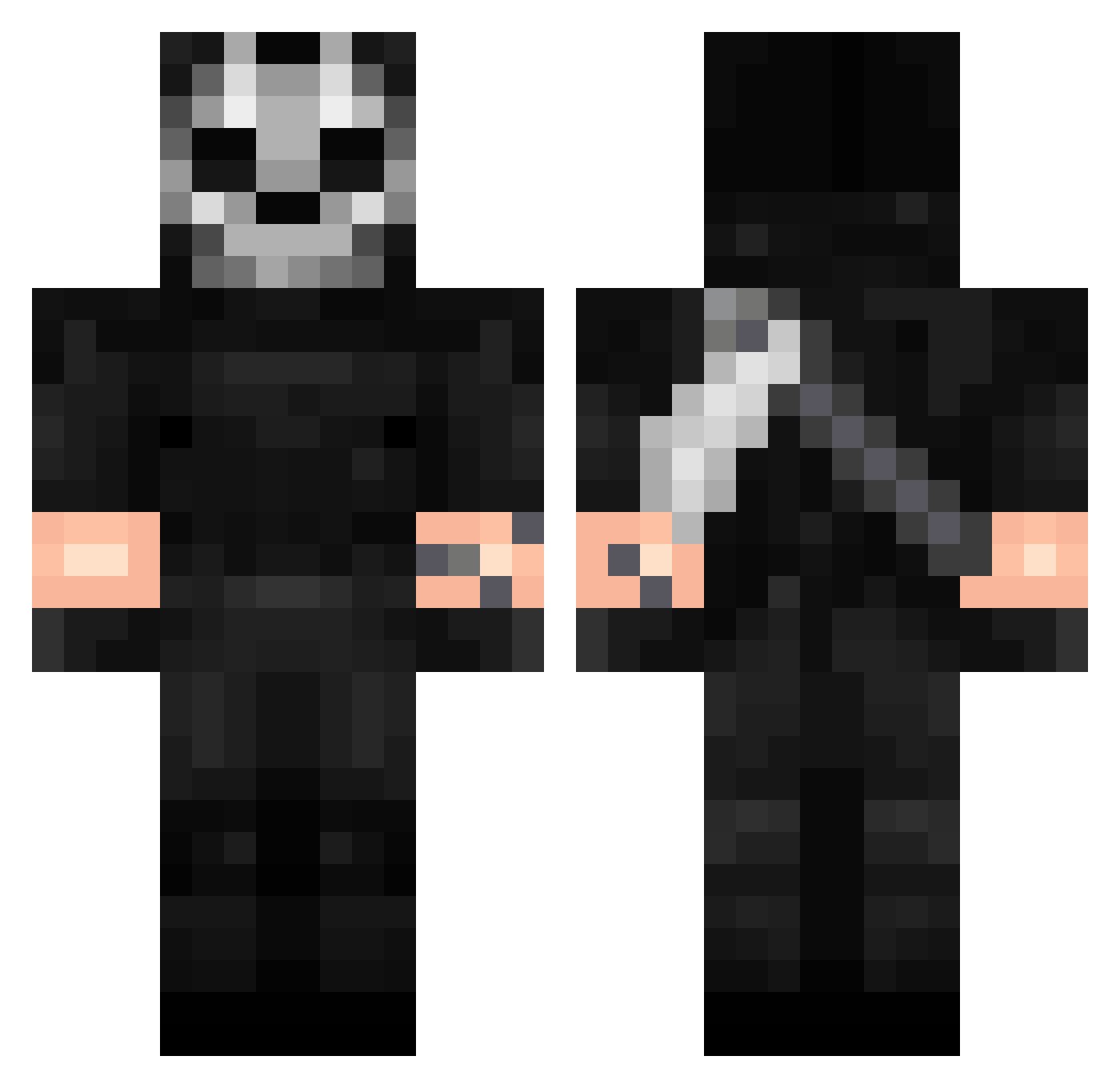
Current Minecraft skin of the player SSWIMMX, loaded from the official Mojang API. Rotate the 3D model with your mouse or finger, then download the skin as a PNG file and use it in Minecraft: Bedrock Edition or Java Edition for free. When SSWIMMX changes their skin, this page updates automatically and the old skin stays in the history below.
Other players with this skin (342)
SSWIMMX was the 289th player we have seen with this skin, first spotted on 21.10.2026. The same skin was seen on these players. Open a nickname to see their current skin and skin history.
 _Weeknd RedRemyBoyz Tanardium TROX83949 T0xy117 Shadow_9456 eisenkleee ghosTTaken06 X_AK_X Pashmax Megali19Pro WeebMaster412 Lasgue P5in ahhhhhhhhhhh0000 __more__ NotClem1 xxgamer840 SmokeyWhistle Solution2317 NightExcite Ghostii001 reexay FantasticFerro BeanB0ii GoatVires Smart2303 Cheetoboii SemihKardes01 Czadzio NizChan_ Burakgnz JuanitoElBendito SkitzWan Ragnarok_K9 ArcoLanX Peralta01 Rafa10X GHOST_RETURN jado0o adrianosch Gh0StgerSmil3 Rknei Sasso_Poetico Fixip marczak00 Lukas2020 ornella3110 jhoset0787 RavenHenry yes3423 merikh_069 teteusilva08 GXgamer6881 A_Mimir Forvist_ minisma2000 Moevler87 Typhoon1648 CatWalker
More Call Of Duty Minecraft skins
See all 163 Call Of Duty skins
How to install the SSWIMMX skin
- Press the Download button above to save the skin as a PNG file.
- Minecraft: Bedrock Edition (PE): open the Dressing Room from the main menu (or tap your character → Edit Character), go to Classic Skins → Owned, press the + (new skin) button, choose the downloaded PNG and pick the Classic (Steve) model. Works on PC and mobile; consoles cannot import custom skins.
- Minecraft: Java Edition: open the Minecraft Launcher, go to the Skins tab, click New Skin, load the PNG, pick the Classic (Steve) model and press Save & Use. You can also upload it at minecraft.net → Profile → Change Skin.
The skin does not show up after import - what should I do?
Restart Minecraft and open the Dressing Room again - imported skins sometimes appear only after a restart. Also make sure you selected the imported skin and picked the Classic (Steve) model.
Which model should I choose, Classic or Slim?
This skin is designed for the Classic (Steve) model. If you pick the wrong model, the arms of the skin will look stretched or squeezed.
Is the skin of SSWIMMX free to download?
Yes. Press Download, save the PNG file and use it in Minecraft: Bedrock Edition or Java Edition - no payment or registration needed. The skin also works on multiplayer servers and Realms.
More skins
Looking for more? Go back to all Minecraft skins and check the top skins of the week, month and all time, or find any player's skin by nickname.