
SSSSSS123 - Minecraft Skins & Skin History
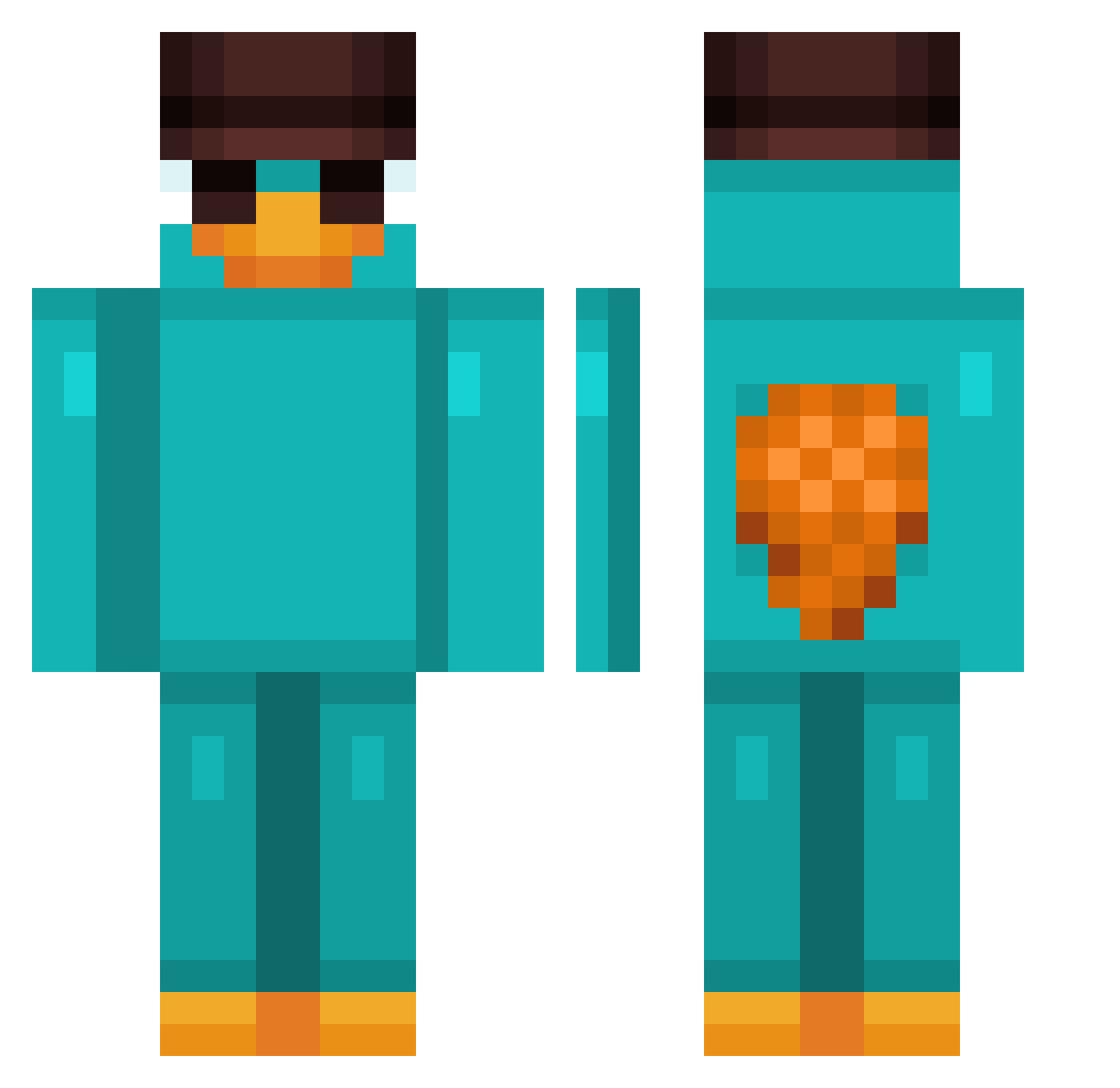
Current Minecraft skin of the player SSSSSS123, loaded from the official Mojang API. Rotate the 3D model with your mouse or finger, then download the skin as a PNG file and use it in Minecraft: Bedrock Edition or Java Edition for free. When SSSSSS123 changes their skin, this page updates automatically and the old skin stays in the history below.
Other players with this skin (810)
SSSSSS123 was the 129th player we have seen with this skin, first spotted on 08.08.2026. The same skin was seen on these players. Open a nickname to see their current skin and skin history.
 Tony_Batatinha Linkstraeger13 Gkoi_8221 Lnt_Yazhmog Vishi_ J_Sharp_ yoyochang_TW lxcas7 Kian_Testate Rohona Rafaoofc Flo5348 kazikgazik3000 larsyS SekiirOo_ mbkatorz
 Pereval104 Dipex1012 zSchnabeltierPvP
 BiuuuKatze crosbone2012 Sagirass sgtsquirt8 xxyoungzTobiee Pagh1337 Miko212 Jojojumper123 MOnaBA 21Samuelz CAXTROO Qschellenger ADRIANNO2115 wolxsen pocky951 ToniJauch ChriZzz_ BB4o lino321 Kylah07 BRYXN22 rominko20 sydlui Kxnvi ElMinero25 BiGs_z przerwa__ Pepsius_Maximus Bloopinho xxxkoi alerco GamingYeti1 nickmiyah nataniel12345 B4ttson broski45 PjSalt97 daddymjm tyMOON17 DukeDui Swaggy_Baggy
More Platypus Minecraft skins
How to install the SSSSSS123 skin
- Press the Download button above to save the skin as a PNG file.
- Minecraft: Bedrock Edition (PE): open the Dressing Room from the main menu (or tap your character → Edit Character), go to Classic Skins → Owned, press the + (new skin) button, choose the downloaded PNG and pick the Classic (Steve) model. Works on PC and mobile; consoles cannot import custom skins.
- Minecraft: Java Edition: open the Minecraft Launcher, go to the Skins tab, click New Skin, load the PNG, pick the Classic (Steve) model and press Save & Use. You can also upload it at minecraft.net → Profile → Change Skin.
The skin does not show up after import - what should I do?
Restart Minecraft and open the Dressing Room again - imported skins sometimes appear only after a restart. Also make sure you selected the imported skin and picked the Classic (Steve) model.
Which model should I choose, Classic or Slim?
This skin is designed for the Classic (Steve) model. If you pick the wrong model, the arms of the skin will look stretched or squeezed.
Is the skin of SSSSSS123 free to download?
Yes. Press Download, save the PNG file and use it in Minecraft: Bedrock Edition or Java Edition - no payment or registration needed. The skin also works on multiplayer servers and Realms.
More skins
Looking for more? Go back to all Minecraft skins and check the top skins of the week, month and all time, or find any player's skin by nickname.