
SHACOo7 - Minecraft Skins & Skin History
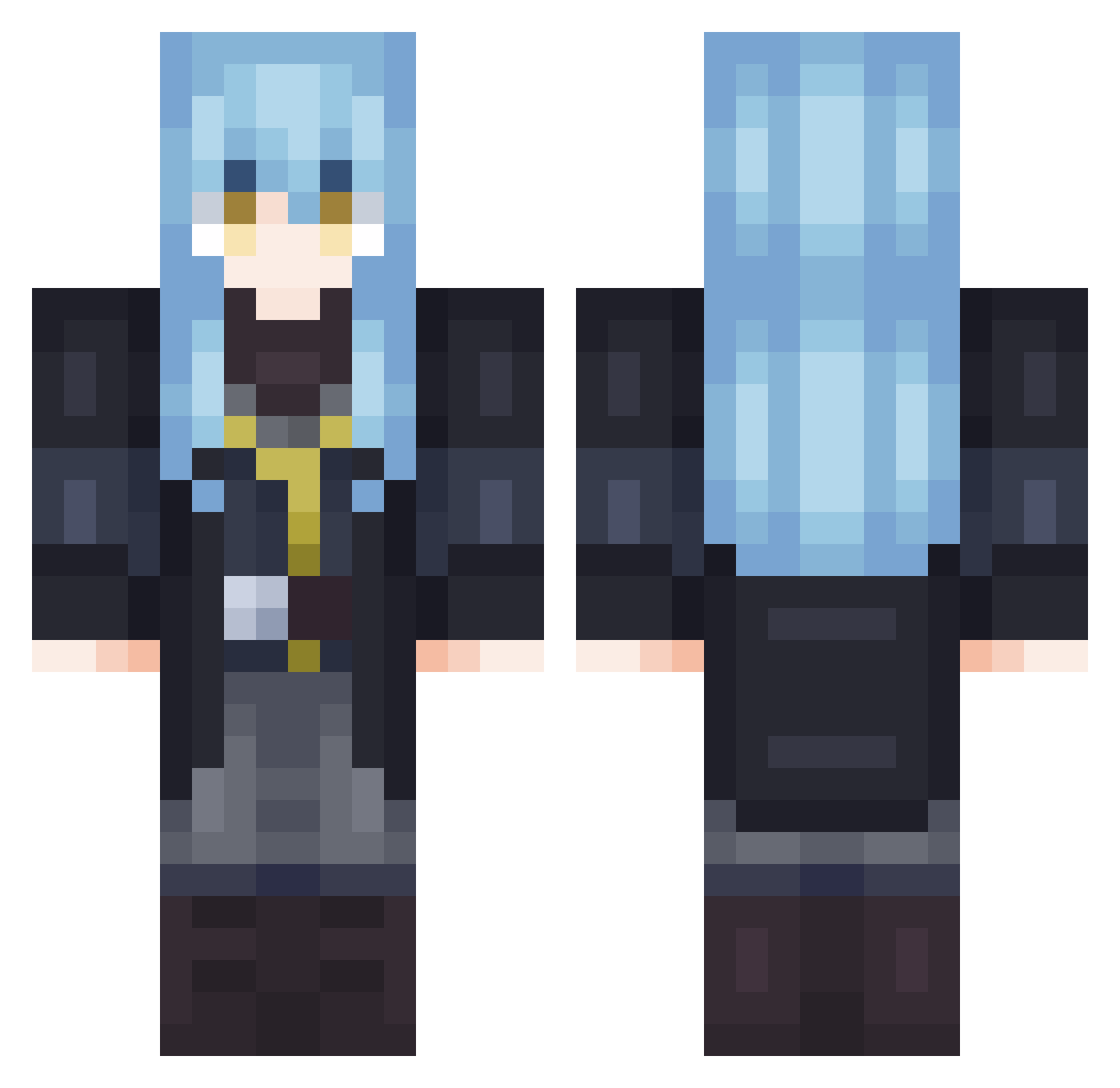
Current Minecraft skin of the player SHACOo7, loaded from the official Mojang API. Rotate the 3D model with your mouse or finger, then download the skin as a PNG file and use it in Minecraft: Bedrock Edition or Java Edition for free. When SHACOo7 changes their skin, this page updates automatically and the old skin stays in the history below.
Other players with this skin (629)
SHACOo7 was the 607th player we have seen with this skin, first spotted on 19.10.2026. The same skin was seen on these players. Open a nickname to see their current skin and skin history.
 Nate_chill Dopia_ ILoveMentalGirls Tactical_Rain InsoWeb667 drogoz712 metahnoyah gimmy6543 Orlando699 Deseress Anico3685 kxxyo Haider_25 Shurti91 Poztlc MirayNezzy Nxuvier BlessSaber 4_Shinu F16_Viper xyzKyuubi Timperlim Caicaiiii Wolf_Jack_ Nimbalson tictac_wizard eeyore_mw BakuNoKami N_Mia javilotillo Hardcore511 KIYQ rumach nzKesso rimuru1223 Yuka_13 MinerConfiderete Fruzdy _BLueW Ne0ryu_ Mal_jmKTEW StrikerOne68 Jaesaen Rean72 Xranteon CursedAshenOne przewrotka SohaiGotBigJJ Godslayer1324 neko5539 SpiritTide Shiro_Raven Zosho01 Creepo5511 MPSx Olympyy YoshiiVN hotrotgamer12345 Mimiche_ BajanMLG
More Rimuru Tempest Minecraft skins
See all 229 Rimuru Tempest skins
How to install the SHACOo7 skin
- Press the Download button above to save the skin as a PNG file.
- Minecraft: Bedrock Edition (PE): open the Dressing Room from the main menu (or tap your character → Edit Character), go to Classic Skins → Owned, press the + (new skin) button, choose the downloaded PNG and pick the Classic (Steve) model. Works on PC and mobile; consoles cannot import custom skins.
- Minecraft: Java Edition: open the Minecraft Launcher, go to the Skins tab, click New Skin, load the PNG, pick the Classic (Steve) model and press Save & Use. You can also upload it at minecraft.net → Profile → Change Skin.
The skin does not show up after import - what should I do?
Restart Minecraft and open the Dressing Room again - imported skins sometimes appear only after a restart. Also make sure you selected the imported skin and picked the Classic (Steve) model.
Which model should I choose, Classic or Slim?
This skin is designed for the Classic (Steve) model. If you pick the wrong model, the arms of the skin will look stretched or squeezed.
Is the skin of SHACOo7 free to download?
Yes. Press Download, save the PNG file and use it in Minecraft: Bedrock Edition or Java Edition - no payment or registration needed. The skin also works on multiplayer servers and Realms.
More skins
Looking for more? Go back to all Minecraft skins and check the top skins of the week, month and all time, or find any player's skin by nickname.