
SC4040 - Minecraft Skins & Skin History
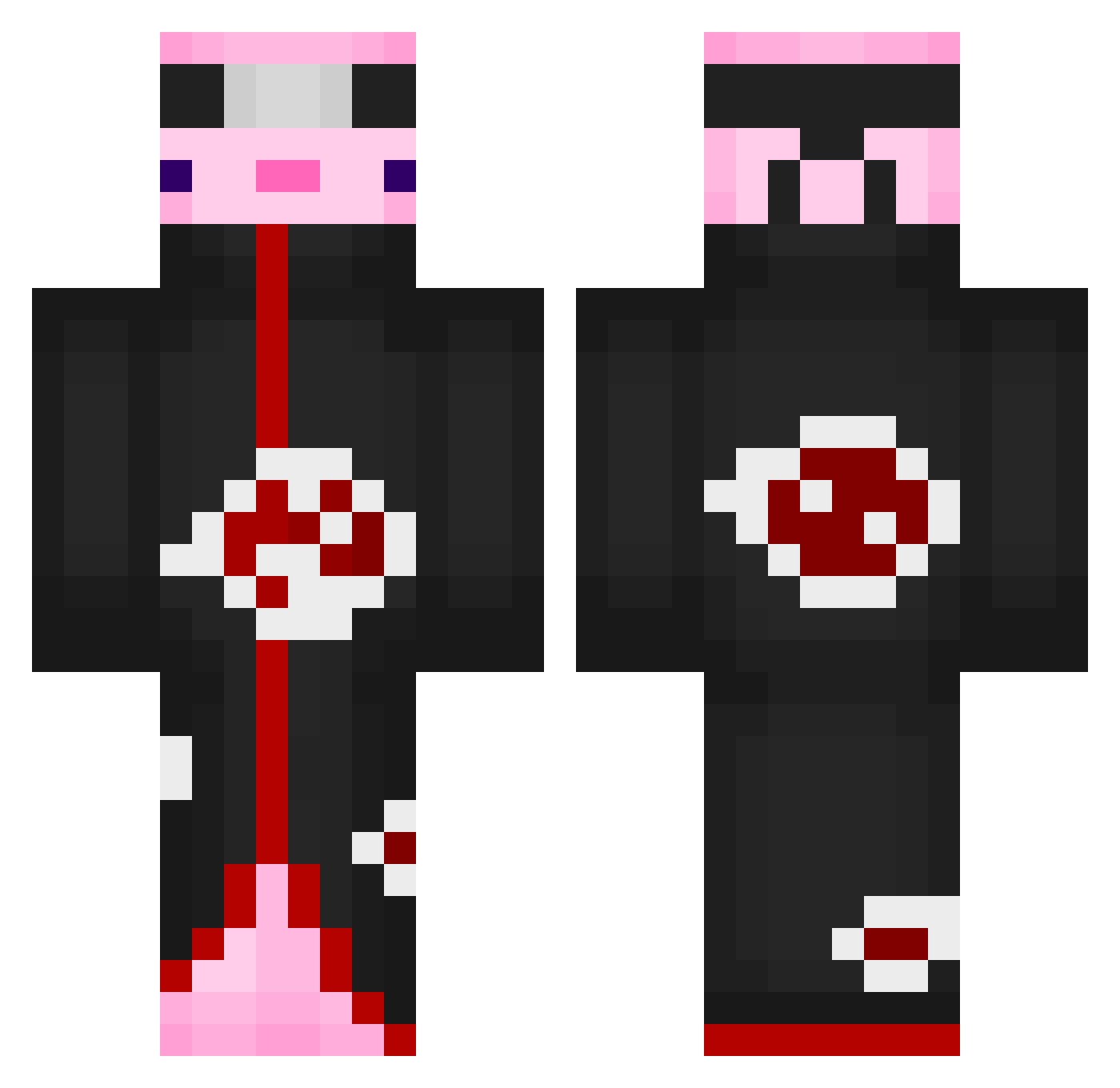
Current Minecraft skin of the player SC4040, loaded from the official Mojang API. Rotate the 3D model with your mouse or finger, then download the skin as a PNG file and use it in Minecraft: Bedrock Edition or Java Edition for free. When SC4040 changes their skin, this page updates automatically and the old skin stays in the history below.
Other players with this skin (531)
SC4040 was the 250th player we have seen with this skin, first spotted on 05.09.2026. The same skin was seen on these players. Open a nickname to see their current skin and skin history.
 Luchian0943nb Waveel Stopwillie Baarud Korero E7fall MC_Aspect Avocadyyyy YoshiSam67 MineMaster10023 FaZe_Dani11 HazretiCaptain kecskemogyi Damrn coinfish7 OMARXX08 supremeleader007 melon3310 Mathis012 babynie SweetXd groo23 reegantiah8 DevotedPage56 GamingHelt TACHE22 Jseries0 Yiting1103 flowbirg BMHolder Trocksternic innisto Koko_limona RoseGB KillerProBro yui_sho Stanger31 Failergila Fishy1uriah Ethanthebest123 Flaymik Emiliobanana ReKill2364 BLACK_DRAGON94 FocusAphid Omega9862 killo11112005uvg PangoroGG Iky_kanyin DashDC Tamay01 tkroo mmolyww hrhr5283 AnimeFan2191 agueno FZT_Pluto A_Person3148 balabek22 KissMyDepressi0n
More Akatsuki Minecraft skins
How to install the SC4040 skin
- Press the Download button above to save the skin as a PNG file.
- Minecraft: Bedrock Edition (PE): open the Dressing Room from the main menu (or tap your character → Edit Character), go to Classic Skins → Owned, press the + (new skin) button, choose the downloaded PNG and pick the Classic (Steve) model. Works on PC and mobile; consoles cannot import custom skins.
- Minecraft: Java Edition: open the Minecraft Launcher, go to the Skins tab, click New Skin, load the PNG, pick the Classic (Steve) model and press Save & Use. You can also upload it at minecraft.net → Profile → Change Skin.
The skin does not show up after import - what should I do?
Restart Minecraft and open the Dressing Room again - imported skins sometimes appear only after a restart. Also make sure you selected the imported skin and picked the Classic (Steve) model.
Which model should I choose, Classic or Slim?
This skin is designed for the Classic (Steve) model. If you pick the wrong model, the arms of the skin will look stretched or squeezed.
Is the skin of SC4040 free to download?
Yes. Press Download, save the PNG file and use it in Minecraft: Bedrock Edition or Java Edition - no payment or registration needed. The skin also works on multiplayer servers and Realms.
More skins
Looking for more? Go back to all Minecraft skins and check the top skins of the week, month and all time, or find any player's skin by nickname.