
S0ttevenxXx - Minecraft Skins & Skin History
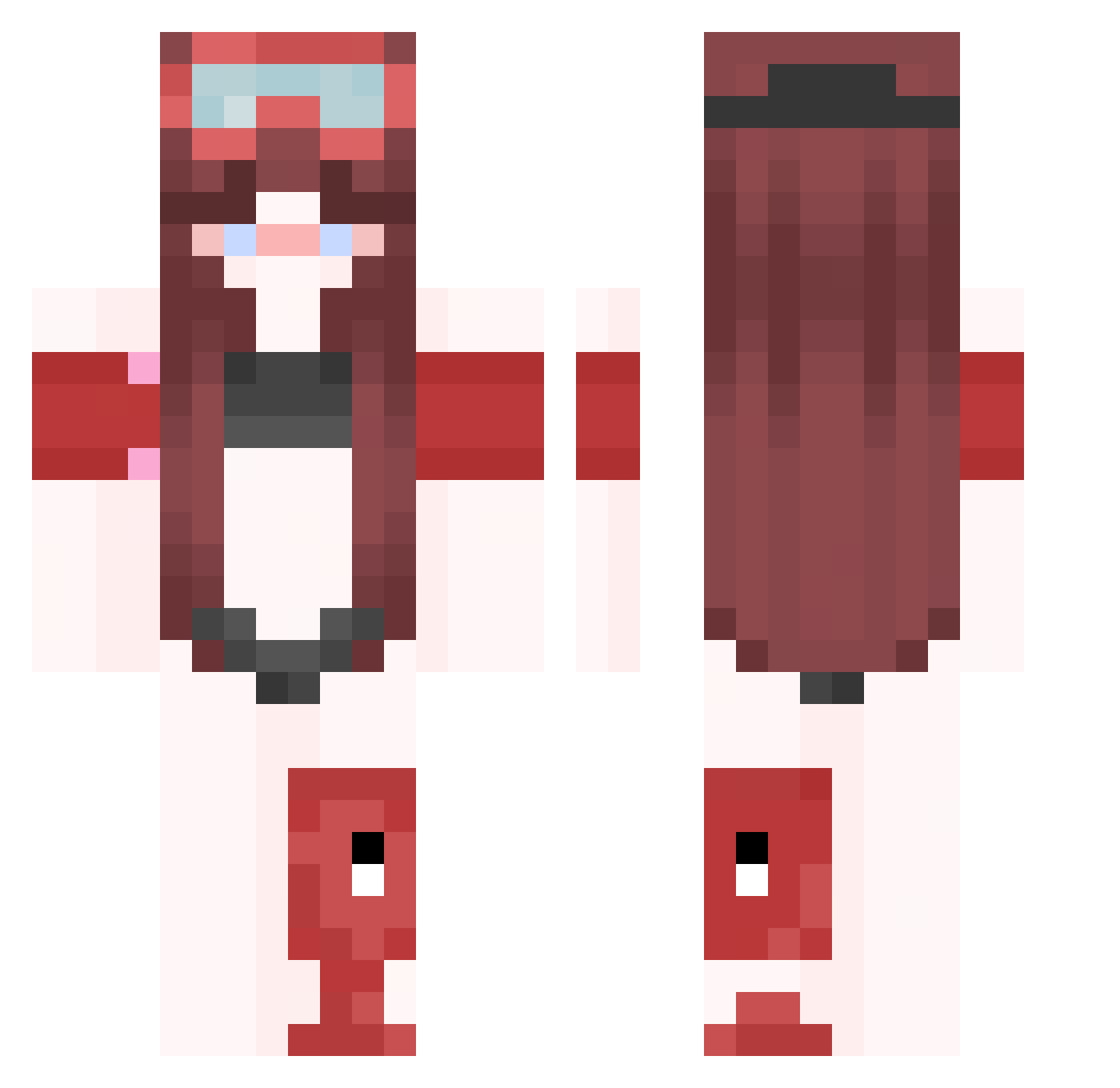
Current Minecraft skin of the player S0ttevenxXx, loaded from the official Mojang API. Rotate the 3D model with your mouse or finger, then download the skin as a PNG file and use it in Minecraft: Bedrock Edition or Java Edition for free. When S0ttevenxXx changes their skin, this page updates automatically and the old skin stays in the history below.
Other players with this skin (417)
S0ttevenxXx was the 315th player we have seen with this skin, first spotted on 11.10.2026. The same skin was seen on these players. Open a nickname to see their current skin and skin history.
 raveqaY1PDrf eventfulrespons Steven_sph mell_careless970 WhyYouBullyMeee anon053686 raver42QOCrf Jeremeh128 jexwatson2002 _Mandar1n nicealtsuXoTu Hamazushi18910 FeRnAn626556 0828220628 tzemeyer65red869 raveRPn4Q2Fy xthonkismeYtWN Cykloheksan BIG_TOE_BOB dismissiv7eCice xthonkismuaRHs raveEZ75dljC preferentialAun kimwolf621576 sakunohloveriva slowmagrolegit ptaltsteikO ciphergl5mmer CGR_Birdss nicealts_OsIlr P2pperrReezzz LoongLing Earth_Tiger GODKILLER_M imLucy1111 nemhauser Entitilo_VLmmW Kinesthesik Jose2_proYT75 AndresC27 nice_Pal Uri84iiaYT78 Lemon_291 harceleurdeythia ThunderBee99 Maaaria5xXx3 FernaN364816 ho7norablemutat PlusDeSous edfsdsd cipherth9nder ptaltseufuA s4one3ore57 S_x06usan raveU7mMqykv enzo_bomba_360hz LinhzMFFK0105 ptaltsPDZsH _chacha7 surfslip
More Lifeguard Minecraft skins
How to install the S0ttevenxXx skin
- Press the Download button above to save the skin as a PNG file.
- Minecraft: Bedrock Edition (PE): open the Dressing Room from the main menu (or tap your character → Edit Character), go to Classic Skins → Owned, press the + (new skin) button, choose the downloaded PNG and pick the Classic (Steve) model. Works on PC and mobile; consoles cannot import custom skins.
- Minecraft: Java Edition: open the Minecraft Launcher, go to the Skins tab, click New Skin, load the PNG, pick the Classic (Steve) model and press Save & Use. You can also upload it at minecraft.net → Profile → Change Skin.
The skin does not show up after import - what should I do?
Restart Minecraft and open the Dressing Room again - imported skins sometimes appear only after a restart. Also make sure you selected the imported skin and picked the Classic (Steve) model.
Which model should I choose, Classic or Slim?
This skin is designed for the Classic (Steve) model. If you pick the wrong model, the arms of the skin will look stretched or squeezed.
Is the skin of S0ttevenxXx free to download?
Yes. Press Download, save the PNG file and use it in Minecraft: Bedrock Edition or Java Edition - no payment or registration needed. The skin also works on multiplayer servers and Realms.
More skins
Looking for more? Go back to all Minecraft skins and check the top skins of the week, month and all time, or find any player's skin by nickname.