
Runa_Fenyx - Minecraft Skins & Skin History
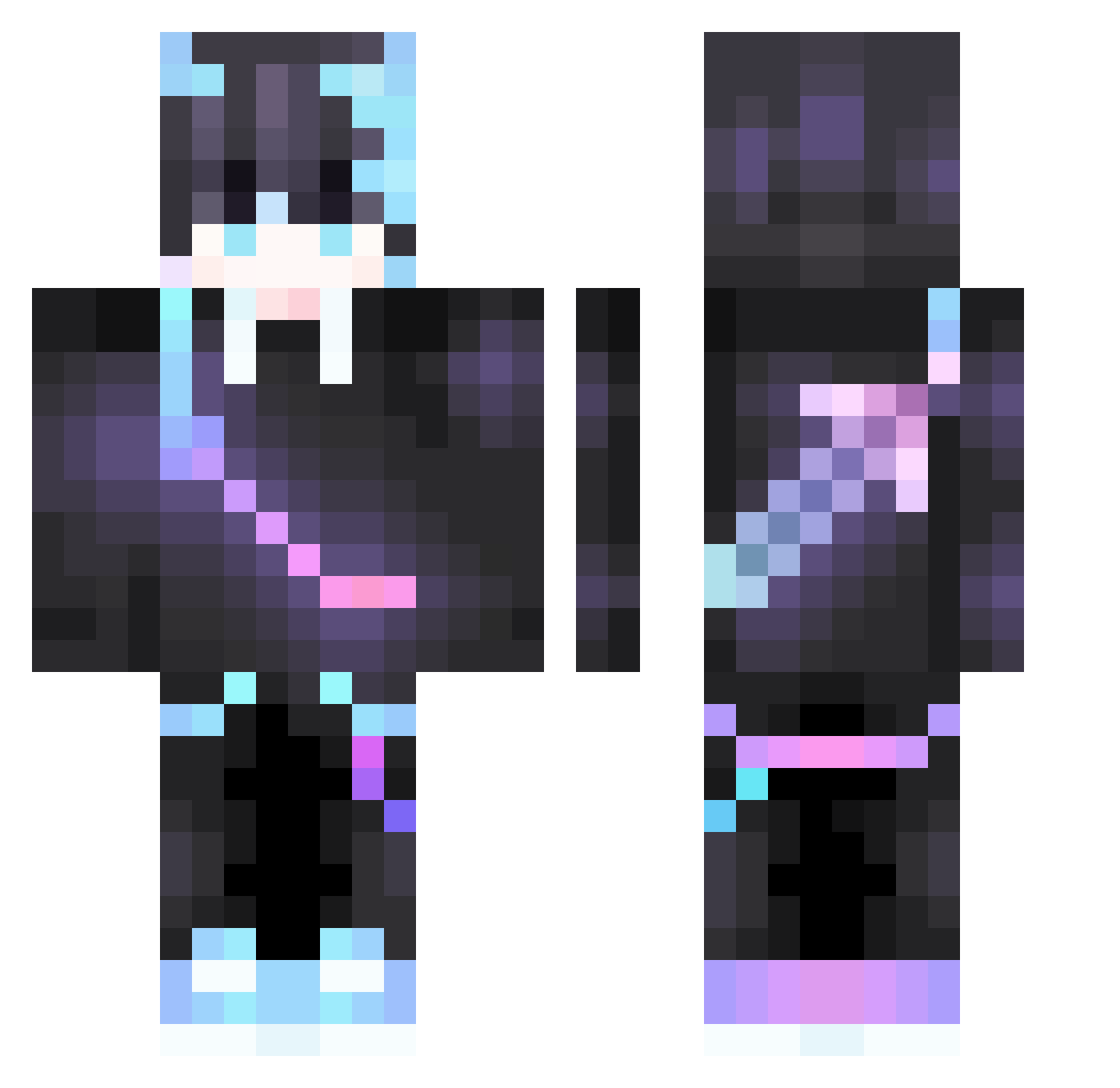
Current Minecraft skin of the player Runa_Fenyx, loaded from the official Mojang API. Rotate the 3D model with your mouse or finger, then download the skin as a PNG file and use it in Minecraft: Bedrock Edition or Java Edition for free. When Runa_Fenyx changes their skin, this page updates automatically and the old skin stays in the history below.
Other players with this skin (378)
Runa_Fenyx was the 310th player we have seen with this skin, first spotted on 06.10.2026. The same skin was seen on these players. Open a nickname to see their current skin and skin history.
 Freehugs318 Wu_LingF Akatoshen itz_Mike2 Suplex_City_ fsLong WuMuMaster baoshilan qwescws BarneyDaWifeBett Ginosajii YueyuanWANwan Pinsirr JackyBayerPM nick3939889 Navein5 noctis46 Olivia7gu Morris_Wang Kawaii_yu KuniDade7 Liricher youngk1ng520 TonyInori seven7311 Nox_Distruttore Madeinheaven701 Chili_19 PursuitWasTaken best3090 huanyingMY jilcp muchpliot114514 KrispyWater FernanLP TheSakuraSakura Alanboen JUSTBOOYT 8k0x SnowySweet Nicolo_thebest Galaxcite_ mc163javayg hchb thorflo jackycck0608 FABAEF SixSaicoYT Kishiou PeculiaRyRy Gamer_MayankYT0 VIPrulan mcxmg SadSeb clementineGR Mie_Ye pontisaime kirusina Leomcs Saru_Ronin
Previous skins of Runa_Fenyx
Skins that Runa_Fenyx wore before, newest first. Click a skin to open its page and download it.
More Sword On Back Minecraft skins
See all 238 Sword On Back skins
How to install the Runa_Fenyx skin
- Press the Download button above to save the skin as a PNG file.
- Minecraft: Bedrock Edition (PE): open the Dressing Room from the main menu (or tap your character → Edit Character), go to Classic Skins → Owned, press the + (new skin) button, choose the downloaded PNG and pick the Classic (Steve) model. Works on PC and mobile; consoles cannot import custom skins.
- Minecraft: Java Edition: open the Minecraft Launcher, go to the Skins tab, click New Skin, load the PNG, pick the Classic (Steve) model and press Save & Use. You can also upload it at minecraft.net → Profile → Change Skin.
The skin does not show up after import - what should I do?
Restart Minecraft and open the Dressing Room again - imported skins sometimes appear only after a restart. Also make sure you selected the imported skin and picked the Classic (Steve) model.
Which model should I choose, Classic or Slim?
This skin is designed for the Classic (Steve) model. If you pick the wrong model, the arms of the skin will look stretched or squeezed.
Is the skin of Runa_Fenyx free to download?
Yes. Press Download, save the PNG file and use it in Minecraft: Bedrock Edition or Java Edition - no payment or registration needed. The skin also works on multiplayer servers and Realms.
More skins
Looking for more? Go back to all Minecraft skins and check the top skins of the week, month and all time, or find any player's skin by nickname.