
RowanReg - Minecraft Skins & Skin History
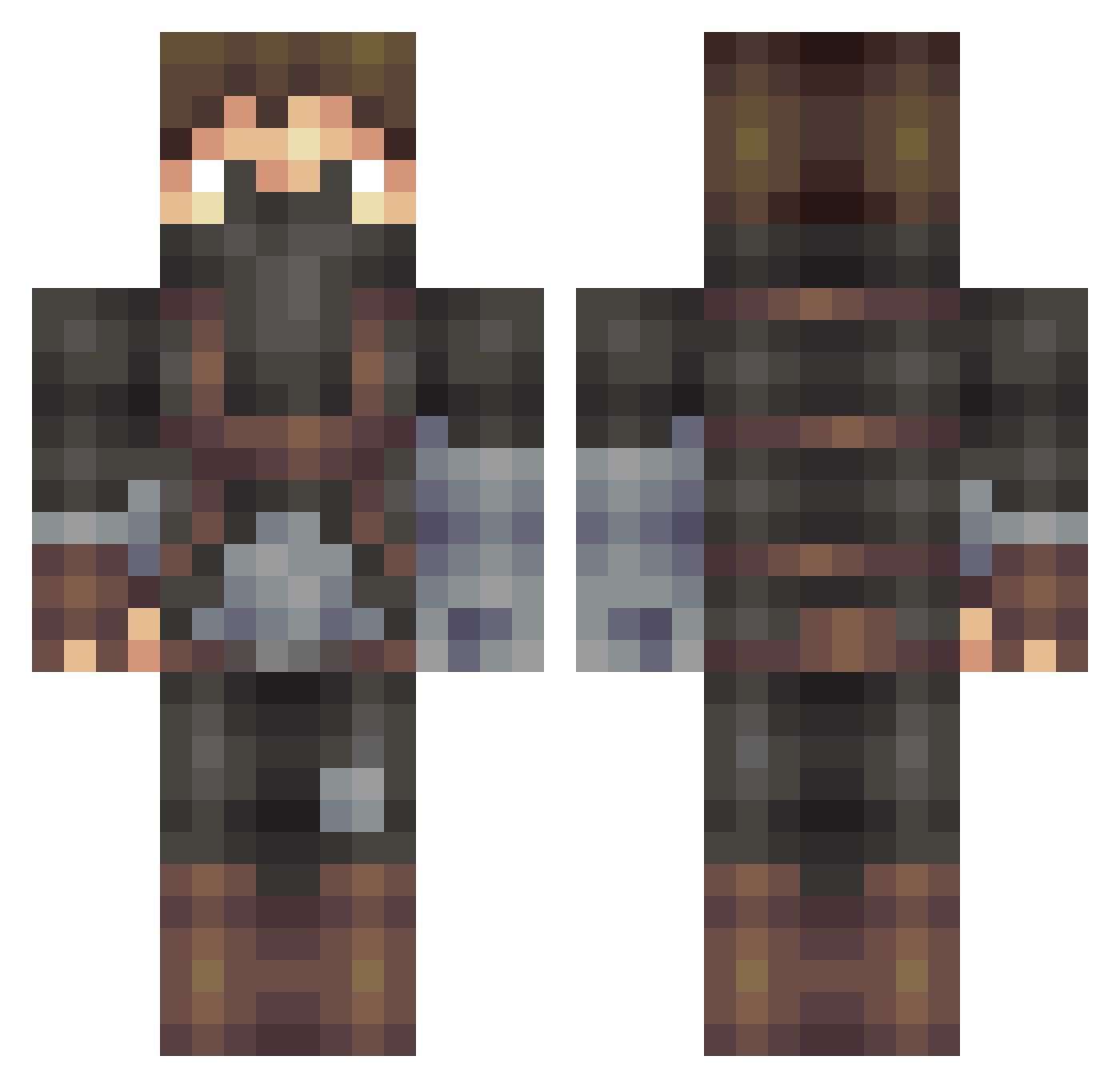
Current Minecraft skin of the player RowanReg, loaded from the official Mojang API. Rotate the 3D model with your mouse or finger, then download the skin as a PNG file and use it in Minecraft: Bedrock Edition or Java Edition for free. When RowanReg changes their skin, this page updates automatically and the old skin stays in the history below.
Other players with this skin (509)
RowanReg was the 236th player we have seen with this skin, first spotted on 19.09.2026. The same skin was seen on these players. Open a nickname to see their current skin and skin history.
 FallenKong Jalluvaarii IhurtPoodles safileTV Resendes03 lonely_captain speed127 Fox_in_the_Box Akime5 Kablablabla5 azzagriff GaNtEi justthebizon TehXerox DAEDELIC DeViL__666__ sluggerdragon Jonzeyadam bjsebf ultimateplayer19 Terrorizzor danny1661 MichaelKovich permeus _velociraptor StirlingStewart Mikaere ZohebSheik SERGEY022002 GirionHD Devil_Ace Padeya AllenJnr SeiferFyU koka4ever iCurfyGame diablox59233 jninjakid13 illuminatiking47 Captain_Rage MrScottishGuy MichaelRoyal Leobaerchen InvisibleEnigma hensyv1 emilxd13 Axel_Sandridge SurfGrommet ChrisNuffSaid UmamaBoom Imagination_13 Reunite Nosferateu Hannibal23Barkas Phibo29 _Lunsj_ Buckeye005 Sammeyer23 johannes_kg Troyne
More Assassin Minecraft skins
How to install the RowanReg skin
- Press the Download button above to save the skin as a PNG file.
- Minecraft: Bedrock Edition (PE): open the Dressing Room from the main menu (or tap your character → Edit Character), go to Classic Skins → Owned, press the + (new skin) button, choose the downloaded PNG and pick the Classic (Steve) model. Works on PC and mobile; consoles cannot import custom skins.
- Minecraft: Java Edition: open the Minecraft Launcher, go to the Skins tab, click New Skin, load the PNG, pick the Classic (Steve) model and press Save & Use. You can also upload it at minecraft.net → Profile → Change Skin.
The skin does not show up after import - what should I do?
Restart Minecraft and open the Dressing Room again - imported skins sometimes appear only after a restart. Also make sure you selected the imported skin and picked the Classic (Steve) model.
Which model should I choose, Classic or Slim?
This skin is designed for the Classic (Steve) model. If you pick the wrong model, the arms of the skin will look stretched or squeezed.
Is the skin of RowanReg free to download?
Yes. Press Download, save the PNG file and use it in Minecraft: Bedrock Edition or Java Edition - no payment or registration needed. The skin also works on multiplayer servers and Realms.
More skins
Looking for more? Go back to all Minecraft skins and check the top skins of the week, month and all time, or find any player's skin by nickname.