
Round_me - Minecraft Skins & Skin History
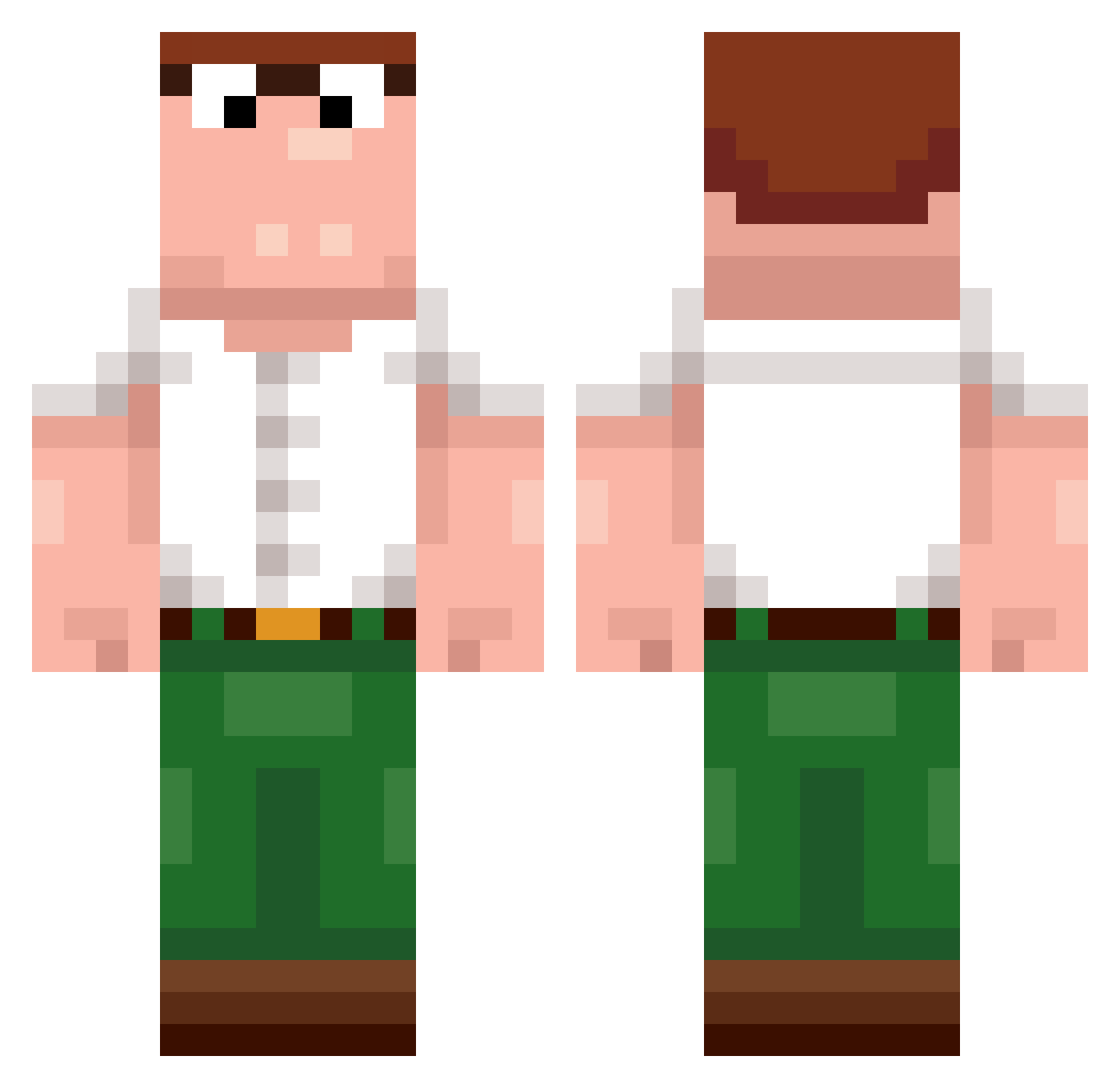
Current Minecraft skin of the player Round_me, loaded from the official Mojang API. Rotate the 3D model with your mouse or finger, then download the skin as a PNG file and use it in Minecraft: Bedrock Edition or Java Edition for free. When Round_me changes their skin, this page updates automatically and the old skin stays in the history below.
Other players with this skin (389)
Round_me was the 44th player we have seen with this skin, first spotted on 04.08.2026. The same skin was seen on these players. Open a nickname to see their current skin and skin history.
 Sxpiderzzz ryank5oo
 a905 Dragon7040 Ankhangcat1303 Dewier67 Lely_Li fenekot Dewier7 LukaNejc
 NotXPrime lorens22983 Wieiieee OscarPangarii LSlQ700 DontFireball ThigasTHP STRIKAHTHEMONSTE Osaka888 CCARGLASS riotx3 Hikaru1128 HiiliHappo GiftFor Dwwww1313 FullQuezada HappyPlue_ ICSxDEVIL DtierAB 1vAhmed_ 4FQ Dewier5 Sxj13 Bossprout UltimateAutism vonhh Uoolie EtherChen YoZinc123 Flaengiz14 ReggieSmoking SrChancho1 dewierooo Sgoogoog MrRainbow5w lDewier LuigiMemes Leonzra TelEREEN Stinky1122 Joybait OffNet Arthur_Artanis txflowers Neoxyd_ valentin13sch szarak11
 LokoSanchez02 LinhShade9uhUwU Sentown
More Peter Griffin Minecraft skins
See all 204 Peter Griffin skins
How to install the Round_me skin
- Press the Download button above to save the skin as a PNG file.
- Minecraft: Bedrock Edition (PE): open the Dressing Room from the main menu (or tap your character → Edit Character), go to Classic Skins → Owned, press the + (new skin) button, choose the downloaded PNG and pick the Classic (Steve) model. Works on PC and mobile; consoles cannot import custom skins.
- Minecraft: Java Edition: open the Minecraft Launcher, go to the Skins tab, click New Skin, load the PNG, pick the Classic (Steve) model and press Save & Use. You can also upload it at minecraft.net → Profile → Change Skin.
The skin does not show up after import - what should I do?
Restart Minecraft and open the Dressing Room again - imported skins sometimes appear only after a restart. Also make sure you selected the imported skin and picked the Classic (Steve) model.
Which model should I choose, Classic or Slim?
This skin is designed for the Classic (Steve) model. If you pick the wrong model, the arms of the skin will look stretched or squeezed.
Is the skin of Round_me free to download?
Yes. Press Download, save the PNG file and use it in Minecraft: Bedrock Edition or Java Edition - no payment or registration needed. The skin also works on multiplayer servers and Realms.
More skins
Looking for more? Go back to all Minecraft skins and check the top skins of the week, month and all time, or find any player's skin by nickname.