
RomeoBudman - Minecraft Skins & Skin History
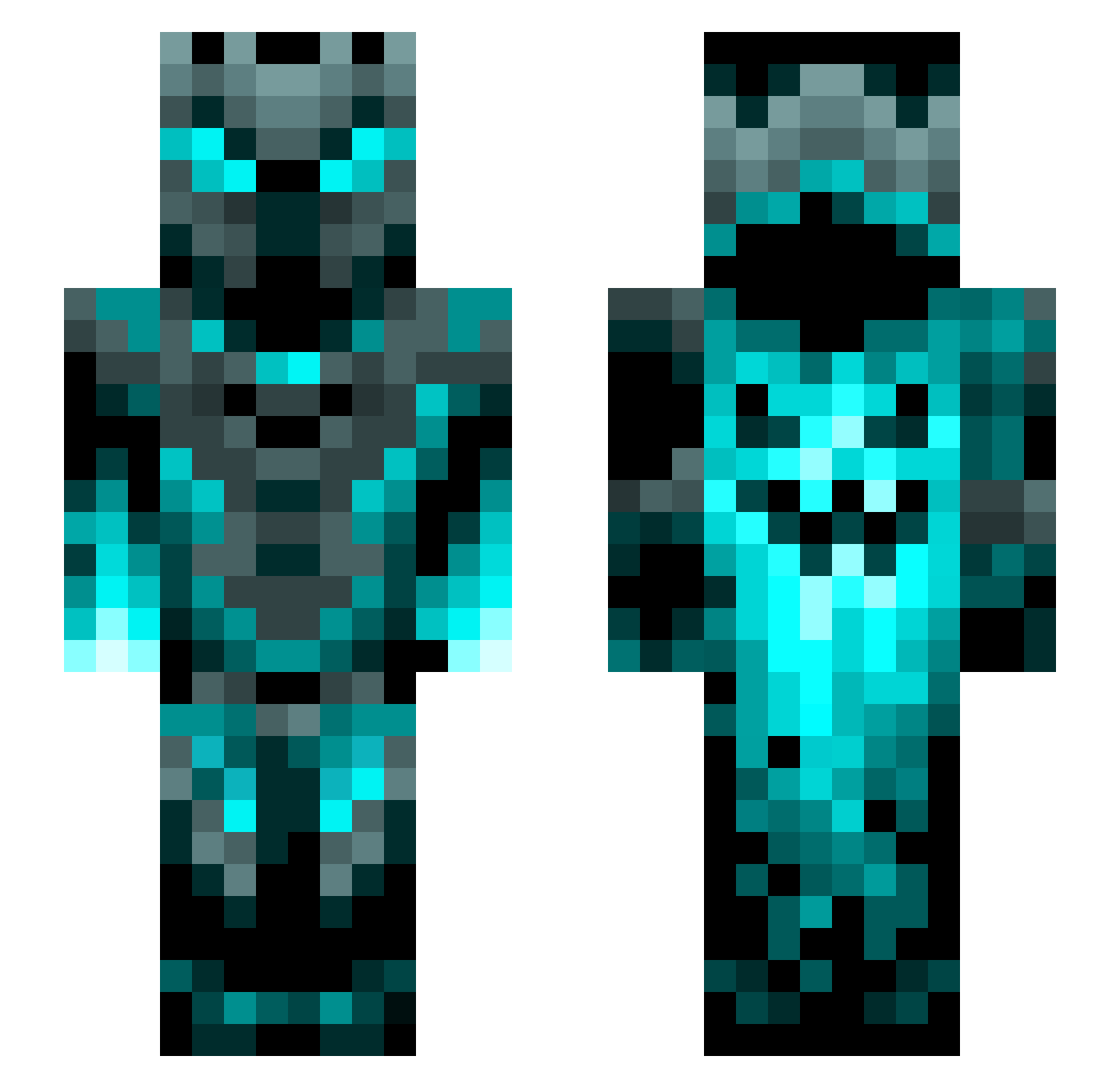
Current Minecraft skin of the player RomeoBudman, loaded from the official Mojang API. Rotate the 3D model with your mouse or finger, then download the skin as a PNG file and use it in Minecraft: Bedrock Edition or Java Edition for free. When RomeoBudman changes their skin, this page updates automatically and the old skin stays in the history below.
Other players with this skin (1272)
RomeoBudman was the 352nd player we have seen with this skin, first spotted on 24.08.2026. The same skin was seen on these players. Open a nickname to see their current skin and skin history.
 SimpDeKomi yeah_jo1 mountain19 ToastierAsp piggoskirt KnightHeroCB GR8JAKE Brizodi amrgomaa47 GoldenSphinx8 Noid06 spation01 BurntCells sushilegend29 Ragnar321 Bothbilly5840 Shohaz DeltaDios hsajags CaptainSolo44 Hvalp_dk Kinimod009 Harrobik poggersmix SilverFlow_ bluetigo Luc4CaLabri Grafnaseweiss HACKINGPATATO Basskid15 Kliqz_ Golactix723 TheXWwolfXW Flixss06 EagleasKyamorga CaptOvercast Mika9873 Kevex_0812 ElysiumApollo LMS_WIRED yuluofengjiqi XSzuliX Solarrissen Superblox247 Shengkia girgi0T Troyharder Den11YT Fidoni cyclone_runner Ho_lang Sirdute Dequlplsu Boto6 Muneeb721 SoundMeereKat OHPMoney revoution123 LGSANDMAN2277 cjgson
More Phantom Minecraft skins
How to install the RomeoBudman skin
- Press the Download button above to save the skin as a PNG file.
- Minecraft: Bedrock Edition (PE): open the Dressing Room from the main menu (or tap your character → Edit Character), go to Classic Skins → Owned, press the + (new skin) button, choose the downloaded PNG and pick the Slim (Alex) model. Works on PC and mobile; consoles cannot import custom skins.
- Minecraft: Java Edition: open the Minecraft Launcher, go to the Skins tab, click New Skin, load the PNG, pick the Slim (Alex) model and press Save & Use. You can also upload it at minecraft.net → Profile → Change Skin.
The skin does not show up after import - what should I do?
Restart Minecraft and open the Dressing Room again - imported skins sometimes appear only after a restart. Also make sure you selected the imported skin and picked the Slim (Alex) model.
Which model should I choose, Classic or Slim?
This skin is designed for the Slim (Alex) model. If you pick the wrong model, the arms of the skin will look stretched or squeezed.
Is the skin of RomeoBudman free to download?
Yes. Press Download, save the PNG file and use it in Minecraft: Bedrock Edition or Java Edition - no payment or registration needed. The skin also works on multiplayer servers and Realms.
More skins
Looking for more? Go back to all Minecraft skins and check the top skins of the week, month and all time, or find any player's skin by nickname.