
Robert126 - Minecraft Skins & Skin History
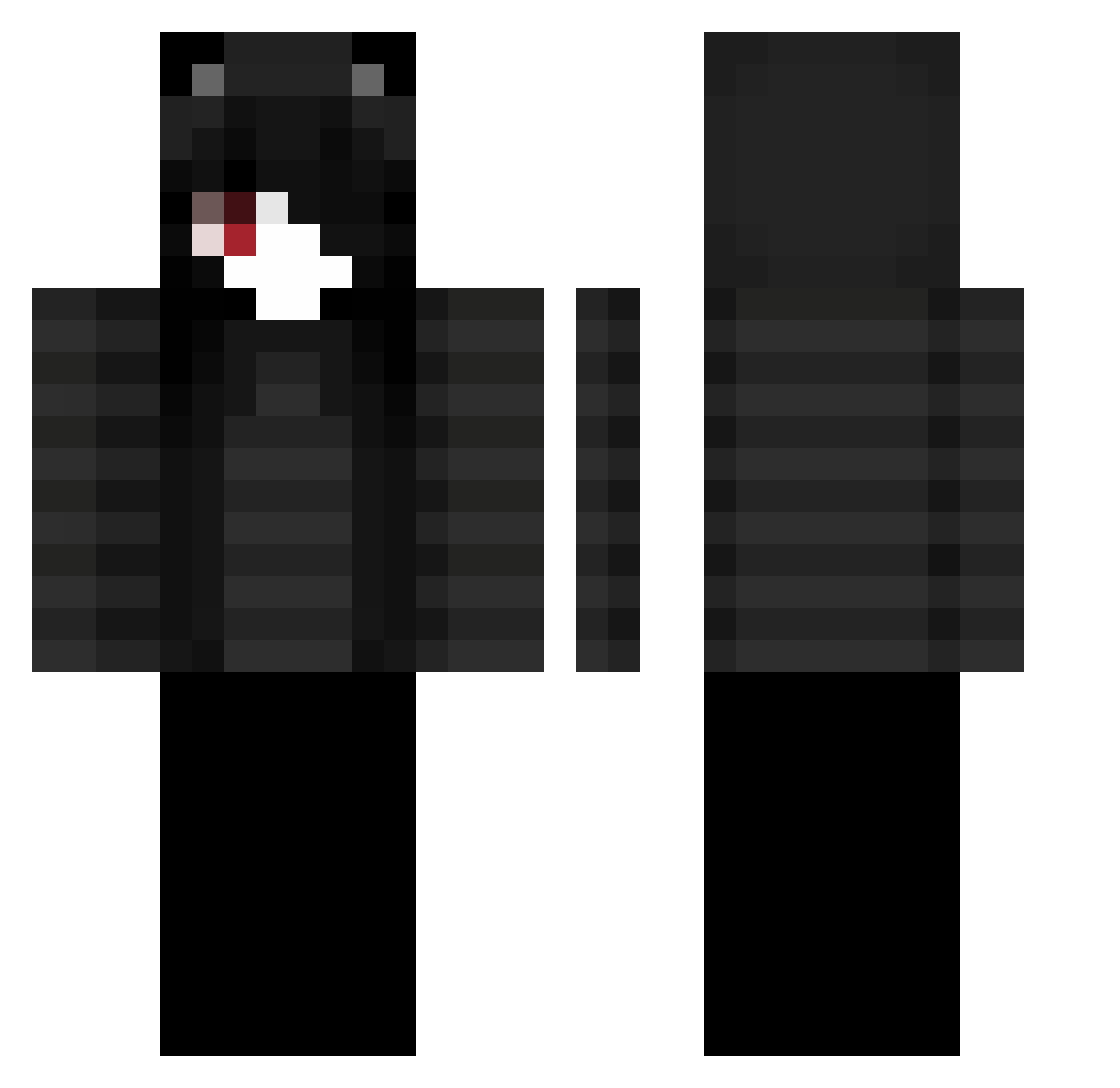
Current Minecraft skin of the player Robert126, loaded from the official Mojang API. Rotate the 3D model with your mouse or finger, then download the skin as a PNG file and use it in Minecraft: Bedrock Edition or Java Edition for free. When Robert126 changes their skin, this page updates automatically and the old skin stays in the history below.
Other players with this skin (52)
Robert126 was the 34th player we have seen with this skin, first spotted on 15.09.2026. The same skin was seen on these players. Open a nickname to see their current skin and skin history.
 f8me souryuo Mx52s21 Riaxaz PishPeshMogU
 Tudylol sakunoh_wIa sk0lo10
 IBarkForMommy RyanDLofe GooierZeWss sakunoh_g65fByq __Minute attractivity Restimulate mogalts_82qcv surffering 42xz gomeenasai
 godzill4plys sakunoh_x3KiE7EV Vexaay1 sakunoh_Uj4iVtZ sakunoh_PY7 Aurinkokala sakunoh_JTq6UE BrokeMoron TTMSnoppy HighTierChud sakunoh_wIVnd vitja_XoxoOXOxoO NotKaevix Kart4nas_13 sakunoh_GY67 whisperofdawn znsv S29ugaS2 GamingNelson214 8zq Dona_Redonda
 augzy_ havenZStorm ht2demon JayFlicia impactdiff xanaxccat tqmu mogalts_yt5fy
 jikoova21 sakunoh_V5pgqbC sakunoh_uURfB15 pgh0922
Previous skins of Robert126
Skins that Robert126 wore before, newest first. Click a skin to open its page and download it.
More Cat Ears Minecraft skins
How to install the Robert126 skin
- Press the Download button above to save the skin as a PNG file.
- Minecraft: Bedrock Edition (PE): open the Dressing Room from the main menu (or tap your character → Edit Character), go to Classic Skins → Owned, press the + (new skin) button, choose the downloaded PNG and pick the Classic (Steve) model. Works on PC and mobile; consoles cannot import custom skins.
- Minecraft: Java Edition: open the Minecraft Launcher, go to the Skins tab, click New Skin, load the PNG, pick the Classic (Steve) model and press Save & Use. You can also upload it at minecraft.net → Profile → Change Skin.
The skin does not show up after import - what should I do?
Restart Minecraft and open the Dressing Room again - imported skins sometimes appear only after a restart. Also make sure you selected the imported skin and picked the Classic (Steve) model.
Which model should I choose, Classic or Slim?
This skin is designed for the Classic (Steve) model. If you pick the wrong model, the arms of the skin will look stretched or squeezed.
Is the skin of Robert126 free to download?
Yes. Press Download, save the PNG file and use it in Minecraft: Bedrock Edition or Java Edition - no payment or registration needed. The skin also works on multiplayer servers and Realms.
More skins
Looking for more? Go back to all Minecraft skins and check the top skins of the week, month and all time, or find any player's skin by nickname.