
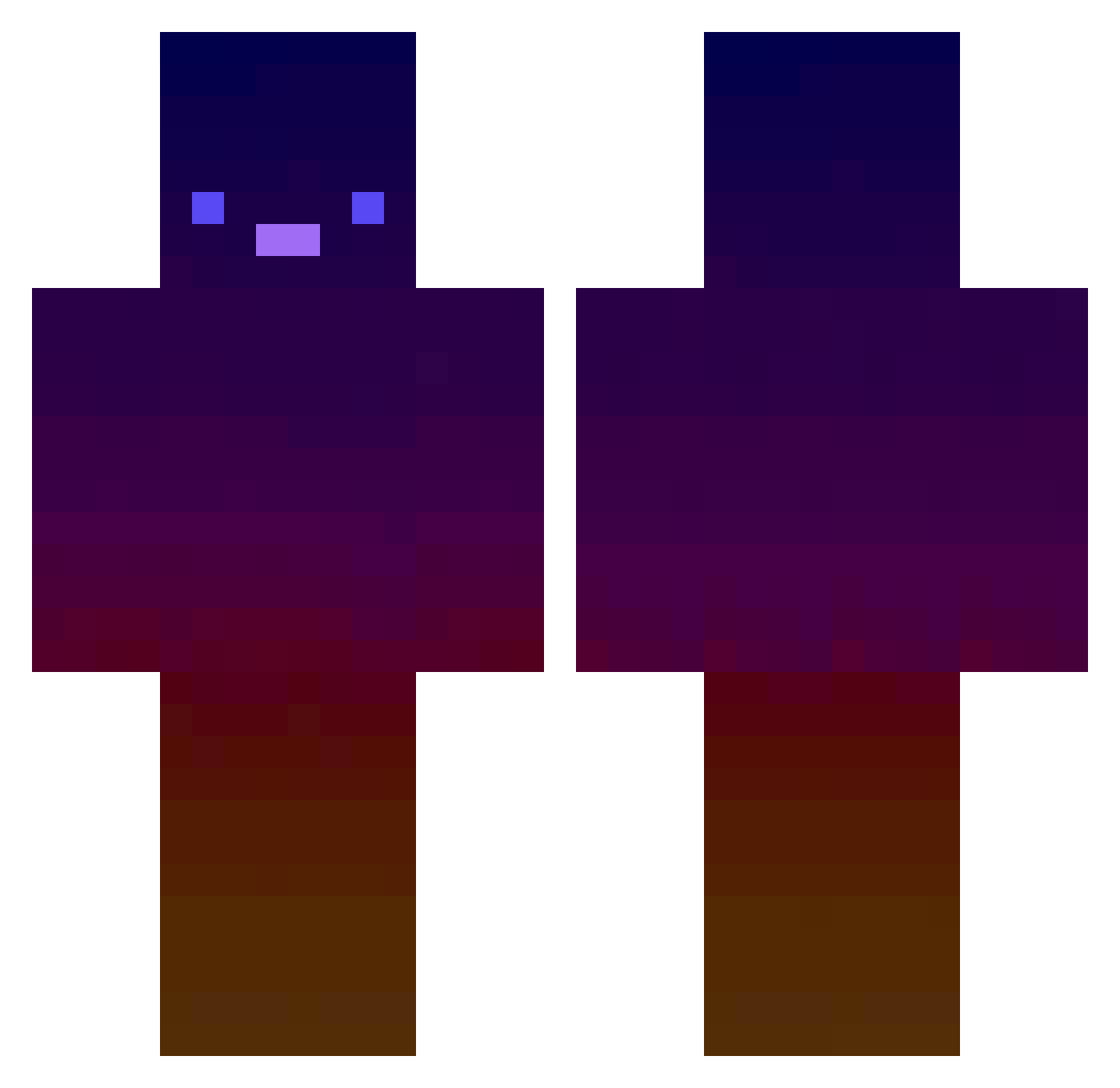
Current Minecraft skin of the player RoSha77_, loaded from the official Mojang API. Rotate the 3D model with your mouse or finger, then download the skin as a PNG file and use it in Minecraft: Bedrock Edition or Java Edition for free. When RoSha77_ changes their skin, this page updates automatically and the old skin stays in the history below.
Other players with this skin (416)
RoSha77_ was the 223rd player we have seen with this skin, first spotted on 15.09.2026. The same skin was seen on these players. Open a nickname to see their current skin and skin history.
 bykwale DannyMPhantom Man_Man005 SANTICHA Atrocyties gratas112 PascalFu Heniek__ ignabkn Avonyx xFrunco ProXiNoMaTrY kingengine00 Joschi_7 COMMANDANT2936 TOOSWE3T SpaceBoopCowboy dycfunpkacu12 nick25717 SpikeDuck DerKranplatz takanashiyui Jawshowo modern_rhymes MeRleeVa00 toadman8910 KungenEU Nezurd Fraulos ale4311 matthewsharp Ju7u123 nyoro1127 thealwayseen Taamoo sibadikk haemil0708 AtrTech10 ramie1201 DoDoLiu AxeQuestions7 Keshavjod genius20108 SnapWolf joekhaled Leon4L Krobyloz enanoalbino752 Blaze1697818 RulyJuan velltatto sntleq__ conbon67 Tipo_luv_9 bighead50405 beckiebet Diamonddedo ls_1601 SyntaxIsHere Chairbean
How to install the RoSha77_ skin
- Press the Download button above to save the skin as a PNG file.
- Minecraft: Bedrock Edition (PE): open the Dressing Room from the main menu (or tap your character → Edit Character), go to Classic Skins → Owned, press the + (new skin) button, choose the downloaded PNG and pick the Classic (Steve) model. Works on PC and mobile; consoles cannot import custom skins.
- Minecraft: Java Edition: open the Minecraft Launcher, go to the Skins tab, click New Skin, load the PNG, pick the Classic (Steve) model and press Save & Use. You can also upload it at minecraft.net → Profile → Change Skin.
The skin does not show up after import - what should I do?
Restart Minecraft and open the Dressing Room again - imported skins sometimes appear only after a restart. Also make sure you selected the imported skin and picked the Classic (Steve) model.
Which model should I choose, Classic or Slim?
This skin is designed for the Classic (Steve) model. If you pick the wrong model, the arms of the skin will look stretched or squeezed.
Is the skin of RoSha77_ free to download?
Yes. Press Download, save the PNG file and use it in Minecraft: Bedrock Edition or Java Edition - no payment or registration needed. The skin also works on multiplayer servers and Realms.
More skins
Looking for more? Go back to all Minecraft skins and check the top skins of the week, month and all time, or find any player's skin by nickname.