
Rixilz2 - Minecraft Skins & Skin History
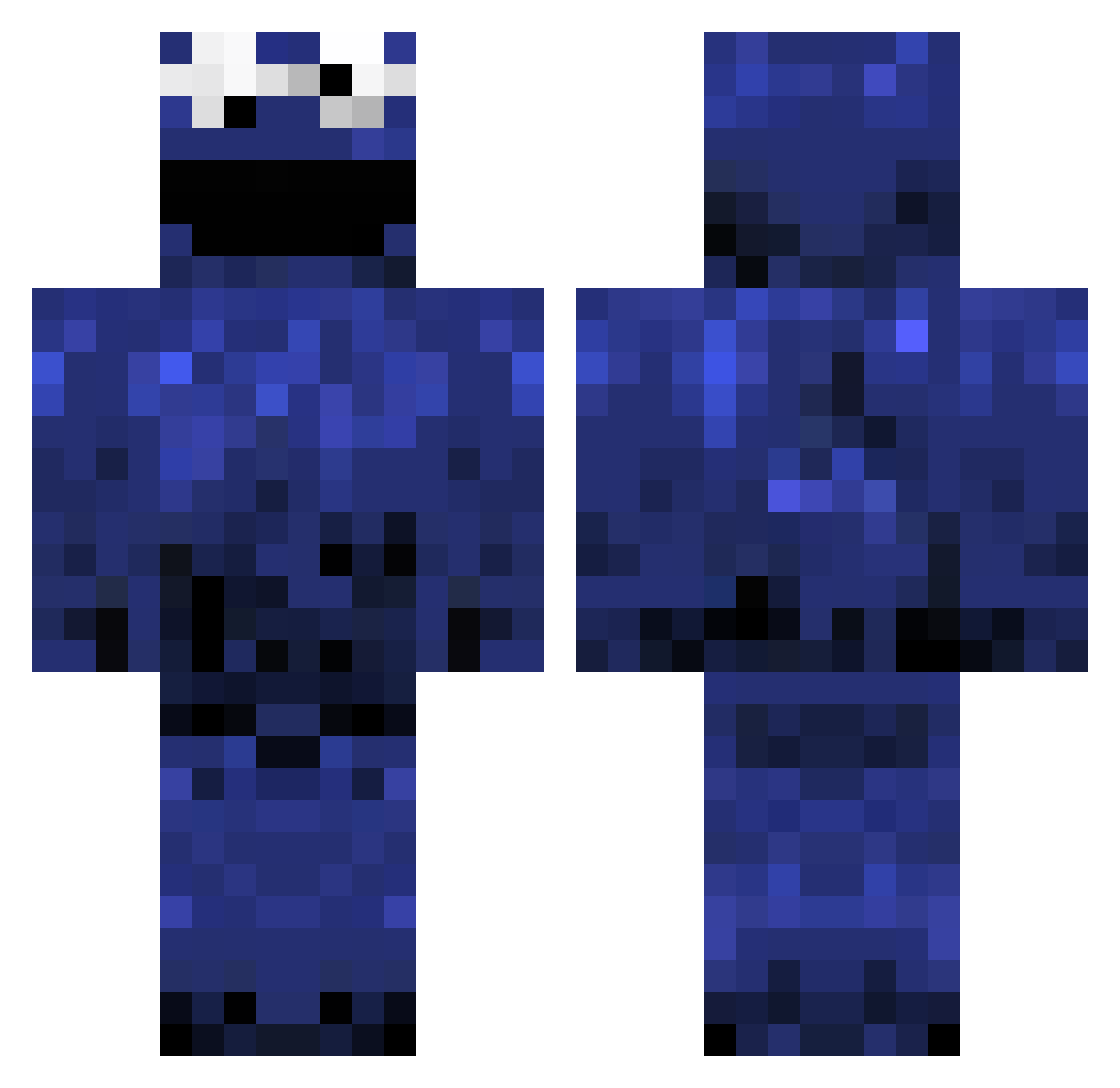
Current Minecraft skin of the player Rixilz2, loaded from the official Mojang API. Rotate the 3D model with your mouse or finger, then download the skin as a PNG file and use it in Minecraft: Bedrock Edition or Java Edition for free. When Rixilz2 changes their skin, this page updates automatically and the old skin stays in the history below.
Other players with this skin (396)
Rixilz2 was the 4th player we have seen with this skin, first spotted on 23.07.2026. The same skin was seen on these players. Open a nickname to see their current skin and skin history.
 krayzie131 Carmit123 adaywithhannah Lars_53 joehawk301 SplashAdil Synthex_Z kuxo_idk PinkList
 Nicholino Inx5 Pr0b0s ryanrutherford terreanoris MrDumbledope Mariuswidabwc mattu_21 Sl4i3R tamukichi CaptainDiaddy eliiija Mcqueen39 Cavamania Ethanbp1 sirasuun Chance42 Notsquinting1 Reaper_of_demize Lonsky19 l34nI_ Youhatepinguins TouchMyMelonsHD dougger DTOOEAZY dollarys hoorayimhelping Mochisan2 BeFamousInHeaven pkblade77 ThatBoiTylr hollywoodb1 Mikhail_Dissent iFlawly illxjasper Poerex andybmo Jhuttinho SWerv3s gavotheducky chipsahoy69420 Agaua tatogamo AdamsObbl malse LSYoon Timosius imroachman calneideck Kaasknabbel31 wewo08
More Cookie Monster Minecraft skins
See all 241 Cookie Monster skins
How to install the Rixilz2 skin
- Press the Download button above to save the skin as a PNG file.
- Minecraft: Bedrock Edition (PE): open the Dressing Room from the main menu (or tap your character → Edit Character), go to Classic Skins → Owned, press the + (new skin) button, choose the downloaded PNG and pick the Classic (Steve) model. Works on PC and mobile; consoles cannot import custom skins.
- Minecraft: Java Edition: open the Minecraft Launcher, go to the Skins tab, click New Skin, load the PNG, pick the Classic (Steve) model and press Save & Use. You can also upload it at minecraft.net → Profile → Change Skin.
The skin does not show up after import - what should I do?
Restart Minecraft and open the Dressing Room again - imported skins sometimes appear only after a restart. Also make sure you selected the imported skin and picked the Classic (Steve) model.
Which model should I choose, Classic or Slim?
This skin is designed for the Classic (Steve) model. If you pick the wrong model, the arms of the skin will look stretched or squeezed.
Is the skin of Rixilz2 free to download?
Yes. Press Download, save the PNG file and use it in Minecraft: Bedrock Edition or Java Edition - no payment or registration needed. The skin also works on multiplayer servers and Realms.
More skins
Looking for more? Go back to all Minecraft skins and check the top skins of the week, month and all time, or find any player's skin by nickname.