
Riquardo9 - Minecraft Skins & Skin History
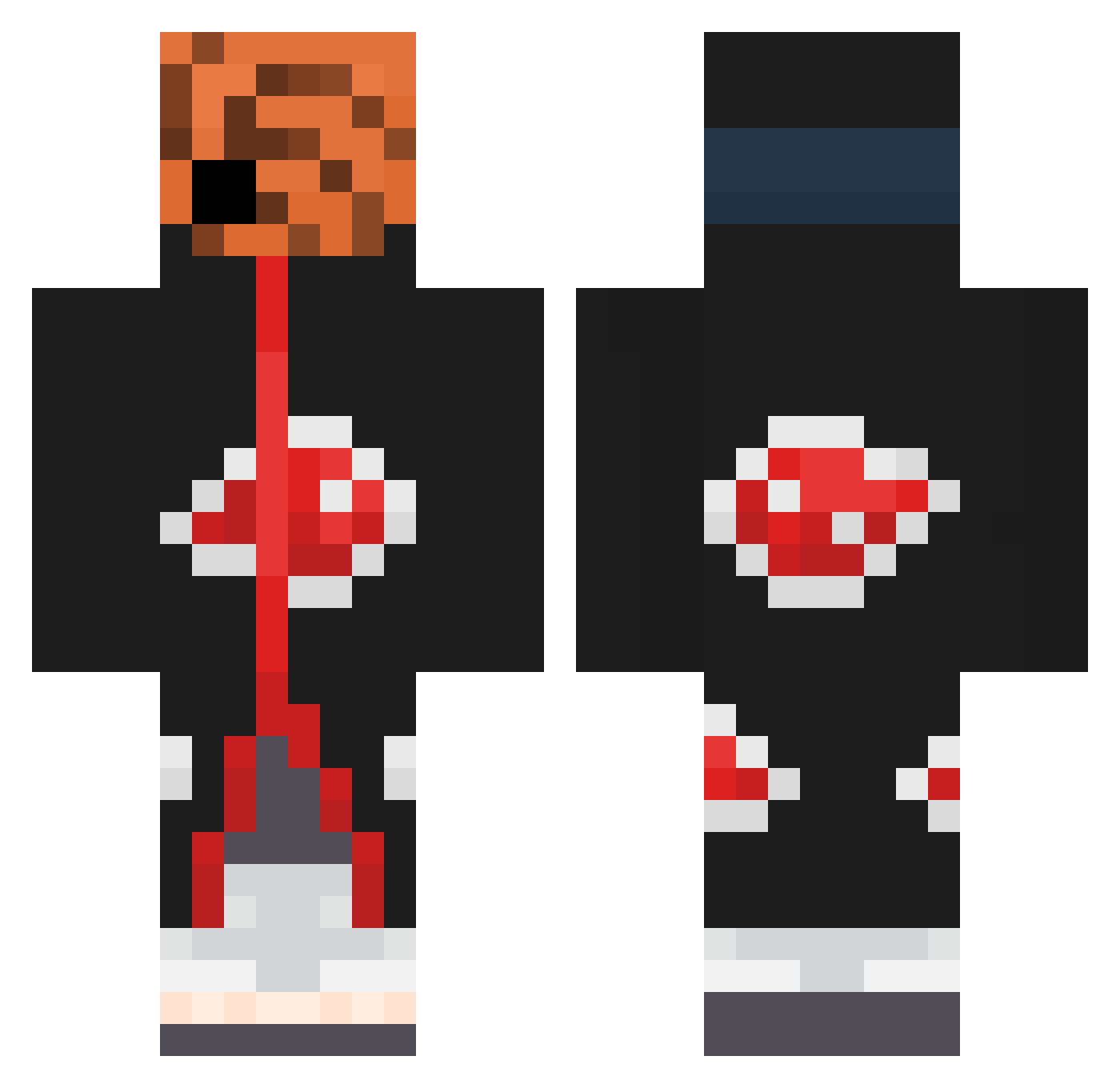
Current Minecraft skin of the player Riquardo9, loaded from the official Mojang API. Rotate the 3D model with your mouse or finger, then download the skin as a PNG file and use it in Minecraft: Bedrock Edition or Java Edition for free. When Riquardo9 changes their skin, this page updates automatically and the old skin stays in the history below.
Other players with this skin (470)
Riquardo9 was the 378th player we have seen with this skin, first spotted on 29.10.2026. The same skin was seen on these players. Open a nickname to see their current skin and skin history.
 sebinoux7 littlescufish Saltytimr HenriqueCkst_ masonshusband Zielarz108 CosmicRol RW_Rust oAlibi Ejder_King_311 Yassinh_ hadadben DiamondPlay123 JustTlko YCH144hz Misunderst00d17 Azad5269 Yekoo_ ghostbeast markusdied LOGANT360 Garbanzo485 Vinzias Sizzy_15 SeigneurDraka shestaev1989 LongKa R4MIO iRxParadox Sausain Nova_0101 Rotafly TsWinterzz KipkorntjeD3 AlfarChan KyjettPlays LazyChickenwingz yum_yum_jerky R8MT00 Hansaz8 Yenx7VenBinks kaii_20 CaTaHa55 Nxghtty Qtvexey47 Salem_rl TiltzSZN swaid__ JohnnWest darkpiky Eslink PushMyCart PinMatthias _mRPw_ pipiandkaki Mini_rev24 shiruke_senpai Z3V00 BACOBJUD JustinThongtan
More Obito Uchiha Minecraft skins
See all 193 Obito Uchiha skins
How to install the Riquardo9 skin
- Press the Download button above to save the skin as a PNG file.
- Minecraft: Bedrock Edition (PE): open the Dressing Room from the main menu (or tap your character → Edit Character), go to Classic Skins → Owned, press the + (new skin) button, choose the downloaded PNG and pick the Classic (Steve) model. Works on PC and mobile; consoles cannot import custom skins.
- Minecraft: Java Edition: open the Minecraft Launcher, go to the Skins tab, click New Skin, load the PNG, pick the Classic (Steve) model and press Save & Use. You can also upload it at minecraft.net → Profile → Change Skin.
The skin does not show up after import - what should I do?
Restart Minecraft and open the Dressing Room again - imported skins sometimes appear only after a restart. Also make sure you selected the imported skin and picked the Classic (Steve) model.
Which model should I choose, Classic or Slim?
This skin is designed for the Classic (Steve) model. If you pick the wrong model, the arms of the skin will look stretched or squeezed.
Is the skin of Riquardo9 free to download?
Yes. Press Download, save the PNG file and use it in Minecraft: Bedrock Edition or Java Edition - no payment or registration needed. The skin also works on multiplayer servers and Realms.
More skins
Looking for more? Go back to all Minecraft skins and check the top skins of the week, month and all time, or find any player's skin by nickname.