
Riavel1883 - Minecraft Skins & Skin History
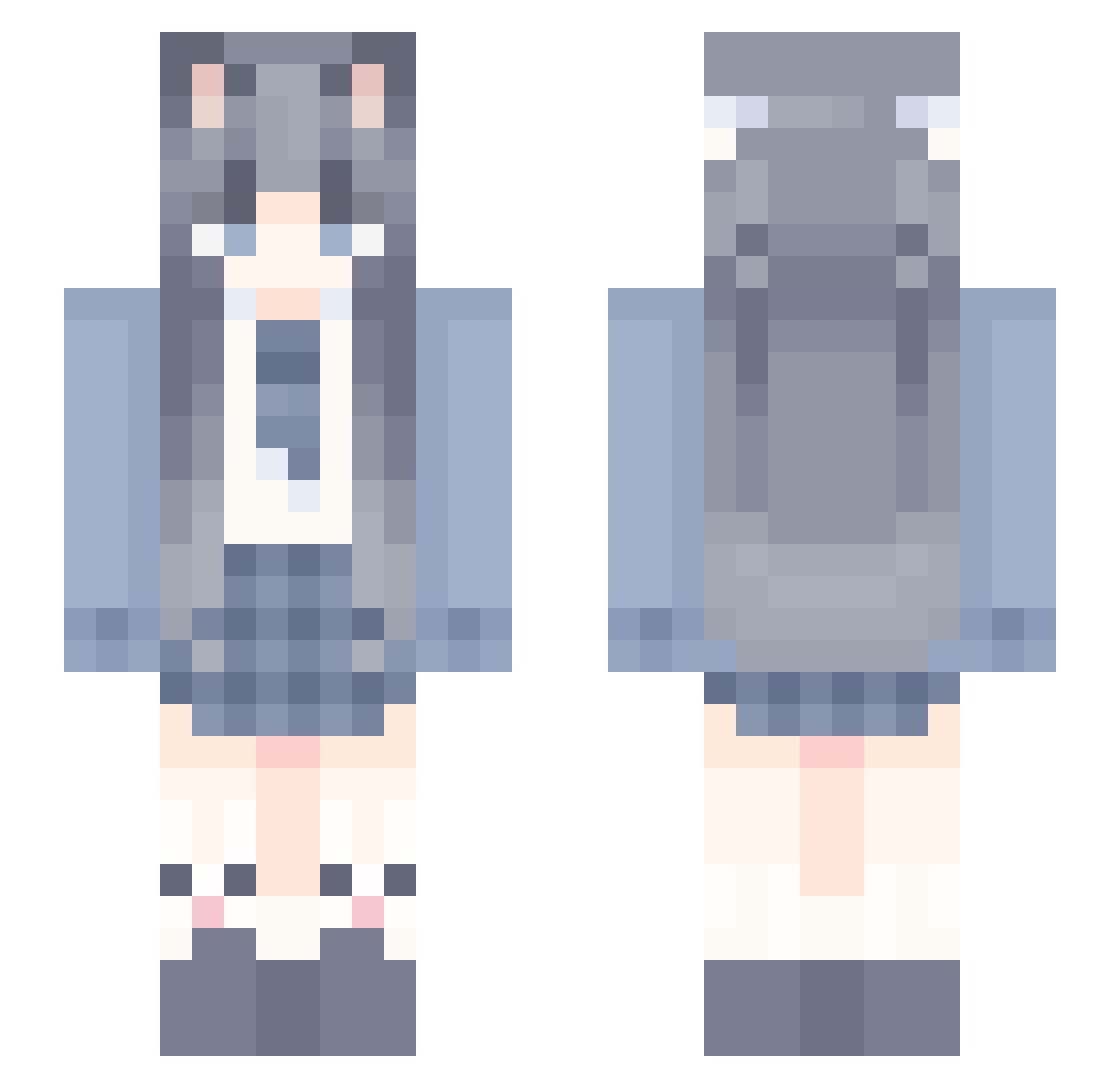
Current Minecraft skin of the player Riavel1883, loaded from the official Mojang API. Rotate the 3D model with your mouse or finger, then download the skin as a PNG file and use it in Minecraft: Bedrock Edition or Java Edition for free. When Riavel1883 changes their skin, this page updates automatically and the old skin stays in the history below.
Other players with this skin (992)
Riavel1883 was the 943rd player we have seen with this skin, first spotted on 18.10.2026. The same skin was seen on these players. Open a nickname to see their current skin and skin history.
 Baby_mu zhuiii0 Yanami66 LBlankets Luo_qingx Tuffy__ Hayasaka_Akane TerminsuXY AmuJyh Zya95 yangguang1029 Leng_You qianshu__ Lceland77 Apolr btRobin ZorvixVN zhzhui GrimJaguar Annicatttt yehan_123 viper0925 WriestBell RolitaSAMA wisteria_0 Azeri_ar lvs_c Arisu_Mia Calcalzi changshengli empty_15 Narwhal9 chen12223 xianyiren10086 Gudrain MumuXi1 zhenmeng00 YouYina MSMHJM crescent1024 weronikaravi CuckooShan chougaba GroundHat RealTreption GBhuahua0 Fang_xy raymond2333 Black_CATMoon lingyi_ly HuTaodexgou Serein002 QusThingou kucha190 zlw_ovo chengjinxi BachDGame zzh19919 NarcissuSetsumi Ccandy_
More School Uniform Minecraft skins
See all 6062 School Uniform skins
How to install the Riavel1883 skin
- Press the Download button above to save the skin as a PNG file.
- Minecraft: Bedrock Edition (PE): open the Dressing Room from the main menu (or tap your character → Edit Character), go to Classic Skins → Owned, press the + (new skin) button, choose the downloaded PNG and pick the Slim (Alex) model. Works on PC and mobile; consoles cannot import custom skins.
- Minecraft: Java Edition: open the Minecraft Launcher, go to the Skins tab, click New Skin, load the PNG, pick the Slim (Alex) model and press Save & Use. You can also upload it at minecraft.net → Profile → Change Skin.
The skin does not show up after import - what should I do?
Restart Minecraft and open the Dressing Room again - imported skins sometimes appear only after a restart. Also make sure you selected the imported skin and picked the Slim (Alex) model.
Which model should I choose, Classic or Slim?
This skin is designed for the Slim (Alex) model. If you pick the wrong model, the arms of the skin will look stretched or squeezed.
Is the skin of Riavel1883 free to download?
Yes. Press Download, save the PNG file and use it in Minecraft: Bedrock Edition or Java Edition - no payment or registration needed. The skin also works on multiplayer servers and Realms.
More skins
Looking for more? Go back to all Minecraft skins and check the top skins of the week, month and all time, or find any player's skin by nickname.