
Rhodium_45 - Minecraft Skins & Skin History
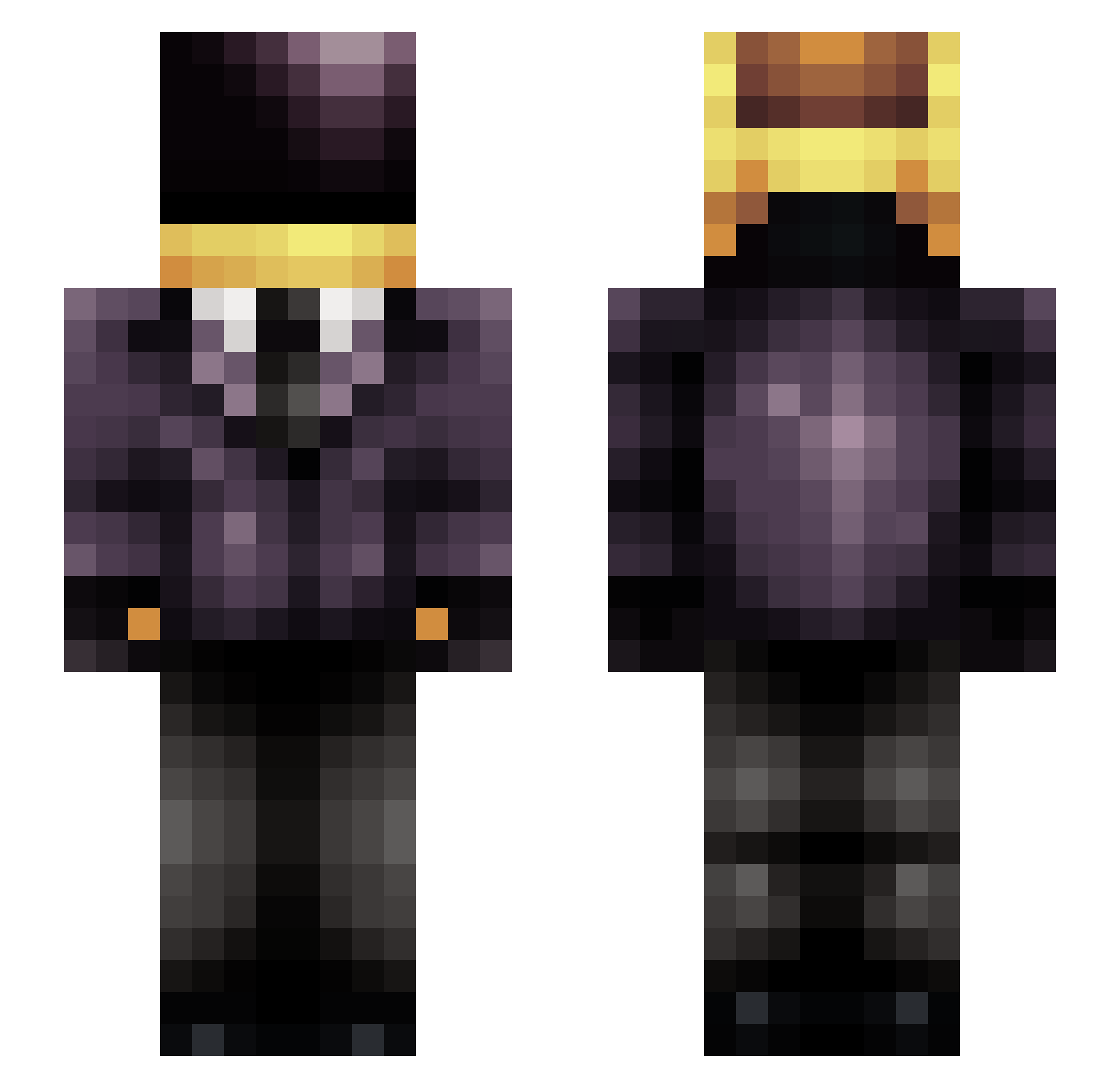
Current Minecraft skin of the player Rhodium_45, loaded from the official Mojang API. Rotate the 3D model with your mouse or finger, then download the skin as a PNG file and use it in Minecraft: Bedrock Edition or Java Edition for free. When Rhodium_45 changes their skin, this page updates automatically and the old skin stays in the history below.
Other players with this skin (243)
Rhodium_45 was the 95th player we have seen with this skin, first spotted on 08.09.2026. The same skin was seen on these players. Open a nickname to see their current skin and skin history.
 cholden_ NeeceNJ saltyaho MokaKahvesi JorikBum SlobberyPolecat_ ghostix23 LeFederateur Ormeka Hecti1008 DarkVlad21 99gdk Nachman122 MagicMeister aland BossManOz _Xylex_ booopsie byetmove idminecraft0278 Togdogrr MercilessDonut Vicornichon Melkorblack0 Fanper_08 Morrismortis Vettel005 Mzeus Seven_Miles7 babipeppers Nawenmy Masterick32 ElThom75 Aff4ble HeistingZombie Doni920 Kutzeilen Fabelideladen FernandoImv Vayapordios Rozuis NachitoGnR eighty_6_86 Asap_crs AntiJace a_o_k_ FerMV KinimoDSt FAAKUSZ unioff Mzix TurKeeg UI_GameZ1 GabiRoni jeonseung729 dozGrou MrThuganomics mensomx Vieceli TheMelloBrabo
More Daft Punk Minecraft skins
How to install the Rhodium_45 skin
- Press the Download button above to save the skin as a PNG file.
- Minecraft: Bedrock Edition (PE): open the Dressing Room from the main menu (or tap your character → Edit Character), go to Classic Skins → Owned, press the + (new skin) button, choose the downloaded PNG and pick the Slim (Alex) model. Works on PC and mobile; consoles cannot import custom skins.
- Minecraft: Java Edition: open the Minecraft Launcher, go to the Skins tab, click New Skin, load the PNG, pick the Slim (Alex) model and press Save & Use. You can also upload it at minecraft.net → Profile → Change Skin.
The skin does not show up after import - what should I do?
Restart Minecraft and open the Dressing Room again - imported skins sometimes appear only after a restart. Also make sure you selected the imported skin and picked the Slim (Alex) model.
Which model should I choose, Classic or Slim?
This skin is designed for the Slim (Alex) model. If you pick the wrong model, the arms of the skin will look stretched or squeezed.
Is the skin of Rhodium_45 free to download?
Yes. Press Download, save the PNG file and use it in Minecraft: Bedrock Edition or Java Edition - no payment or registration needed. The skin also works on multiplayer servers and Realms.
More skins
Looking for more? Go back to all Minecraft skins and check the top skins of the week, month and all time, or find any player's skin by nickname.