
Reiss - Minecraft Skins & Skin History
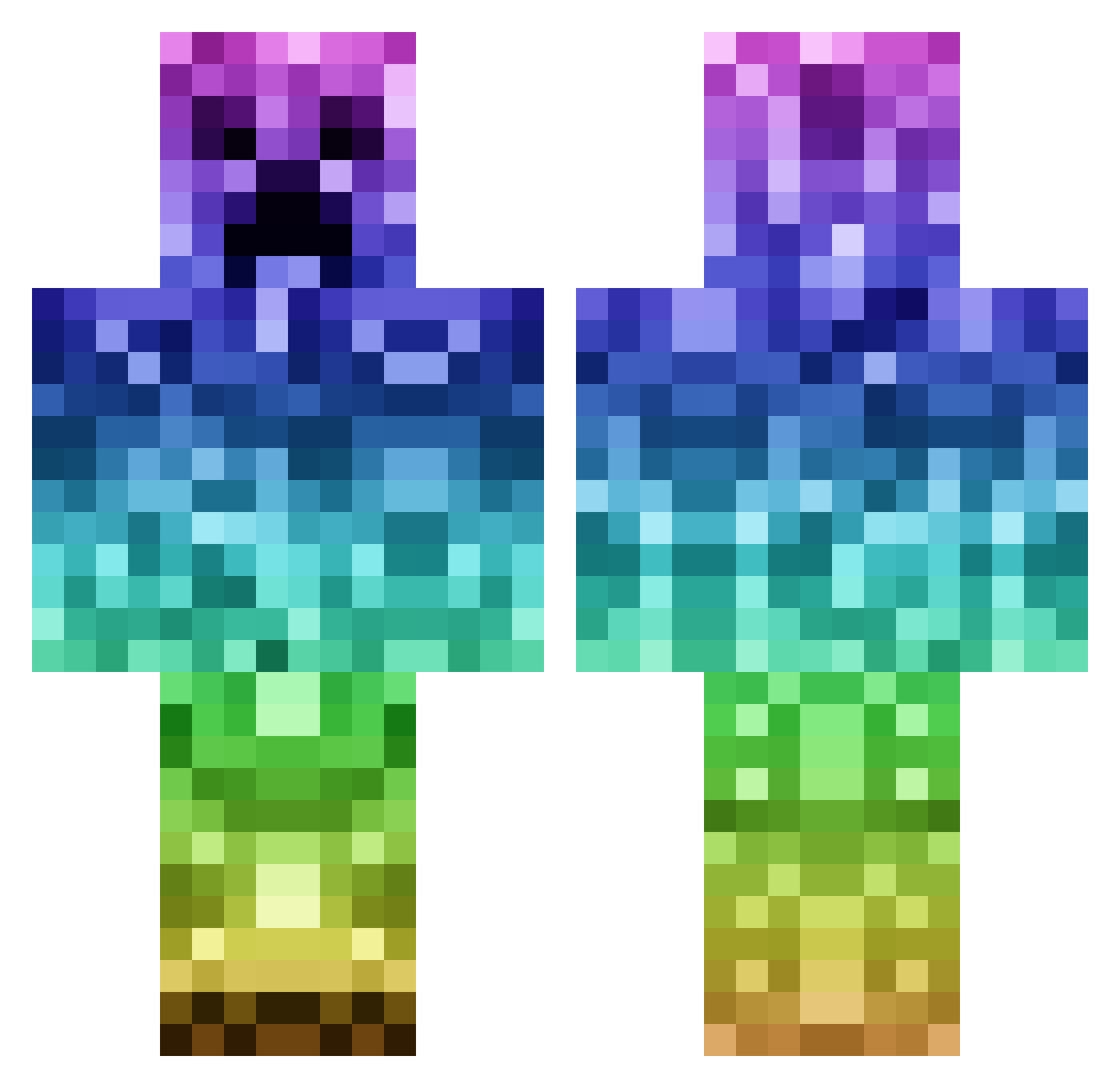
Current Minecraft skin of the player Reiss, loaded from the official Mojang API. Rotate the 3D model with your mouse or finger, then download the skin as a PNG file and use it in Minecraft: Bedrock Edition or Java Edition for free. When Reiss changes their skin, this page updates automatically and the old skin stays in the history below.
Other players with this skin (182)
Reiss was the 69th player we have seen with this skin, first spotted on 10.09.2026. The same skin was seen on these players. Open a nickname to see their current skin and skin history.
 Tornister1337 zhangdahai
 KatieBean2014 Slashedgiant cancoengman BigMacComboMeal potato_farmer123 shimmerbear konn2479 waffenss345 DiscoCreeeper AVarouj KittyPaws89 YO_MOMMA458 Andresitoo GwuBUG Marc20004 MlssLucy Lazaro1970 Jam0078 BCDH Kiwidejra albert998 CamdenPlayz ConorJ2003 CoziestJeans348 Tnjrn mbrown0603 B77777777 boogeey ShalyssaJams cat8500 Jako_Taco07 carniceria69 RTVfinni A_Mighty_Muffin sscaru123 takajb Ndzn Thantos1991 RenticEpsilon rainboog moro96 randysplat bergeken Nioh2 Saxy_Pianist kanameyy KLC_ aeathiel66 Jenson55 SoulyOnMinecraft BananaProSid EvilTom0903 PokeLives
 TheStewBall JMgeon furmaki gechanghao geekonthewind
More Gradient Minecraft skins
How to install the Reiss skin
- Press the Download button above to save the skin as a PNG file.
- Minecraft: Bedrock Edition (PE): open the Dressing Room from the main menu (or tap your character → Edit Character), go to Classic Skins → Owned, press the + (new skin) button, choose the downloaded PNG and pick the Classic (Steve) model. Works on PC and mobile; consoles cannot import custom skins.
- Minecraft: Java Edition: open the Minecraft Launcher, go to the Skins tab, click New Skin, load the PNG, pick the Classic (Steve) model and press Save & Use. You can also upload it at minecraft.net → Profile → Change Skin.
The skin does not show up after import - what should I do?
Restart Minecraft and open the Dressing Room again - imported skins sometimes appear only after a restart. Also make sure you selected the imported skin and picked the Classic (Steve) model.
Which model should I choose, Classic or Slim?
This skin is designed for the Classic (Steve) model. If you pick the wrong model, the arms of the skin will look stretched or squeezed.
Is the skin of Reiss free to download?
Yes. Press Download, save the PNG file and use it in Minecraft: Bedrock Edition or Java Edition - no payment or registration needed. The skin also works on multiplayer servers and Realms.
More skins
Looking for more? Go back to all Minecraft skins and check the top skins of the week, month and all time, or find any player's skin by nickname.