
Regenbogenhi - Minecraft Skins & Skin History
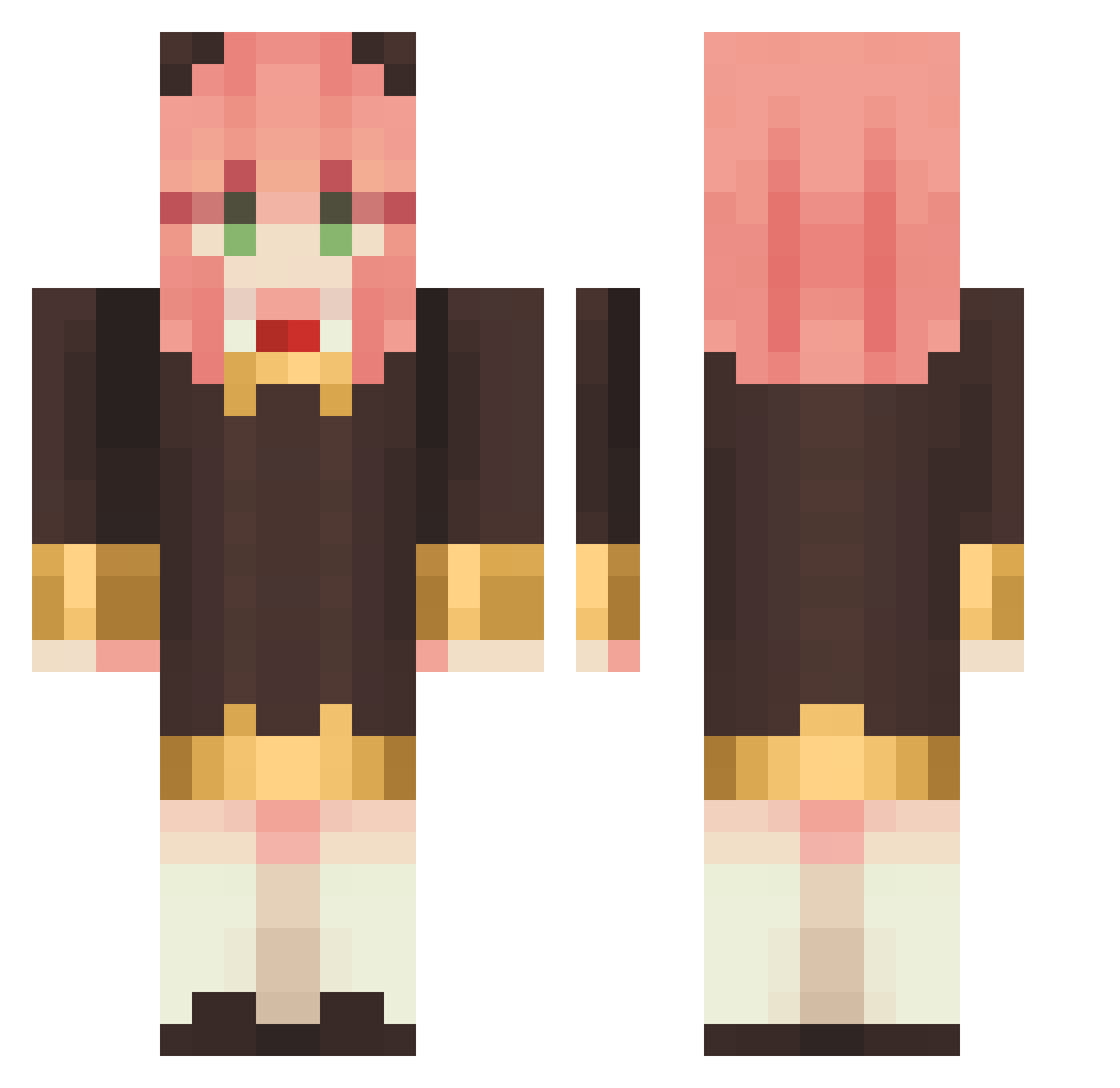
Current Minecraft skin of the player Regenbogenhi, loaded from the official Mojang API. Rotate the 3D model with your mouse or finger, then download the skin as a PNG file and use it in Minecraft: Bedrock Edition or Java Edition for free. When Regenbogenhi changes their skin, this page updates automatically and the old skin stays in the history below.
Other players with this skin (1148)
Regenbogenhi was the 229th player we have seen with this skin, first spotted on 16.08.2026. The same skin was seen on these players. Open a nickname to see their current skin and skin history.
 Linchen1028 LinMiau C0ltini misoosoup_
 myojinyahiko Jinuary akaeason1017 MozzieLOL maniacwym Petre21 ggbond_suda yrtheggie ChavesDaBaixada piengel ClSUM GY1014 Alanninhah Animo1794 BG2SIX StandUnszaxo Meryl_Stryfe yueneco6 SWT_cep xiaozhu669 Shorty45 16kmi16 KiittyPaw Roralola Payyaa Saypoi Berserker666_j ANiYa_Yu xiaokeke001 Miiphaa Louloudecha Josue131_ AYAtaka0516 hyonni Enever SORRY4399 el_wea_loca SilentSlayZz Chingyachiu LOVEMOMO520 kangkangAA mm_owo AhhQi meipeter ChomX bori_bori___ssal Micofff Dragonnes
 Castel2511 Mixedpasta hduxic yuandatou celialopez coolkit2001 MRB0DYCATCHER ZerokYTOFF
More Anya Forger Minecraft skins
How to install the Regenbogenhi skin
- Press the Download button above to save the skin as a PNG file.
- Minecraft: Bedrock Edition (PE): open the Dressing Room from the main menu (or tap your character → Edit Character), go to Classic Skins → Owned, press the + (new skin) button, choose the downloaded PNG and pick the Classic (Steve) model. Works on PC and mobile; consoles cannot import custom skins.
- Minecraft: Java Edition: open the Minecraft Launcher, go to the Skins tab, click New Skin, load the PNG, pick the Classic (Steve) model and press Save & Use. You can also upload it at minecraft.net → Profile → Change Skin.
The skin does not show up after import - what should I do?
Restart Minecraft and open the Dressing Room again - imported skins sometimes appear only after a restart. Also make sure you selected the imported skin and picked the Classic (Steve) model.
Which model should I choose, Classic or Slim?
This skin is designed for the Classic (Steve) model. If you pick the wrong model, the arms of the skin will look stretched or squeezed.
Is the skin of Regenbogenhi free to download?
Yes. Press Download, save the PNG file and use it in Minecraft: Bedrock Edition or Java Edition - no payment or registration needed. The skin also works on multiplayer servers and Realms.
More skins
Looking for more? Go back to all Minecraft skins and check the top skins of the week, month and all time, or find any player's skin by nickname.