
Redman_raty - Minecraft Skins & Skin History
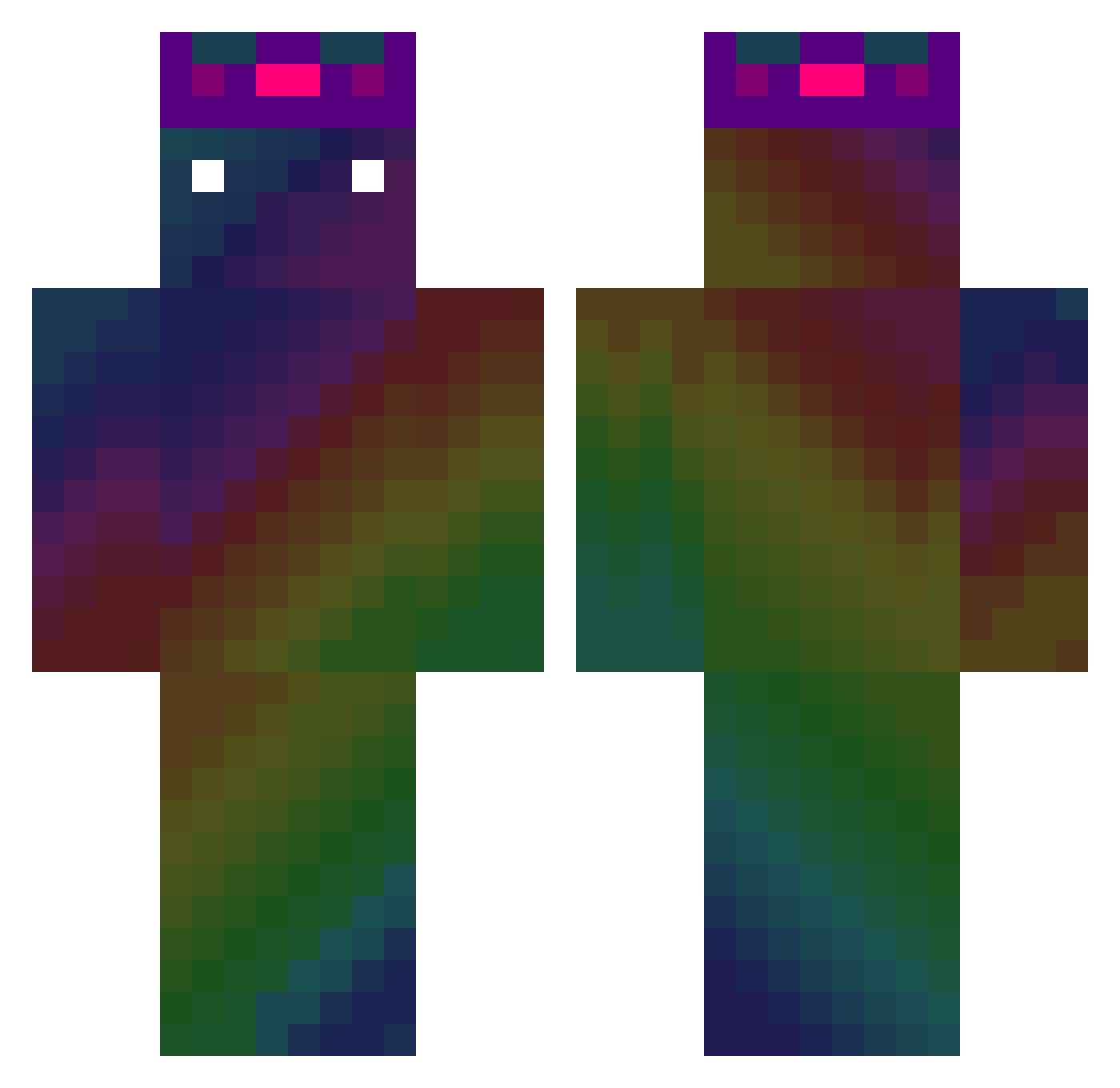
Current Minecraft skin of the player Redman_raty, loaded from the official Mojang API. Rotate the 3D model with your mouse or finger, then download the skin as a PNG file and use it in Minecraft: Bedrock Edition or Java Edition for free. When Redman_raty changes their skin, this page updates automatically and the old skin stays in the history below.
Other players with this skin (477)
Redman_raty was the 182nd player we have seen with this skin, first spotted on 02.09.2026. The same skin was seen on these players. Open a nickname to see their current skin and skin history.
 Cud1l gigel204 wombo_comboo Not_SK sk1wi DanyMH MiczuGlobal M0SHY0 _DogE4ter nonix_55 inhdox weibrook pentoroiy Mikatxo AlkoholikaHD kimchi13 Klotzina Tucj LostesL byjuro shootemipls cocoa1233 Babidibubidibu Solaris_222 Calmed Zech128 Rolling1235 smilex198 FIunda Melle_p KKINGKONG66 godborn Dinohx wyj_0 girlmyballs Bercik00 nightstalker160 BushTryhard nuiva CosmicSkull696 tysonhotti69 XxRainbowPlayzXx wojtekspo Emid140
 hoho123 tm7511
 Jakob_2507 callmedeid madremiawili HadesEHP garlicherb cobblestone14 ignacioo__ ToniSimps4Jesse B1tt3rL3m0n 03ob GugussRL nadobee Ma0iny LeXalMgl
How to install the Redman_raty skin
- Press the Download button above to save the skin as a PNG file.
- Minecraft: Bedrock Edition (PE): open the Dressing Room from the main menu (or tap your character → Edit Character), go to Classic Skins → Owned, press the + (new skin) button, choose the downloaded PNG and pick the Classic (Steve) model. Works on PC and mobile; consoles cannot import custom skins.
- Minecraft: Java Edition: open the Minecraft Launcher, go to the Skins tab, click New Skin, load the PNG, pick the Classic (Steve) model and press Save & Use. You can also upload it at minecraft.net → Profile → Change Skin.
The skin does not show up after import - what should I do?
Restart Minecraft and open the Dressing Room again - imported skins sometimes appear only after a restart. Also make sure you selected the imported skin and picked the Classic (Steve) model.
Which model should I choose, Classic or Slim?
This skin is designed for the Classic (Steve) model. If you pick the wrong model, the arms of the skin will look stretched or squeezed.
Is the skin of Redman_raty free to download?
Yes. Press Download, save the PNG file and use it in Minecraft: Bedrock Edition or Java Edition - no payment or registration needed. The skin also works on multiplayer servers and Realms.
More skins
Looking for more? Go back to all Minecraft skins and check the top skins of the week, month and all time, or find any player's skin by nickname.