
B1tt3rL3m0n - Minecraft Skins & Skin History
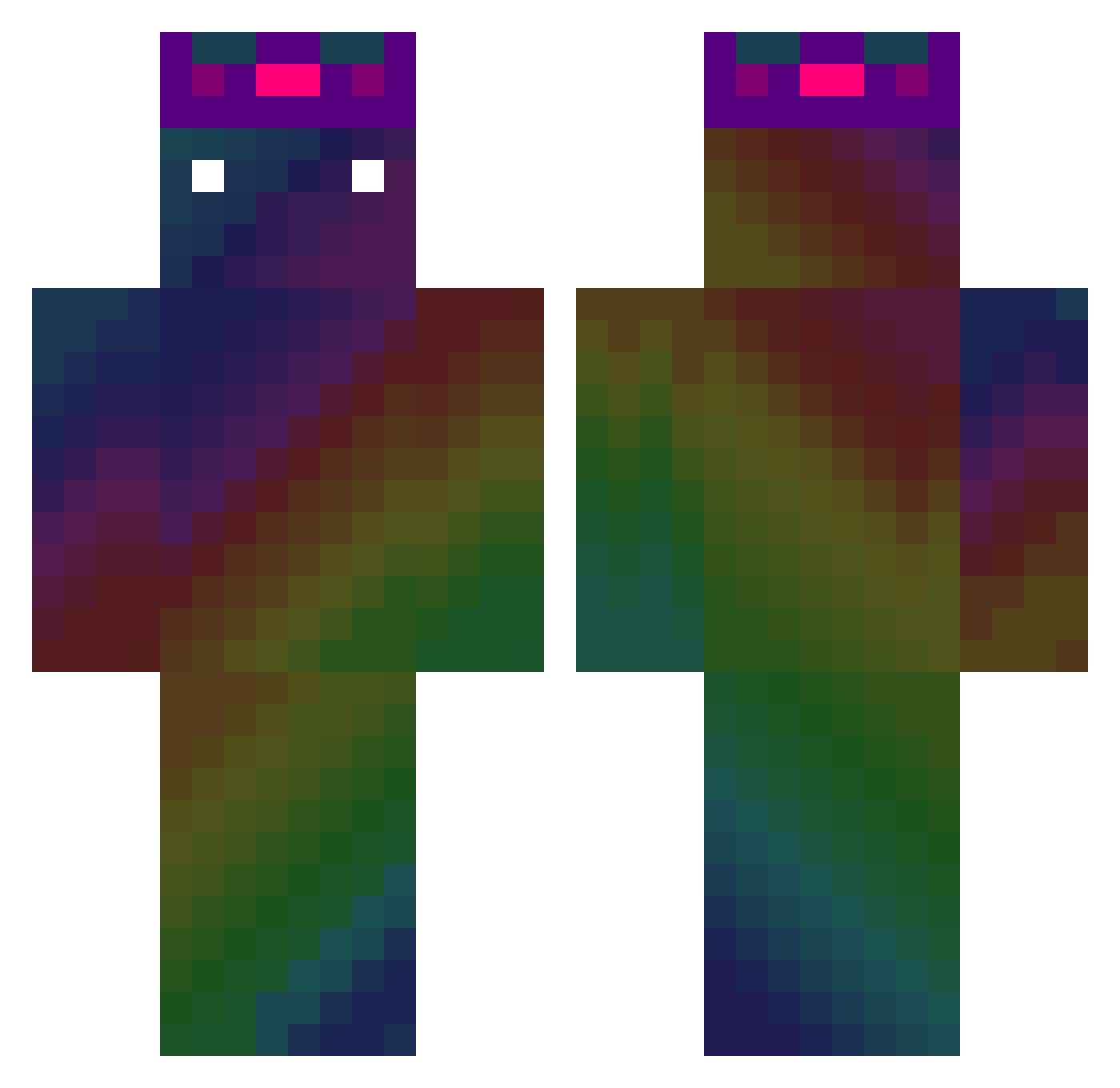
Current Minecraft skin of the player B1tt3rL3m0n, loaded from the official Mojang API. Rotate the 3D model with your mouse or finger, then download the skin as a PNG file and use it in Minecraft: Bedrock Edition or Java Edition for free. When B1tt3rL3m0n changes their skin, this page updates automatically and the old skin stays in the history below.
Other players with this skin (477)
B1tt3rL3m0n was the 199th player we have seen with this skin, first spotted on 10.09.2026. The same skin was seen on these players. Open a nickname to see their current skin and skin history.
 cobblestone14 madremiawili nadobee tm7511 Cleath14 Keyrgb tomson345 tysonhotti69 jason751229 CosmicSkull696 BlazingS0UL MrMazapan piotraczek MrNathanb MrCeCe64 Ripperizm godborn Nick7153 Melle_p DongHwi0057 Calmed cocoa1233 shootemipls noragreenery byjuro Swedish_meat Domainoft Tucj TheApple055 TheOneDudeMax areena2 Klotzina JustDavinos sayumaro03 youshen8_8 Mikatxo meow023 Aurorus15 pickldfish M0SHY0 StickNutzman parksung0715 robban_28n morning_sun219 AJF2010 MARK231919_TW gigel204 Redman_raty Cud1l chengyou0806 wombo_comboo IRODivine sFireAngel Not_SK sk1wi DanyMH MiczuGlobal chao_rainbow _DogE4ter ooooooooking
How to install the B1tt3rL3m0n skin
- Press the Download button above to save the skin as a PNG file.
- Minecraft: Bedrock Edition (PE): open the Dressing Room from the main menu (or tap your character → Edit Character), go to Classic Skins → Owned, press the + (new skin) button, choose the downloaded PNG and pick the Classic (Steve) model. Works on PC and mobile; consoles cannot import custom skins.
- Minecraft: Java Edition: open the Minecraft Launcher, go to the Skins tab, click New Skin, load the PNG, pick the Classic (Steve) model and press Save & Use. You can also upload it at minecraft.net → Profile → Change Skin.
The skin does not show up after import - what should I do?
Restart Minecraft and open the Dressing Room again - imported skins sometimes appear only after a restart. Also make sure you selected the imported skin and picked the Classic (Steve) model.
Which model should I choose, Classic or Slim?
This skin is designed for the Classic (Steve) model. If you pick the wrong model, the arms of the skin will look stretched or squeezed.
Is the skin of B1tt3rL3m0n free to download?
Yes. Press Download, save the PNG file and use it in Minecraft: Bedrock Edition or Java Edition - no payment or registration needed. The skin also works on multiplayer servers and Realms.
More skins
Looking for more? Go back to all Minecraft skins and check the top skins of the week, month and all time, or find any player's skin by nickname.