
ReaperMunch - Minecraft Skins & Skin History
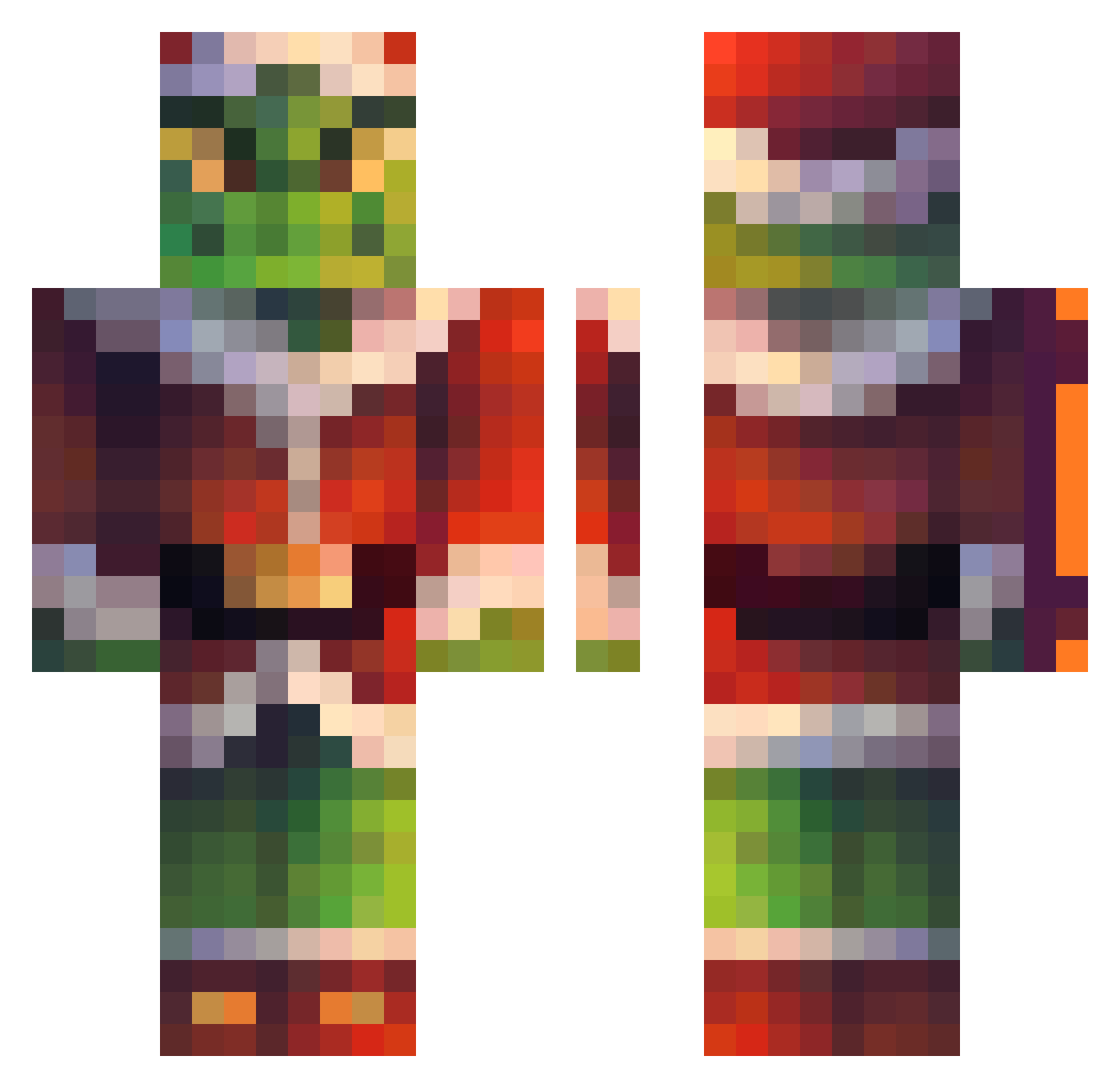
Current Minecraft skin of the player ReaperMunch, loaded from the official Mojang API. Rotate the 3D model with your mouse or finger, then download the skin as a PNG file and use it in Minecraft: Bedrock Edition or Java Edition for free. When ReaperMunch changes their skin, this page updates automatically and the old skin stays in the history below.
Other players with this skin (225)
ReaperMunch was the 99th player we have seen with this skin, first spotted on 13.09.2026. The same skin was seen on these players. Open a nickname to see their current skin and skin history.
 FieryGol zMellow_ PerfectAgony reltu Zegar69 Stemarsimo PvXRyan PHENIXTAURIA Ricarxdo het976 Gonakills DannyManjarSH Ale1504gc Luffenmedpuffen viledaddy DANIREDS nikomilosss josuelton Philip60 MissDonaldTrumps Kdrizzy96 davisilo99 Xtreme2wins Y_za Konhim HOOK134 Leonhart3 Mollie1402 cherryy19 DrChaise27 Ziemnior_66 d4bz6 NOOTLE7 MaddoxHQ ZZokney Laiiden xome0 LuqueTa213 Youngwolf22 HW0108 jhonatanbr32 SterLol5 LouNean LEvers0206 Mandalover PiotrekPatryk Peelycas14 Crim_craw HumbleHubble CheckDiscDms _Highball_ equal33 akrapov1c anifax3 ConFuZuLed Dark_Master_Iven leebc1111 oOmaddinOo GnomoVerde minikevin1
More The Grinch Minecraft skins
How to install the ReaperMunch skin
- Press the Download button above to save the skin as a PNG file.
- Minecraft: Bedrock Edition (PE): open the Dressing Room from the main menu (or tap your character → Edit Character), go to Classic Skins → Owned, press the + (new skin) button, choose the downloaded PNG and pick the Classic (Steve) model. Works on PC and mobile; consoles cannot import custom skins.
- Minecraft: Java Edition: open the Minecraft Launcher, go to the Skins tab, click New Skin, load the PNG, pick the Classic (Steve) model and press Save & Use. You can also upload it at minecraft.net → Profile → Change Skin.
The skin does not show up after import - what should I do?
Restart Minecraft and open the Dressing Room again - imported skins sometimes appear only after a restart. Also make sure you selected the imported skin and picked the Classic (Steve) model.
Which model should I choose, Classic or Slim?
This skin is designed for the Classic (Steve) model. If you pick the wrong model, the arms of the skin will look stretched or squeezed.
Is the skin of ReaperMunch free to download?
Yes. Press Download, save the PNG file and use it in Minecraft: Bedrock Edition or Java Edition - no payment or registration needed. The skin also works on multiplayer servers and Realms.
More skins
Looking for more? Go back to all Minecraft skins and check the top skins of the week, month and all time, or find any player's skin by nickname.