
Raxy9 - Minecraft Skins & Skin History
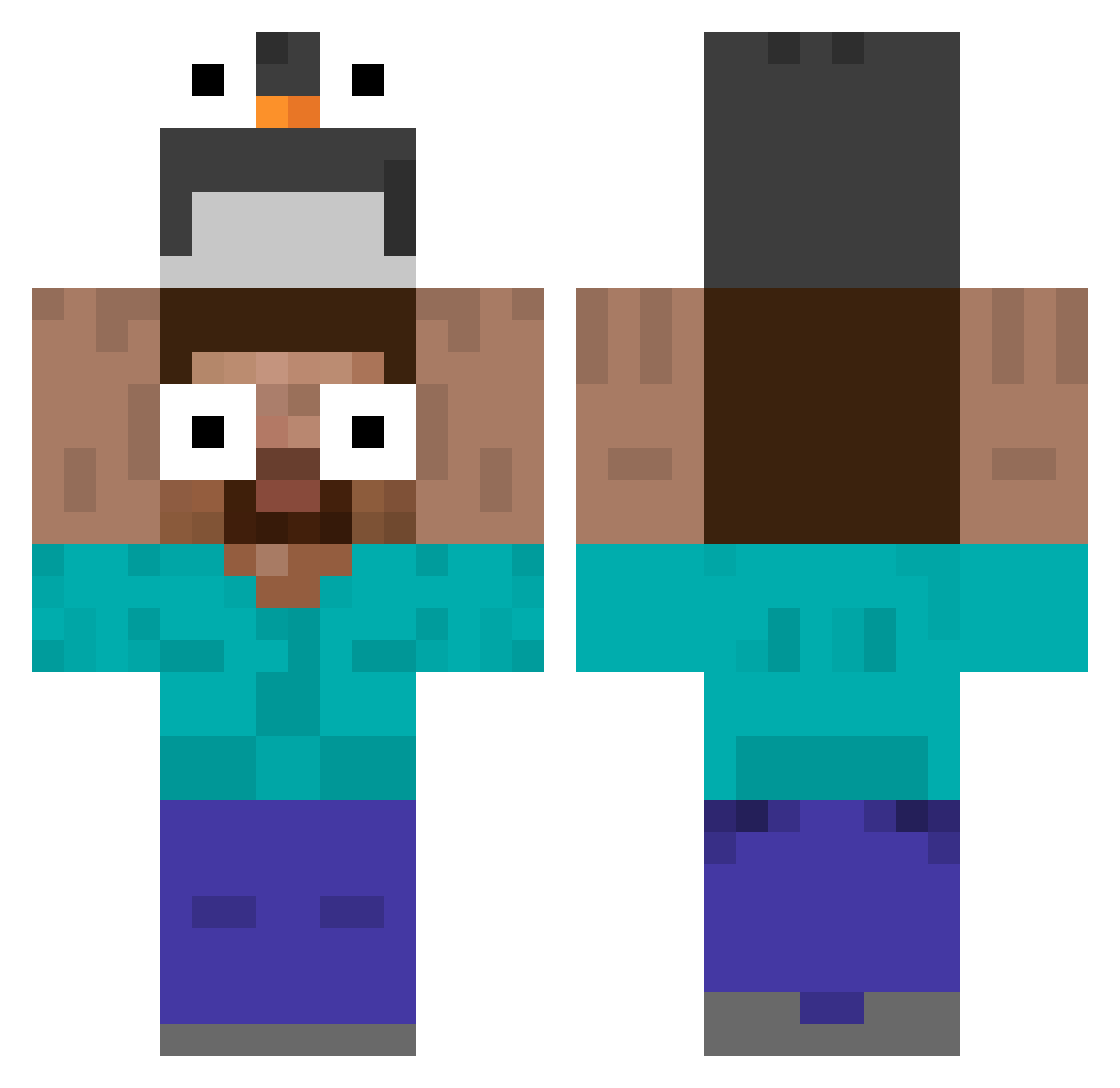
Current Minecraft skin of the player Raxy9, loaded from the official Mojang API. Rotate the 3D model with your mouse or finger, then download the skin as a PNG file and use it in Minecraft: Bedrock Edition or Java Edition for free. When Raxy9 changes their skin, this page updates automatically and the old skin stays in the history below.
Other players with this skin (535)
Raxy9 was the 430th player we have seen with this skin, first spotted on 17.10.2026. The same skin was seen on these players. Open a nickname to see their current skin and skin history.
 icyherbaltea FatBoy0906 DumplingRice dunb1234 Ddzin7 hym321 Oliver_0975 morazos saranghae777 GeoSix6 hidenochi Braiah123 Jin0kpoopock Ociev PONPON777 Teslii Franiu15 LindaMena technicalskull Buguic HectorArdiles Bonus02 _jesux kamakiri_7 Jack123333 Gik_Wed blondegrant1 A0s97 Agusea_16 BBoZZu ser_1210 jrobot53 Rem2zy dino_head_gugbab TonyVianna N8Mac szabobrigi ritu7279 simon2011perez PopelJonny64 Libertas_Z Abocardoge Tonedindo Jorge_neto dqwh Bobert1107 ChurchBro minipingouin904 an9ela Imagine8495 Yug_gamchanger BikkyWikky JIziBoLi hasmot38 Tiger00pp yitian_1023 koba_poko kajade Magno74 INDEF25
More Funny Eyes Minecraft skins
How to install the Raxy9 skin
- Press the Download button above to save the skin as a PNG file.
- Minecraft: Bedrock Edition (PE): open the Dressing Room from the main menu (or tap your character → Edit Character), go to Classic Skins → Owned, press the + (new skin) button, choose the downloaded PNG and pick the Classic (Steve) model. Works on PC and mobile; consoles cannot import custom skins.
- Minecraft: Java Edition: open the Minecraft Launcher, go to the Skins tab, click New Skin, load the PNG, pick the Classic (Steve) model and press Save & Use. You can also upload it at minecraft.net → Profile → Change Skin.
The skin does not show up after import - what should I do?
Restart Minecraft and open the Dressing Room again - imported skins sometimes appear only after a restart. Also make sure you selected the imported skin and picked the Classic (Steve) model.
Which model should I choose, Classic or Slim?
This skin is designed for the Classic (Steve) model. If you pick the wrong model, the arms of the skin will look stretched or squeezed.
Is the skin of Raxy9 free to download?
Yes. Press Download, save the PNG file and use it in Minecraft: Bedrock Edition or Java Edition - no payment or registration needed. The skin also works on multiplayer servers and Realms.
More skins
Looking for more? Go back to all Minecraft skins and check the top skins of the week, month and all time, or find any player's skin by nickname.