
Ratatuji - Minecraft Skins & Skin History
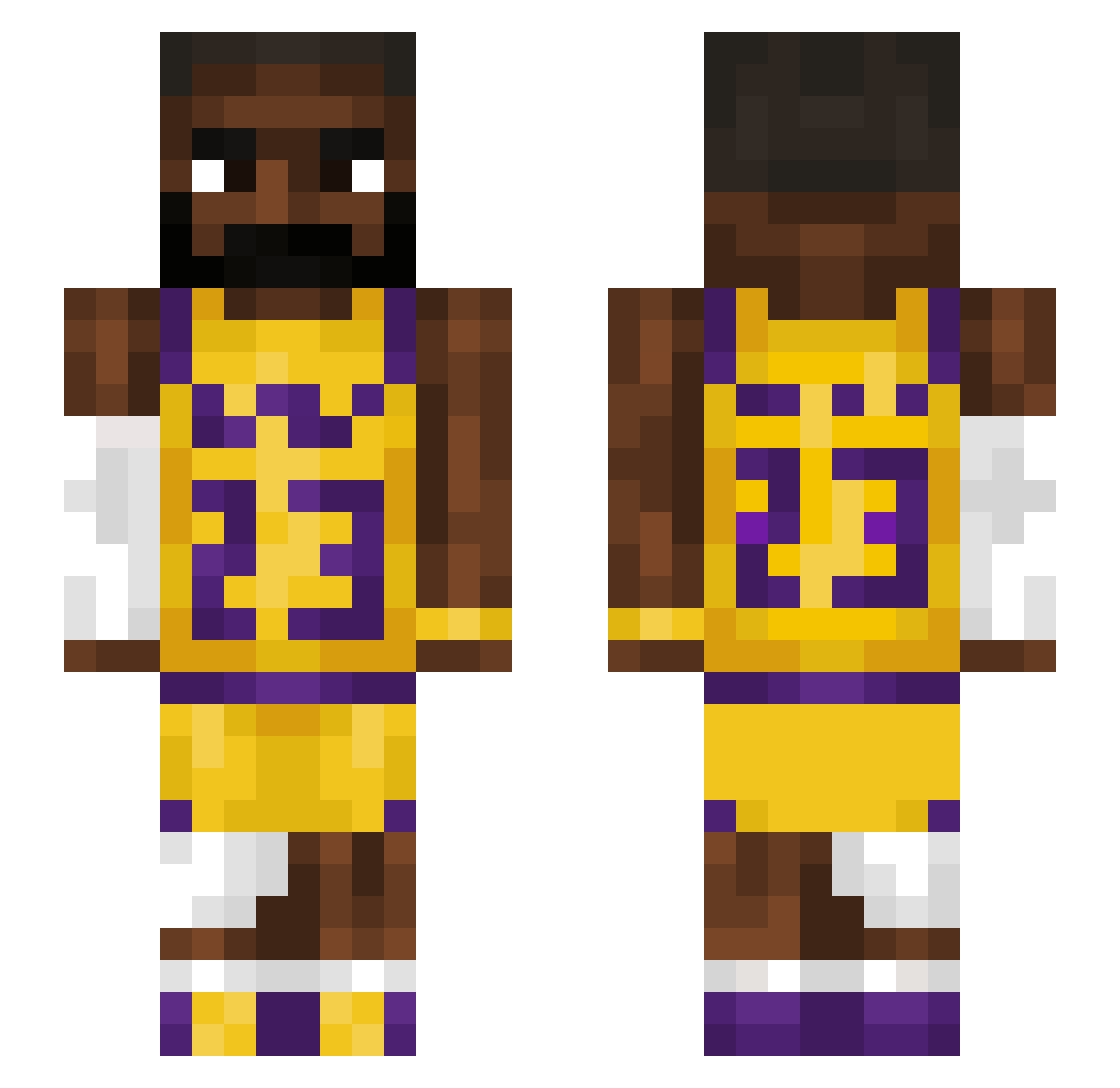
Current Minecraft skin of the player Ratatuji, loaded from the official Mojang API. Rotate the 3D model with your mouse or finger, then download the skin as a PNG file and use it in Minecraft: Bedrock Edition or Java Edition for free. When Ratatuji changes their skin, this page updates automatically and the old skin stays in the history below.
Other players with this skin (1211)
Ratatuji was the 911th player we have seen with this skin, first spotted on 03.10.2026. The same skin was seen on these players. Open a nickname to see their current skin and skin history.
 pewdepie69 Alfons121 pendat balkanthug Ametow chupapisteph AlphaAp3 alon423 Vaclavka123 Big_Rod K0L IamAnderz Bakalein cam1442 NotMarxus Bixif javi111 Bobinsky676 Samjayyy Bogense bronkitt Tymo37 funky1920 Banandrengen09 ObtuseMommy Panther_Nation Legoatgang23 Iwantminge CookinWithVolk XtraICyfizz PerverserPerser EKKOREE_NDOHhrK EXILED__21 NedoTheKing Zirdzinsss ercucchiaio KraZeEl1 Ishaqk shadab283 fatpankocat RezanNoob dAKMOM prestigioussss Yogibrokeherhip costapreto N1K1T000 Ultimateluigi89 crazycdawg Murbach21 Neizo_ floppyy_ xXWorstCreeperXx LOOK_INTO_IT Jordiigibtsschon zshs formulalego1 safa_21 GiantClover3879 Pyzex36 usher1310
More Lakers Minecraft skins
How to install the Ratatuji skin
- Press the Download button above to save the skin as a PNG file.
- Minecraft: Bedrock Edition (PE): open the Dressing Room from the main menu (or tap your character → Edit Character), go to Classic Skins → Owned, press the + (new skin) button, choose the downloaded PNG and pick the Slim (Alex) model. Works on PC and mobile; consoles cannot import custom skins.
- Minecraft: Java Edition: open the Minecraft Launcher, go to the Skins tab, click New Skin, load the PNG, pick the Slim (Alex) model and press Save & Use. You can also upload it at minecraft.net → Profile → Change Skin.
The skin does not show up after import - what should I do?
Restart Minecraft and open the Dressing Room again - imported skins sometimes appear only after a restart. Also make sure you selected the imported skin and picked the Slim (Alex) model.
Which model should I choose, Classic or Slim?
This skin is designed for the Slim (Alex) model. If you pick the wrong model, the arms of the skin will look stretched or squeezed.
Is the skin of Ratatuji free to download?
Yes. Press Download, save the PNG file and use it in Minecraft: Bedrock Edition or Java Edition - no payment or registration needed. The skin also works on multiplayer servers and Realms.
More skins
Looking for more? Go back to all Minecraft skins and check the top skins of the week, month and all time, or find any player's skin by nickname.