
Raptor1129 - Minecraft Skins & Skin History
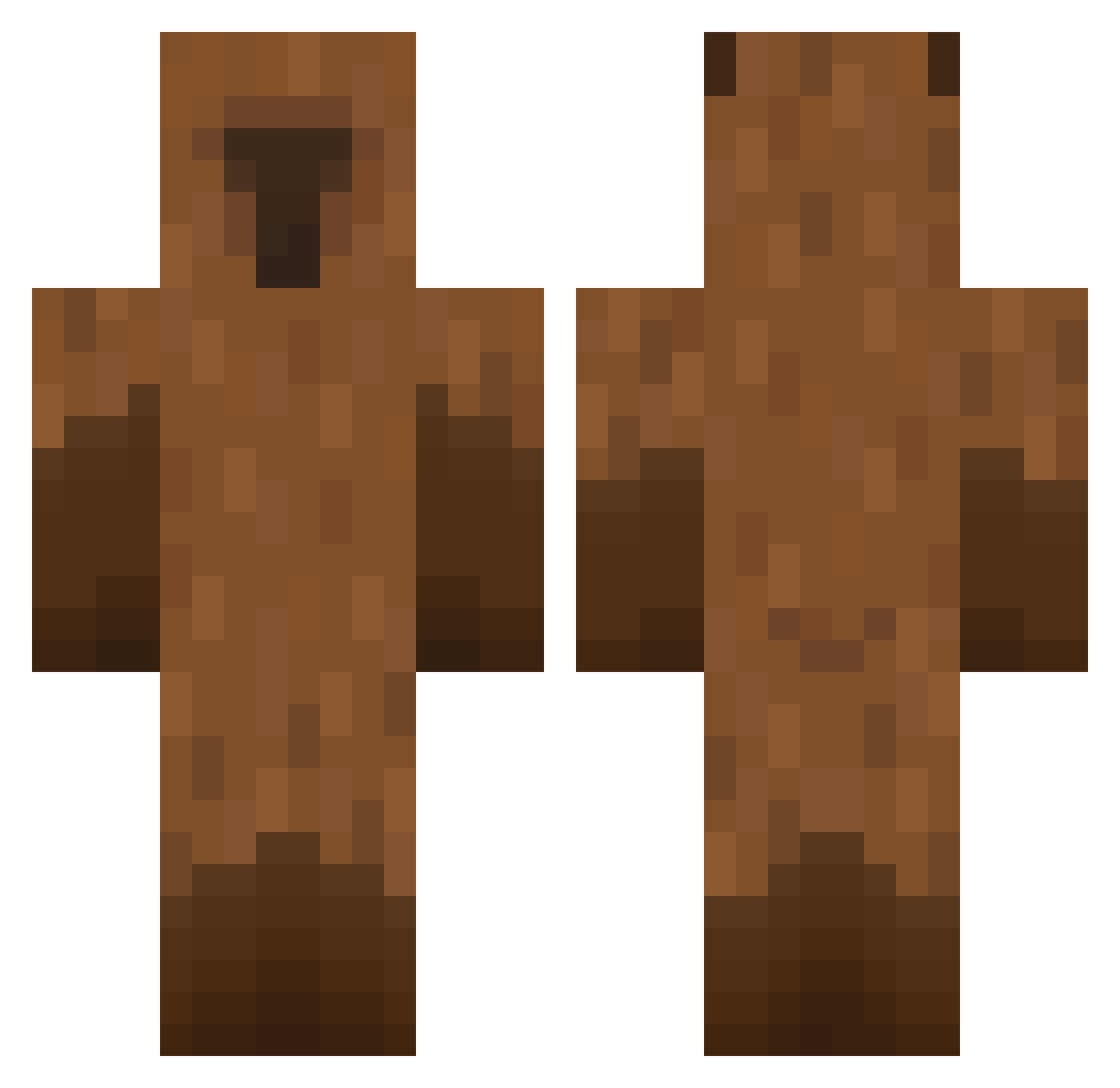
Current Minecraft skin of the player Raptor1129, loaded from the official Mojang API. Rotate the 3D model with your mouse or finger, then download the skin as a PNG file and use it in Minecraft: Bedrock Edition or Java Edition for free. When Raptor1129 changes their skin, this page updates automatically and the old skin stays in the history below.
Other players with this skin (474)
Raptor1129 was the 111th player we have seen with this skin, first spotted on 19.08.2026. The same skin was seen on these players. Open a nickname to see their current skin and skin history.
 Stangy Kirui06 jaclynjadee assjuic aKAmachadinho 2232000 junseog1920 Shinobiiii RushingBeans GGGGark S3X9INE QAQstar Sufydaboss Edou360 Mirx04 Mint_0215 chaechae_0 Nellerz9 llujoo Capybaragood UNJI090523 Senpai_DFH Ggbr12344 pouninu Pumpkin_Ho LevEnderARK eddahmon wadonius 4wm_1 enrhaps TaaDuroDorme Floreez happy_yasso cachinchachau
 Dyslexiea AleksT2014 ProSnipeZDLegend tjfdk_ SparkedVEVO NKD_Stake wristr platypusia Fish4brains madderin
 Sinister_Sins168 notaron12 Chun_ggu Baul_Baggert tokyo_killer777 BERI_MC madbadjkjk dcsj SmudyBu teekeh
 David_gamer2022 Edthundergod kapsia CapriRody WTikuW SebasG21
More Capybara Minecraft skins
How to install the Raptor1129 skin
- Press the Download button above to save the skin as a PNG file.
- Minecraft: Bedrock Edition (PE): open the Dressing Room from the main menu (or tap your character → Edit Character), go to Classic Skins → Owned, press the + (new skin) button, choose the downloaded PNG and pick the Classic (Steve) model. Works on PC and mobile; consoles cannot import custom skins.
- Minecraft: Java Edition: open the Minecraft Launcher, go to the Skins tab, click New Skin, load the PNG, pick the Classic (Steve) model and press Save & Use. You can also upload it at minecraft.net → Profile → Change Skin.
The skin does not show up after import - what should I do?
Restart Minecraft and open the Dressing Room again - imported skins sometimes appear only after a restart. Also make sure you selected the imported skin and picked the Classic (Steve) model.
Which model should I choose, Classic or Slim?
This skin is designed for the Classic (Steve) model. If you pick the wrong model, the arms of the skin will look stretched or squeezed.
Is the skin of Raptor1129 free to download?
Yes. Press Download, save the PNG file and use it in Minecraft: Bedrock Edition or Java Edition - no payment or registration needed. The skin also works on multiplayer servers and Realms.
More skins
Looking for more? Go back to all Minecraft skins and check the top skins of the week, month and all time, or find any player's skin by nickname.