
RanGe_1377 - Minecraft Skins & Skin History
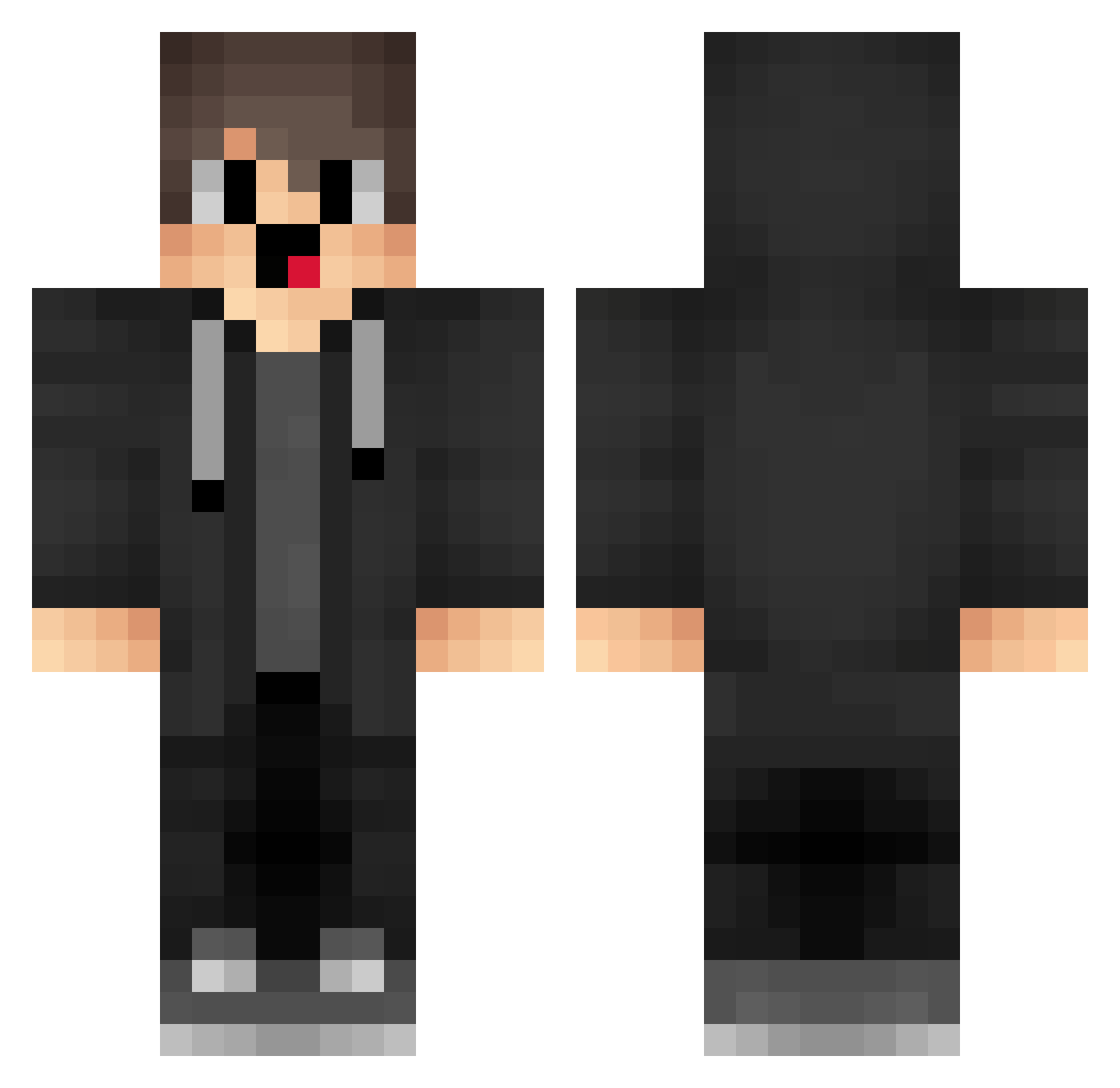
Current Minecraft skin of the player RanGe_1377, loaded from the official Mojang API. Rotate the 3D model with your mouse or finger, then download the skin as a PNG file and use it in Minecraft: Bedrock Edition or Java Edition for free. When RanGe_1377 changes their skin, this page updates automatically and the old skin stays in the history below.
Other players with this skin (1718)
RanGe_1377 was the 1628th player we have seen with this skin, first spotted on 04.11.2026. The same skin was seen on these players. Open a nickname to see their current skin and skin history.
 iWZ263 oneofus2137 cemallahinyok Merryzz_Cat naP924 HuskyLeaf Zya721 buyukbabamax wAG364 VHB568 mxin2010 jrZ637 qfB351 LLg242 nZX545 sisisioo XCPSA ARP156 KBk442 Wtu745 hDs983 mWm923 Osg597 Abuspzz_1998 VaT60 rqu657 dmy614 Igr889 xxbabayagaxx100 iQS184 upM300 AceGGentile NIS538 hpC832 nQJ964 box_AovvFaVHz272 FzI541 xLe194 aQi834 gUJ160 bmB812 EWx618 huiyi_123 RtF278 nmI425 box_VrkDFgbXh464 mRZ775 Xxx___wcnm__xxX qZZ406 merryzz_vape PAI286 cda79 ZON850 TXi619 nGh177 Ama_EfrooX_ranth jEr413 Gbb602 matt923 UwUEwan
How to install the RanGe_1377 skin
- Press the Download button above to save the skin as a PNG file.
- Minecraft: Bedrock Edition (PE): open the Dressing Room from the main menu (or tap your character → Edit Character), go to Classic Skins → Owned, press the + (new skin) button, choose the downloaded PNG and pick the Classic (Steve) model. Works on PC and mobile; consoles cannot import custom skins.
- Minecraft: Java Edition: open the Minecraft Launcher, go to the Skins tab, click New Skin, load the PNG, pick the Classic (Steve) model and press Save & Use. You can also upload it at minecraft.net → Profile → Change Skin.
The skin does not show up after import - what should I do?
Restart Minecraft and open the Dressing Room again - imported skins sometimes appear only after a restart. Also make sure you selected the imported skin and picked the Classic (Steve) model.
Which model should I choose, Classic or Slim?
This skin is designed for the Classic (Steve) model. If you pick the wrong model, the arms of the skin will look stretched or squeezed.
Is the skin of RanGe_1377 free to download?
Yes. Press Download, save the PNG file and use it in Minecraft: Bedrock Edition or Java Edition - no payment or registration needed. The skin also works on multiplayer servers and Realms.
More skins
Looking for more? Go back to all Minecraft skins and check the top skins of the week, month and all time, or find any player's skin by nickname.