
RainzDead - Minecraft Skins & Skin History
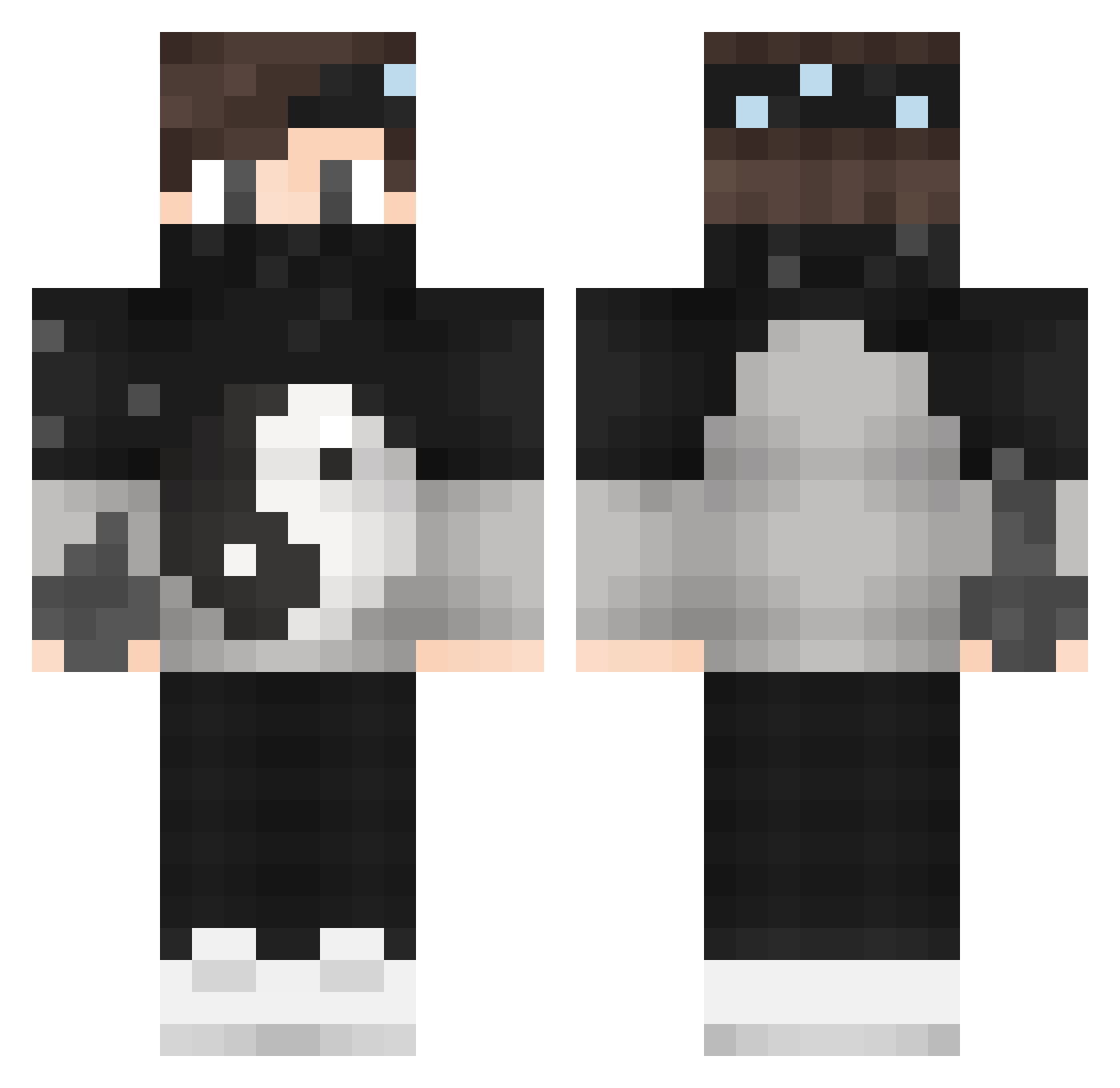
Current Minecraft skin of the player RainzDead, loaded from the official Mojang API. Rotate the 3D model with your mouse or finger, then download the skin as a PNG file and use it in Minecraft: Bedrock Edition or Java Edition for free. When RainzDead changes their skin, this page updates automatically and the old skin stays in the history below.
Other players with this skin (71)
RainzDead was the 10th player we have seen with this skin, first spotted on 13.08.2026. The same skin was seen on these players. Open a nickname to see their current skin and skin history.
 _991Alt15 Rafa503 Bobinition Nehocuk suP3rtiger DAveczskp4511 Etek6Zoom NeJectz TheAlexanderPlay ExplorerGames DARKSTAFF R0Y_ Kingjanncity twicHwatermelon Pdr2010 ItzBearCraft TimmeyT1 skulllong MeltingTiger733 Andrea_DC PandKa33 Itztimeforupdate Tyiu Devutrix RaiZerLax hemuhuff Yuki_Suwano DodgeMasterr TeamHunt DarwinMG vsenorm_chetko BlackDarkss Ninja_Jovanelli Straigon_ GameSpast ItLuckyMC DK_OMGG Gaag9424 TK428763 eightgames PandaLoky_ GeeLow ikbalcryx AlexSius_ Jimakios SadInterference DuncMC EmreOZKN Novax_08 RedHammr69 Klombi45532 venomous23 trutrublazej GaapZ kinsire EWA420 SavageBox9 Darkweii theRivnn mad2k17
More Yin Yang Minecraft skins
How to install the RainzDead skin
- Press the Download button above to save the skin as a PNG file.
- Minecraft: Bedrock Edition (PE): open the Dressing Room from the main menu (or tap your character → Edit Character), go to Classic Skins → Owned, press the + (new skin) button, choose the downloaded PNG and pick the Classic (Steve) model. Works on PC and mobile; consoles cannot import custom skins.
- Minecraft: Java Edition: open the Minecraft Launcher, go to the Skins tab, click New Skin, load the PNG, pick the Classic (Steve) model and press Save & Use. You can also upload it at minecraft.net → Profile → Change Skin.
The skin does not show up after import - what should I do?
Restart Minecraft and open the Dressing Room again - imported skins sometimes appear only after a restart. Also make sure you selected the imported skin and picked the Classic (Steve) model.
Which model should I choose, Classic or Slim?
This skin is designed for the Classic (Steve) model. If you pick the wrong model, the arms of the skin will look stretched or squeezed.
Is the skin of RainzDead free to download?
Yes. Press Download, save the PNG file and use it in Minecraft: Bedrock Edition or Java Edition - no payment or registration needed. The skin also works on multiplayer servers and Realms.
More skins
Looking for more? Go back to all Minecraft skins and check the top skins of the week, month and all time, or find any player's skin by nickname.