
Rainy1004 - Minecraft Skins & Skin History
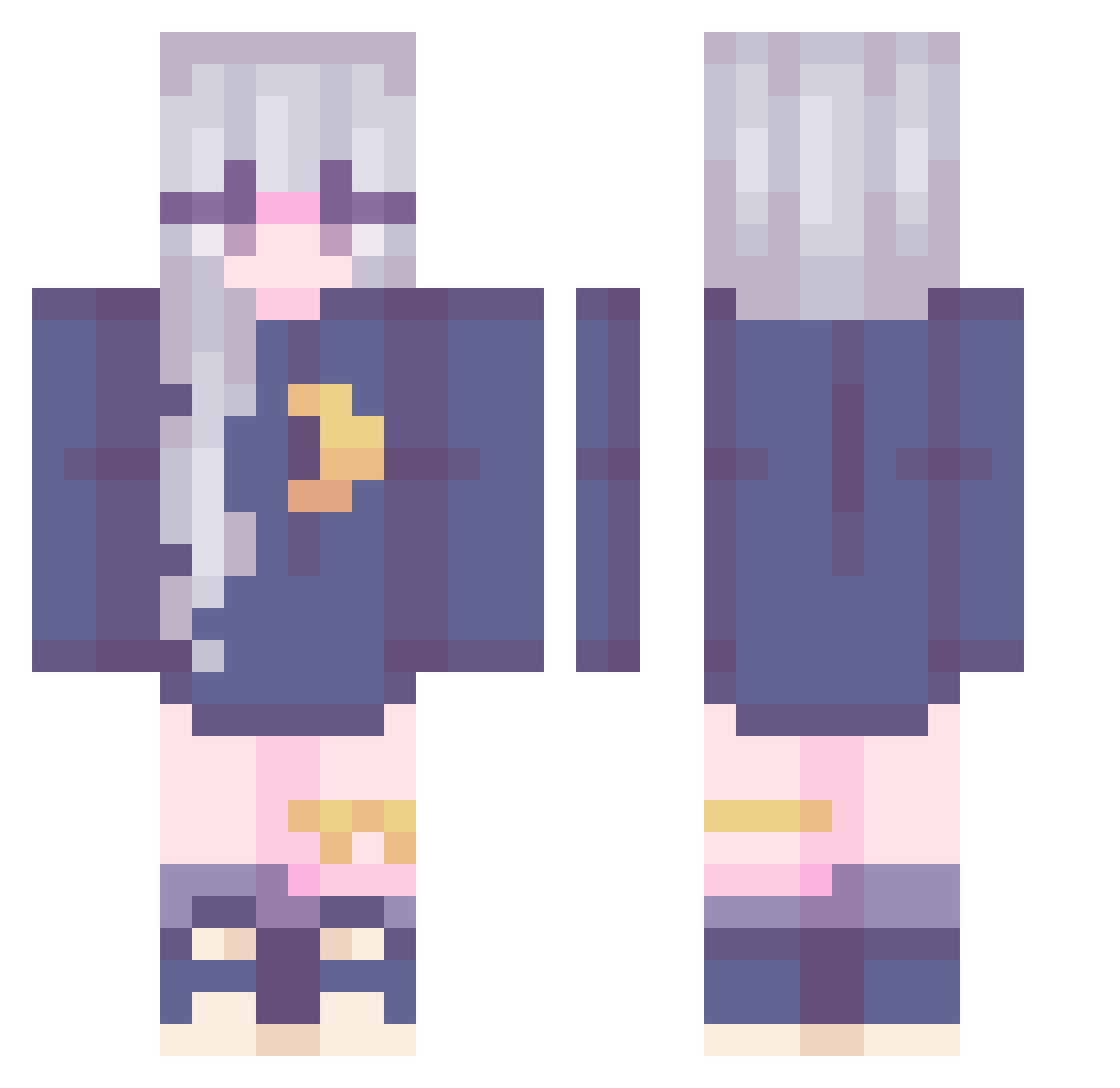
Current Minecraft skin of the player Rainy1004, loaded from the official Mojang API. Rotate the 3D model with your mouse or finger, then download the skin as a PNG file and use it in Minecraft: Bedrock Edition or Java Edition for free. When Rainy1004 changes their skin, this page updates automatically and the old skin stays in the history below.
Other players with this skin (240)
Rainy1004 was the 162nd player we have seen with this skin, first spotted on 07.10.2026. The same skin was seen on these players. Open a nickname to see their current skin and skin history.
 Killjoygirl Hujbop_343 IlINyxIlI butterscotch2 UtopicZexal Fury_Phoenix BrutallyMad gigi803 miyukye_ SerenityLore Xu1Mo_ xmagxne Jemstone1029 IMCHAECHAEIM daydrxamer Francii270 PzQzAlt luro_moon beanbugsie Sara_Sachmann mct02 dldudbf CuteDove KimAilen makabakakk TheBeewitched Hanna012 ripepersimmon1 ADMIRE8067 tillypop KissenschlachtJL WinterTheEhhh tnwjd_0313 ScoutOuttaLuck Zoeraemi TheFlomax ElodieNo sk_Rei sarmoo sleepy2bunny _J1SU_ Rhaeynes LuzLuna rosescarlett hsiaojun101 Angelway Clieramel BeeBrainz MezzaMorta Yellowpandahat sen_loli Wheat_toast Mathoou Mitsunee_ Kalinosaure PugMug lyrnvevra Rai_201 Becss Agists
More Moon Minecraft skins
How to install the Rainy1004 skin
- Press the Download button above to save the skin as a PNG file.
- Minecraft: Bedrock Edition (PE): open the Dressing Room from the main menu (or tap your character → Edit Character), go to Classic Skins → Owned, press the + (new skin) button, choose the downloaded PNG and pick the Classic (Steve) model. Works on PC and mobile; consoles cannot import custom skins.
- Minecraft: Java Edition: open the Minecraft Launcher, go to the Skins tab, click New Skin, load the PNG, pick the Classic (Steve) model and press Save & Use. You can also upload it at minecraft.net → Profile → Change Skin.
The skin does not show up after import - what should I do?
Restart Minecraft and open the Dressing Room again - imported skins sometimes appear only after a restart. Also make sure you selected the imported skin and picked the Classic (Steve) model.
Which model should I choose, Classic or Slim?
This skin is designed for the Classic (Steve) model. If you pick the wrong model, the arms of the skin will look stretched or squeezed.
Is the skin of Rainy1004 free to download?
Yes. Press Download, save the PNG file and use it in Minecraft: Bedrock Edition or Java Edition - no payment or registration needed. The skin also works on multiplayer servers and Realms.
More skins
Looking for more? Go back to all Minecraft skins and check the top skins of the week, month and all time, or find any player's skin by nickname.