
RageFrost007 - Minecraft Skins & Skin History
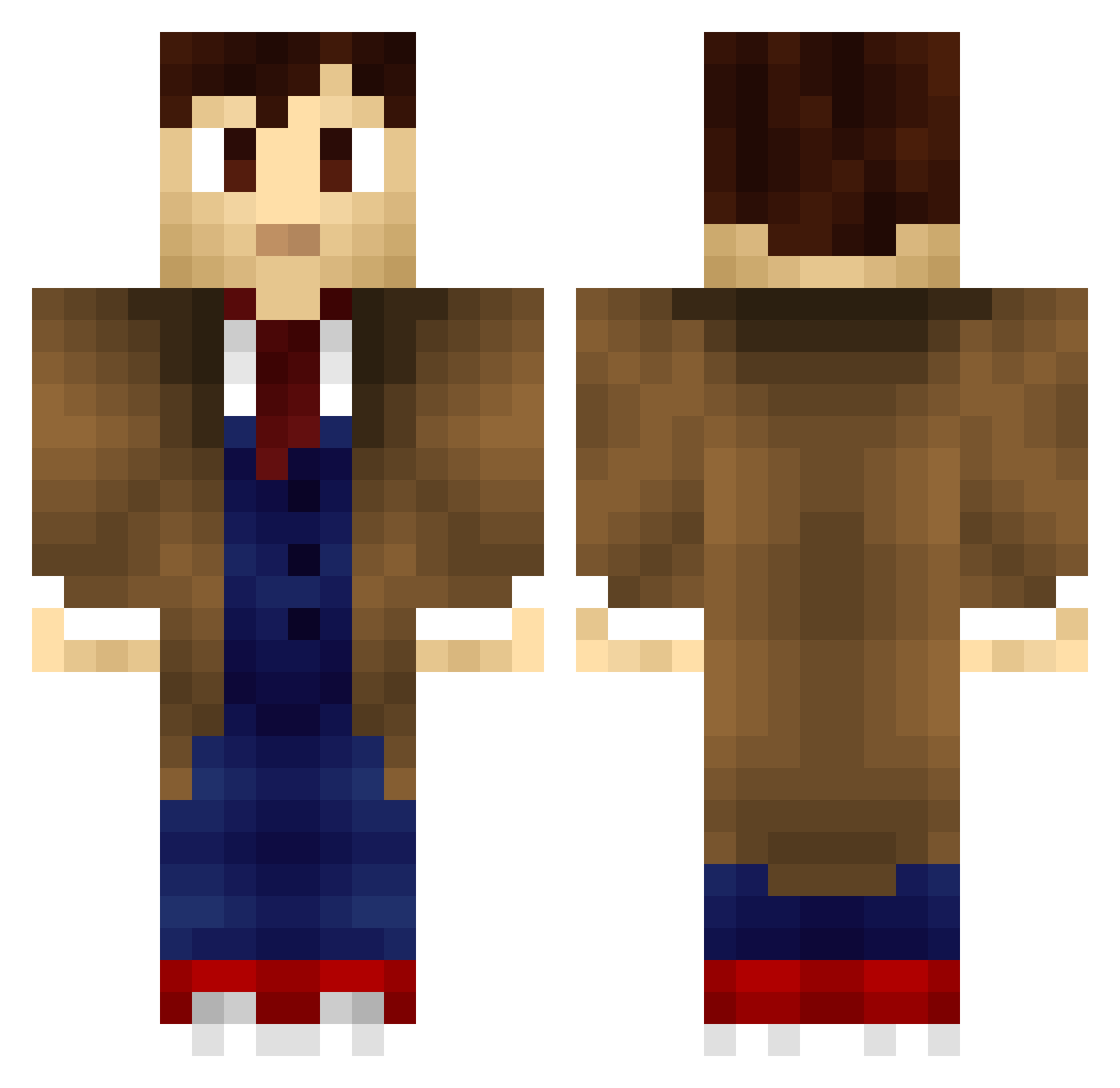
Current Minecraft skin of the player RageFrost007, loaded from the official Mojang API. Rotate the 3D model with your mouse or finger, then download the skin as a PNG file and use it in Minecraft: Bedrock Edition or Java Edition for free. When RageFrost007 changes their skin, this page updates automatically and the old skin stays in the history below.
Other players with this skin (198)
RageFrost007 was the 68th player we have seen with this skin, first spotted on 30.08.2026. The same skin was seen on these players. Open a nickname to see their current skin and skin history.
 hunter2012 Alsamio DevbotDB Th3MadMonk Nitrokuski Swimminwithswam Scanatev mazenfakih pcw5 Zuhkov robocroc Jrsolo126 MentoRyuzaki OWWWMYBUTTTT StarTracks ImKenough Vac_Plays noob_knows_how The_Doctor777 gsodst MrOwenTheGreat PeDaLed jattriski ConcreteCake Chrissi_crafting lowlysheepsr GoshGollyDarn
 IdiotNotHere HotPuffzz VENSIT kebloom Dorymoon BetaLoader HeavyHarper Leonahu0306 Arikyl doldemort SoNic1726 TIMELORDVT hypnotek JackRabbit903 Milonsk Puupuce 1080mirmsknes lpgonzalez rojojar Inghambert Blodhead Liondragon2003 Wantan136 MurphyLittle Takka11 WWWWWVWWWWWWWWWW shockwave69 Alfalfa115 Finyque Conflicted_ Shontrizzy lewho_op MYL0N
More Tenth Doctor Minecraft skins
See all 199 Tenth Doctor skins
How to install the RageFrost007 skin
- Press the Download button above to save the skin as a PNG file.
- Minecraft: Bedrock Edition (PE): open the Dressing Room from the main menu (or tap your character → Edit Character), go to Classic Skins → Owned, press the + (new skin) button, choose the downloaded PNG and pick the Classic (Steve) model. Works on PC and mobile; consoles cannot import custom skins.
- Minecraft: Java Edition: open the Minecraft Launcher, go to the Skins tab, click New Skin, load the PNG, pick the Classic (Steve) model and press Save & Use. You can also upload it at minecraft.net → Profile → Change Skin.
The skin does not show up after import - what should I do?
Restart Minecraft and open the Dressing Room again - imported skins sometimes appear only after a restart. Also make sure you selected the imported skin and picked the Classic (Steve) model.
Which model should I choose, Classic or Slim?
This skin is designed for the Classic (Steve) model. If you pick the wrong model, the arms of the skin will look stretched or squeezed.
Is the skin of RageFrost007 free to download?
Yes. Press Download, save the PNG file and use it in Minecraft: Bedrock Edition or Java Edition - no payment or registration needed. The skin also works on multiplayer servers and Realms.
More skins
Looking for more? Go back to all Minecraft skins and check the top skins of the week, month and all time, or find any player's skin by nickname.