
RabbidWolf146 - Minecraft Skins & Skin History
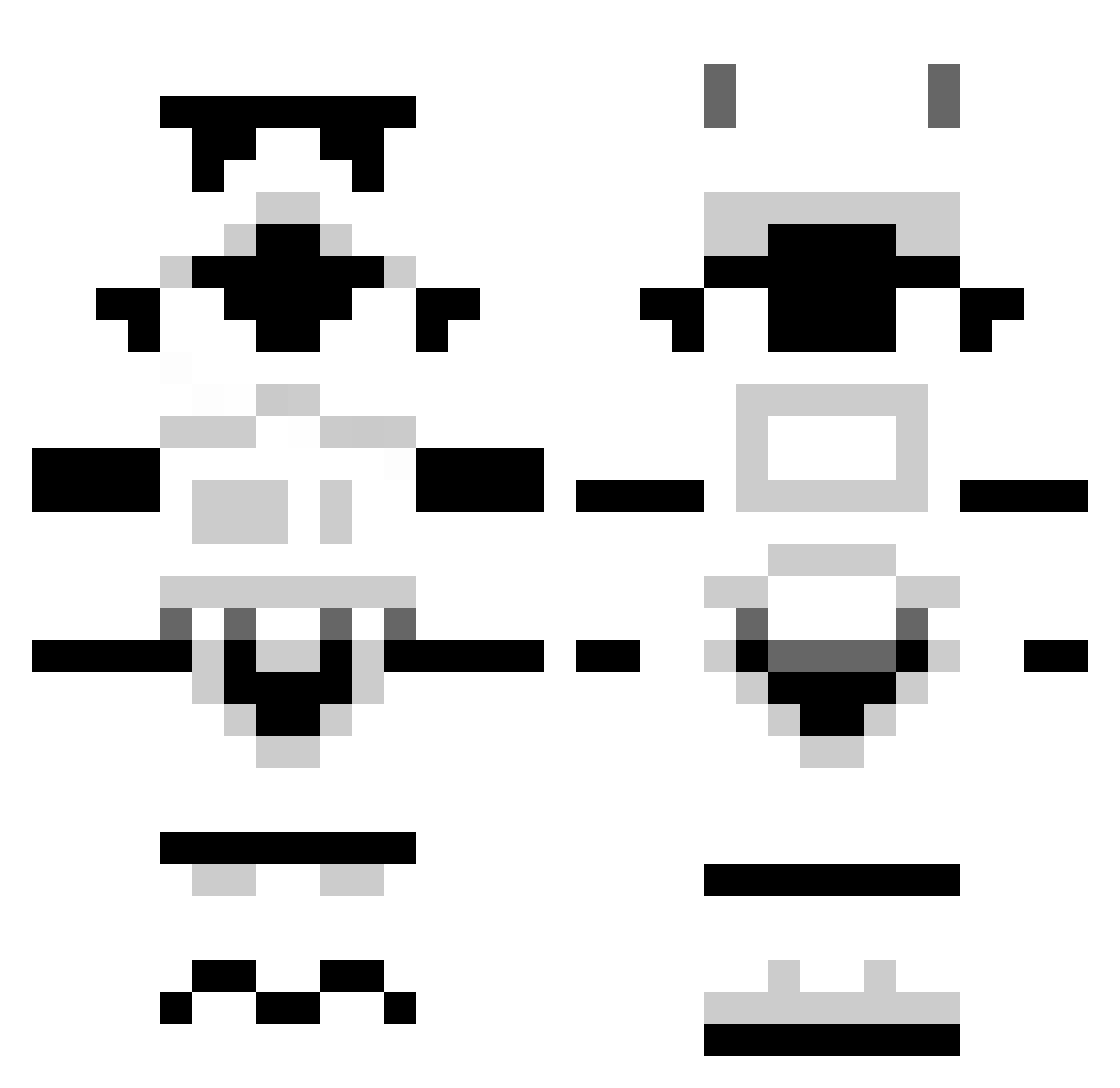
Current Minecraft skin of the player RabbidWolf146, loaded from the official Mojang API. Rotate the 3D model with your mouse or finger, then download the skin as a PNG file and use it in Minecraft: Bedrock Edition or Java Edition for free. When RabbidWolf146 changes their skin, this page updates automatically and the old skin stays in the history below.
Other players with this skin (1296)
RabbidWolf146 was the 1154th player we have seen with this skin, first spotted on 27.10.2026. The same skin was seen on these players. Open a nickname to see their current skin and skin history.
 chucky0620 rhcpgrizzle sternencraft MidOpenReizz29 michaelvl95 BenStorm92 Jamal45 Leydon00697 Josefthe1st KapInsano RedLabel1822 TheTremia tsolider71197 C_Rat DarkAmbition52 SimplyAlly88 pulse89 Jacobo97 Cowfudger Jittzu Tage724 Vapopo N00dleS0up DanteLP1945 TNT_nz Will44 Kinkywalrus14 rustiebin markmcgrath77 mistaswaggs Amfibie blocksrock2012 CrazedScientist philsphan27 RevegentAl3 Nabel4Ever mastercmm Phocasola Skyfallbarry lwjordan Neurophex Lucyiy ElectricPlover rendezVOU5 Discojocke Lionspell attacker1223 Yoco554 Adlaufer callumrid XxJugglezxX Moombaza andyhickin icer2312 Winghz hadrian13 Cooer121 skullkid2003 balloon_head HTiLewis
More Stormtrooper Minecraft skins
See all 529 Stormtrooper skins
How to install the RabbidWolf146 skin
- Press the Download button above to save the skin as a PNG file.
- Minecraft: Bedrock Edition (PE): open the Dressing Room from the main menu (or tap your character → Edit Character), go to Classic Skins → Owned, press the + (new skin) button, choose the downloaded PNG and pick the Classic (Steve) model. Works on PC and mobile; consoles cannot import custom skins.
- Minecraft: Java Edition: open the Minecraft Launcher, go to the Skins tab, click New Skin, load the PNG, pick the Classic (Steve) model and press Save & Use. You can also upload it at minecraft.net → Profile → Change Skin.
The skin does not show up after import - what should I do?
Restart Minecraft and open the Dressing Room again - imported skins sometimes appear only after a restart. Also make sure you selected the imported skin and picked the Classic (Steve) model.
Which model should I choose, Classic or Slim?
This skin is designed for the Classic (Steve) model. If you pick the wrong model, the arms of the skin will look stretched or squeezed.
Is the skin of RabbidWolf146 free to download?
Yes. Press Download, save the PNG file and use it in Minecraft: Bedrock Edition or Java Edition - no payment or registration needed. The skin also works on multiplayer servers and Realms.
More skins
Looking for more? Go back to all Minecraft skins and check the top skins of the week, month and all time, or find any player's skin by nickname.