
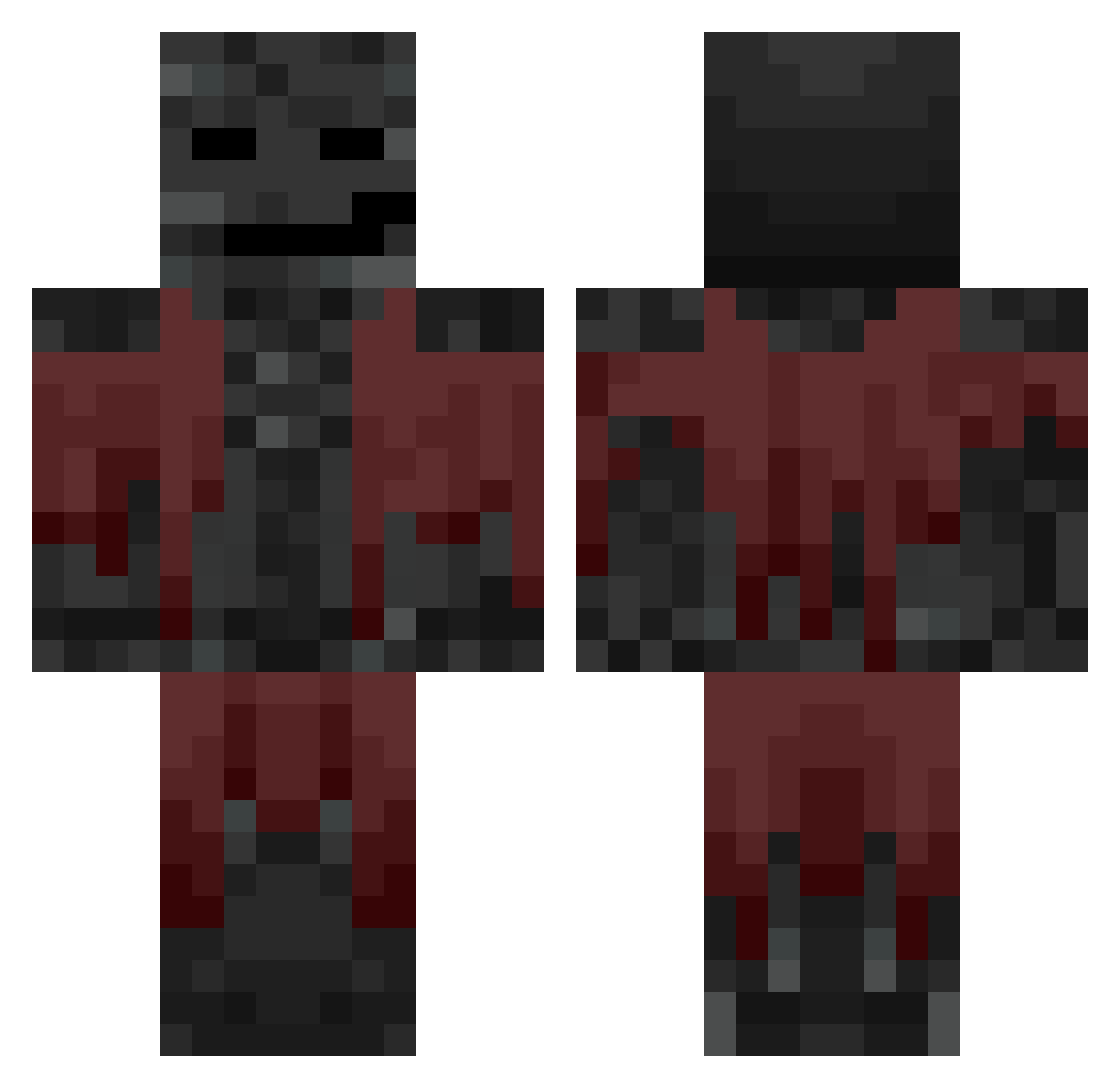
Current Minecraft skin of the player ROGI2113, loaded from the official Mojang API. Rotate the 3D model with your mouse or finger, then download the skin as a PNG file and use it in Minecraft: Bedrock Edition or Java Edition for free. When ROGI2113 changes their skin, this page updates automatically and the old skin stays in the history below.
Other players with this skin (590)
ROGI2113 was the 395th player we have seen with this skin, first spotted on 24.09.2026. The same skin was seen on these players. Open a nickname to see their current skin and skin history.
 Unfounded3 DonPatito12 Random_Mp zakpapje ms3sa Bunnyjunior Arazack xensyasd miner1166 TootBoxx Edisera THEMEEK SqueZZyy apochemynet Artyom47 TheNexusDev Misterman501 Electrode81 pierrebaptiste1 Dean990301 ThatBrownGuy_ Psiur THEOCRAFT15 Semipolar Fabudabi ManaosDeUwita Mixmax004 pugten DrumerD zooverwalter 31mp rnz3 brandom48 12yearoldbtw mamagame54 kyj1069 Mikaslife17 mustardblud KaltWayne The7menguy Gwenninnator Lord_Cumumber GAMBLlNG Trysom _TimTim Peoples_Champ952 gegeg31 Aspirey_ iPixls Pretzel_Person24 DirtyDauber flowqer bilinmeyenisim Precelek3 GodProjet urba284 WasoFisK MuskiGG dontaviousllxd domdis
More Wither Minecraft skins
How to install the ROGI2113 skin
- Press the Download button above to save the skin as a PNG file.
- Minecraft: Bedrock Edition (PE): open the Dressing Room from the main menu (or tap your character → Edit Character), go to Classic Skins → Owned, press the + (new skin) button, choose the downloaded PNG and pick the Classic (Steve) model. Works on PC and mobile; consoles cannot import custom skins.
- Minecraft: Java Edition: open the Minecraft Launcher, go to the Skins tab, click New Skin, load the PNG, pick the Classic (Steve) model and press Save & Use. You can also upload it at minecraft.net → Profile → Change Skin.
The skin does not show up after import - what should I do?
Restart Minecraft and open the Dressing Room again - imported skins sometimes appear only after a restart. Also make sure you selected the imported skin and picked the Classic (Steve) model.
Which model should I choose, Classic or Slim?
This skin is designed for the Classic (Steve) model. If you pick the wrong model, the arms of the skin will look stretched or squeezed.
Is the skin of ROGI2113 free to download?
Yes. Press Download, save the PNG file and use it in Minecraft: Bedrock Edition or Java Edition - no payment or registration needed. The skin also works on multiplayer servers and Realms.
More skins
Looking for more? Go back to all Minecraft skins and check the top skins of the week, month and all time, or find any player's skin by nickname.