
DirtyDauber - Minecraft Skins & Skin History
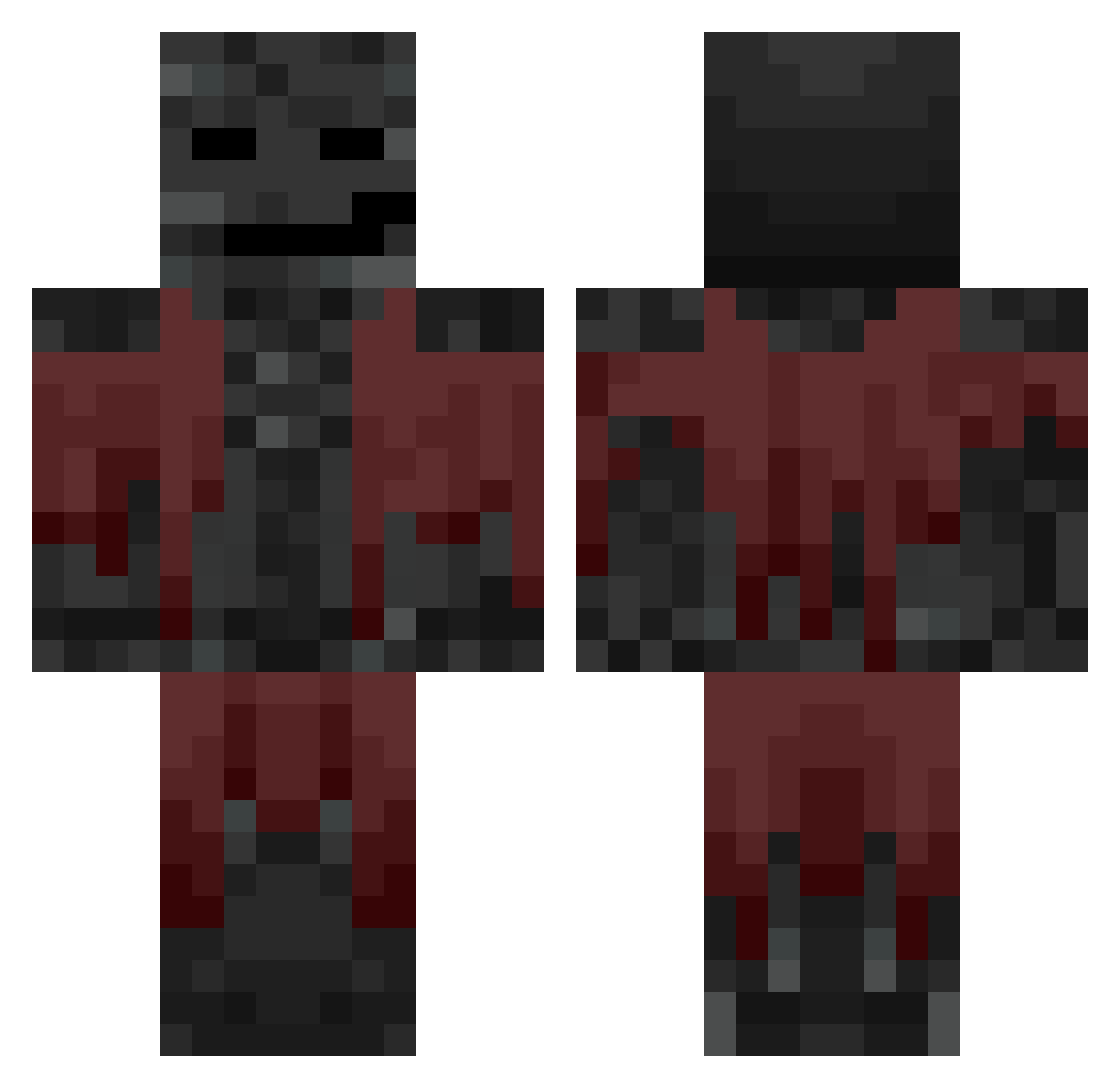
Current Minecraft skin of the player DirtyDauber, loaded from the official Mojang API. Rotate the 3D model with your mouse or finger, then download the skin as a PNG file and use it in Minecraft: Bedrock Edition or Java Edition for free. When DirtyDauber changes their skin, this page updates automatically and the old skin stays in the history below.
Other players with this skin (716)
DirtyDauber was the 417th player we have seen with this skin, first spotted on 27.09.2026. The same skin was seen on these players. Open a nickname to see their current skin and skin history.
 Precelek3 gegeg31 WasoFisK Trysom MuskiGG domdis VladTheDad28 MRUnkn Kile12 Lord_Cumumber Porkae holidayray Basalt2730 KaltWayne TrixxYk Mikaslife17 MNG_MNG TomCrooze 12yearoldbtw Devka111 brandom48 typemoneyy Navo123 Miracle187 Oraclefnbr SpaceCitrus DrumerD UHHHH08 pugten ManaosDeUwita Fabudabi ttsane Semipolar THEOCRAFT15 ShadowImmer Vardruto KMikey1 Psiur DiegO_0M Cophinn Bankercobb dtts_xd CraftElite1337 Mekiko_yt apochemynet Edisera TootBoxx KapitanWaclaw MATTHEW0402 Arazack Zen1013 Bunnyjunior System20 scaryghost_0 Random_Mp MoMoMoMoMoMoMo chrlea2 iopwasd Unfounded3 ROGI2113
More Wither Minecraft skins
How to install the DirtyDauber skin
- Press the Download button above to save the skin as a PNG file.
- Minecraft: Bedrock Edition (PE): open the Dressing Room from the main menu (or tap your character → Edit Character), go to Classic Skins → Owned, press the + (new skin) button, choose the downloaded PNG and pick the Classic (Steve) model. Works on PC and mobile; consoles cannot import custom skins.
- Minecraft: Java Edition: open the Minecraft Launcher, go to the Skins tab, click New Skin, load the PNG, pick the Classic (Steve) model and press Save & Use. You can also upload it at minecraft.net → Profile → Change Skin.
The skin does not show up after import - what should I do?
Restart Minecraft and open the Dressing Room again - imported skins sometimes appear only after a restart. Also make sure you selected the imported skin and picked the Classic (Steve) model.
Which model should I choose, Classic or Slim?
This skin is designed for the Classic (Steve) model. If you pick the wrong model, the arms of the skin will look stretched or squeezed.
Is the skin of DirtyDauber free to download?
Yes. Press Download, save the PNG file and use it in Minecraft: Bedrock Edition or Java Edition - no payment or registration needed. The skin also works on multiplayer servers and Realms.
More skins
Looking for more? Go back to all Minecraft skins and check the top skins of the week, month and all time, or find any player's skin by nickname.