
RIMU69 - Minecraft Skins & Skin History
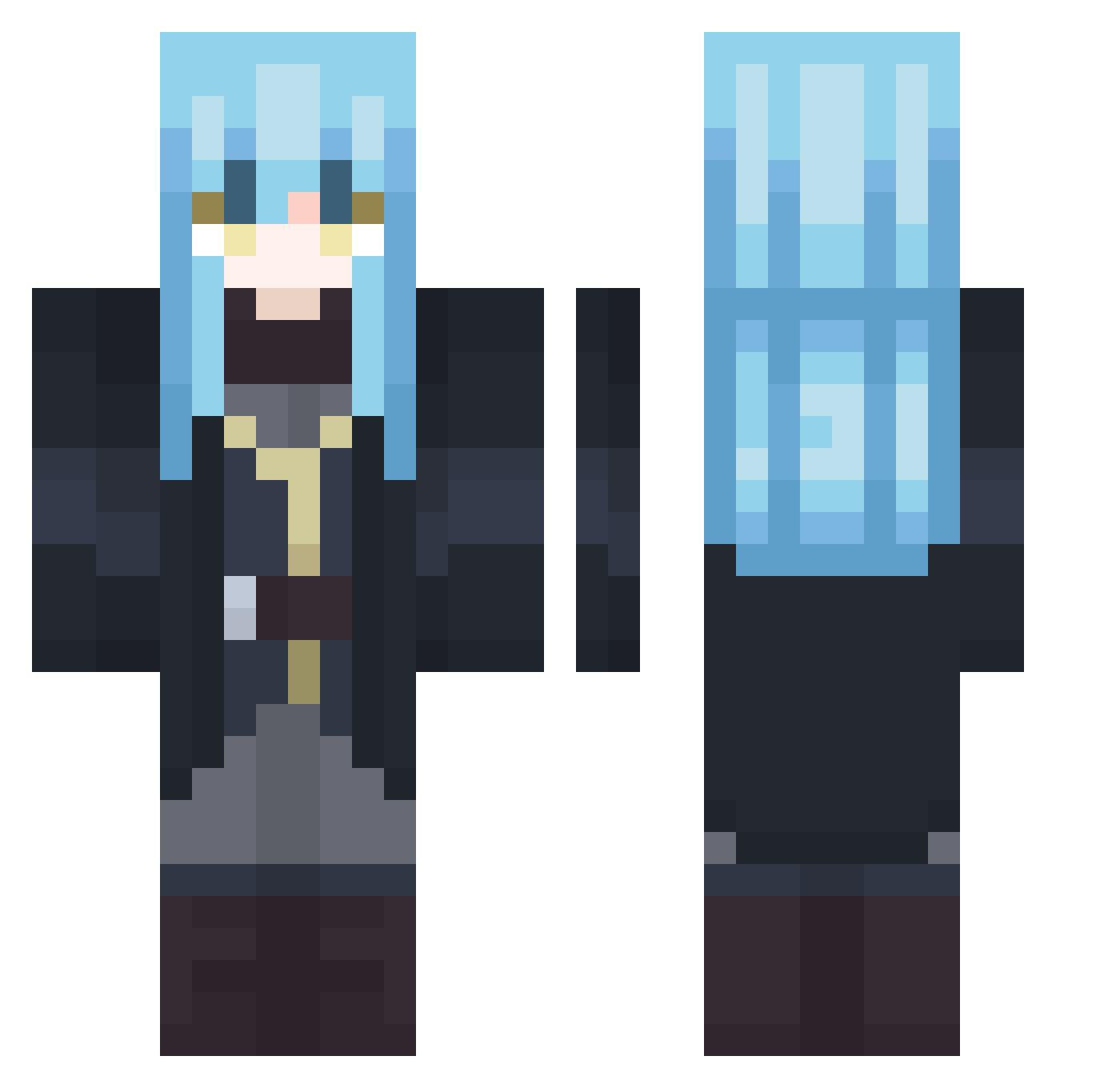
Current Minecraft skin of the player RIMU69, loaded from the official Mojang API. Rotate the 3D model with your mouse or finger, then download the skin as a PNG file and use it in Minecraft: Bedrock Edition or Java Edition for free. When RIMU69 changes their skin, this page updates automatically and the old skin stays in the history below.
Other players with this skin (407)
RIMU69 was the 256th player we have seen with this skin, first spotted on 02.10.2026. The same skin was seen on these players. Open a nickname to see their current skin and skin history.
 TheArticPandaXx laoshayu Toruketsu Zockersimon2000 MaKiStuTDM gql777 daniel_parck VELD0RA0 Belzeebuth_ passerby_01 Die4VendeTTa Fooster_ Mefistoflez zodiac0902 Alex12190 Ruxiina Apothicon7 EspanhaPT NamiSoba topherfr leal2kn qcivan11 Lipt0nn Docline_link0 bugieminecrafter Matsdall abadlie RimuruSMA vinny986 MahoRimuru MotyaSiniy RBMochi Key_1 NingYa wertsafertjuice WuYChen Snazz Hide1115 Shou_Zi_Pro RealGameTheory Vargonte amvfan24 One_Neverwind LucasKazuto jacky0419 Lordkk_ Erbse44YT NaokiiM Yi_Ruei8074 andrdenn2008 C41B4 spykal ETo0310 bobo_0213 Lucarin212 Jycnz qiuju toonmoon6 AikaSendo Yoki001
More Rimuru Tempest Minecraft skins
See all 251 Rimuru Tempest skins
How to install the RIMU69 skin
- Press the Download button above to save the skin as a PNG file.
- Minecraft: Bedrock Edition (PE): open the Dressing Room from the main menu (or tap your character → Edit Character), go to Classic Skins → Owned, press the + (new skin) button, choose the downloaded PNG and pick the Classic (Steve) model. Works on PC and mobile; consoles cannot import custom skins.
- Minecraft: Java Edition: open the Minecraft Launcher, go to the Skins tab, click New Skin, load the PNG, pick the Classic (Steve) model and press Save & Use. You can also upload it at minecraft.net → Profile → Change Skin.
The skin does not show up after import - what should I do?
Restart Minecraft and open the Dressing Room again - imported skins sometimes appear only after a restart. Also make sure you selected the imported skin and picked the Classic (Steve) model.
Which model should I choose, Classic or Slim?
This skin is designed for the Classic (Steve) model. If you pick the wrong model, the arms of the skin will look stretched or squeezed.
Is the skin of RIMU69 free to download?
Yes. Press Download, save the PNG file and use it in Minecraft: Bedrock Edition or Java Edition - no payment or registration needed. The skin also works on multiplayer servers and Realms.
More skins
Looking for more? Go back to all Minecraft skins and check the top skins of the week, month and all time, or find any player's skin by nickname.