
RANdY4907 - Minecraft Skins & Skin History
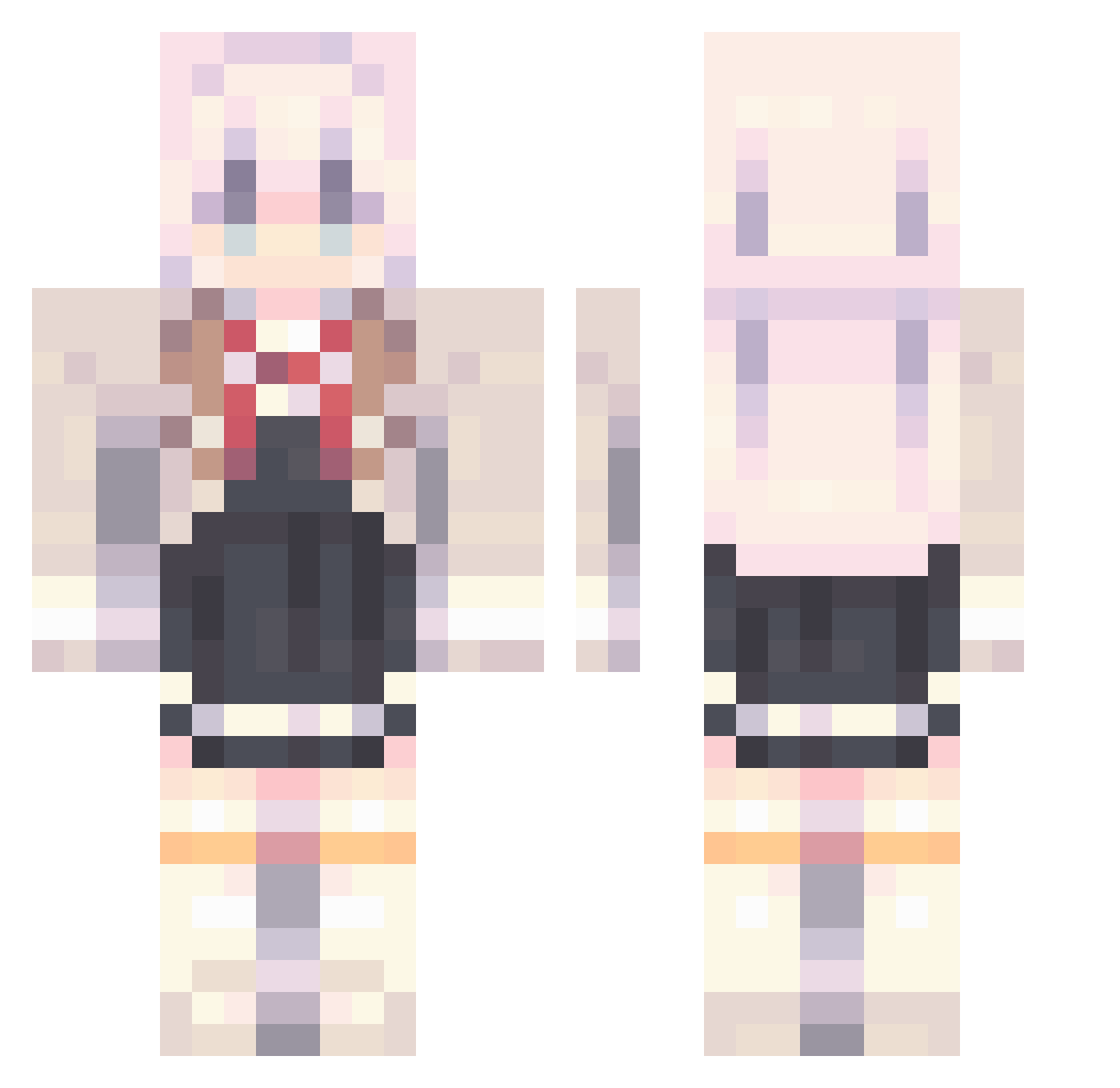
Current Minecraft skin of the player RANdY4907, loaded from the official Mojang API. Rotate the 3D model with your mouse or finger, then download the skin as a PNG file and use it in Minecraft: Bedrock Edition or Java Edition for free. When RANdY4907 changes their skin, this page updates automatically and the old skin stays in the history below.
Other players with this skin (909)
RANdY4907 was the 585th player we have seen with this skin, first spotted on 30.09.2026. The same skin was seen on these players. Open a nickname to see their current skin and skin history.
 AlyaMommy lru135 FernanPub65293 HerpSlurp Gamemoce TYH12 XiaYangyan GohrKE qingkong12317 sgcreative minkoan people_1 TiKlees__ ksj1048 reconj99 Yahiiroo stigernst abdudagoat N44x FengyunMuqing Gaby_V12 K1taiozya _YangKing_03 puyuya Lltae hwool SkywarsDuel hyunwu1304 ZhangchunY ULTRAMARINEX jjy0528 ChenSqy SUNR4Yz Lzthy LeLe_030 JoeAns Vincentwoo MrcookiesTV Heisenberg77776 Kinglid0429 Cowns_6974 AhTian CyclonicFrost Wydojcu GuYuu123 4ht JEANBART86 Capuchiino chan_090210 arouwu PlayingMango15 nuget_0 Tapetenhalle monsterhut0973 Kopzan NeNLKK NMES106006 Kupon_13 yqs__ Ezeqkiel
More School Uniform Minecraft skins
See all 6654 School Uniform skins
How to install the RANdY4907 skin
- Press the Download button above to save the skin as a PNG file.
- Minecraft: Bedrock Edition (PE): open the Dressing Room from the main menu (or tap your character → Edit Character), go to Classic Skins → Owned, press the + (new skin) button, choose the downloaded PNG and pick the Classic (Steve) model. Works on PC and mobile; consoles cannot import custom skins.
- Minecraft: Java Edition: open the Minecraft Launcher, go to the Skins tab, click New Skin, load the PNG, pick the Classic (Steve) model and press Save & Use. You can also upload it at minecraft.net → Profile → Change Skin.
The skin does not show up after import - what should I do?
Restart Minecraft and open the Dressing Room again - imported skins sometimes appear only after a restart. Also make sure you selected the imported skin and picked the Classic (Steve) model.
Which model should I choose, Classic or Slim?
This skin is designed for the Classic (Steve) model. If you pick the wrong model, the arms of the skin will look stretched or squeezed.
Is the skin of RANdY4907 free to download?
Yes. Press Download, save the PNG file and use it in Minecraft: Bedrock Edition or Java Edition - no payment or registration needed. The skin also works on multiplayer servers and Realms.
More skins
Looking for more? Go back to all Minecraft skins and check the top skins of the week, month and all time, or find any player's skin by nickname.