
R4in089 - Minecraft Skins & Skin History
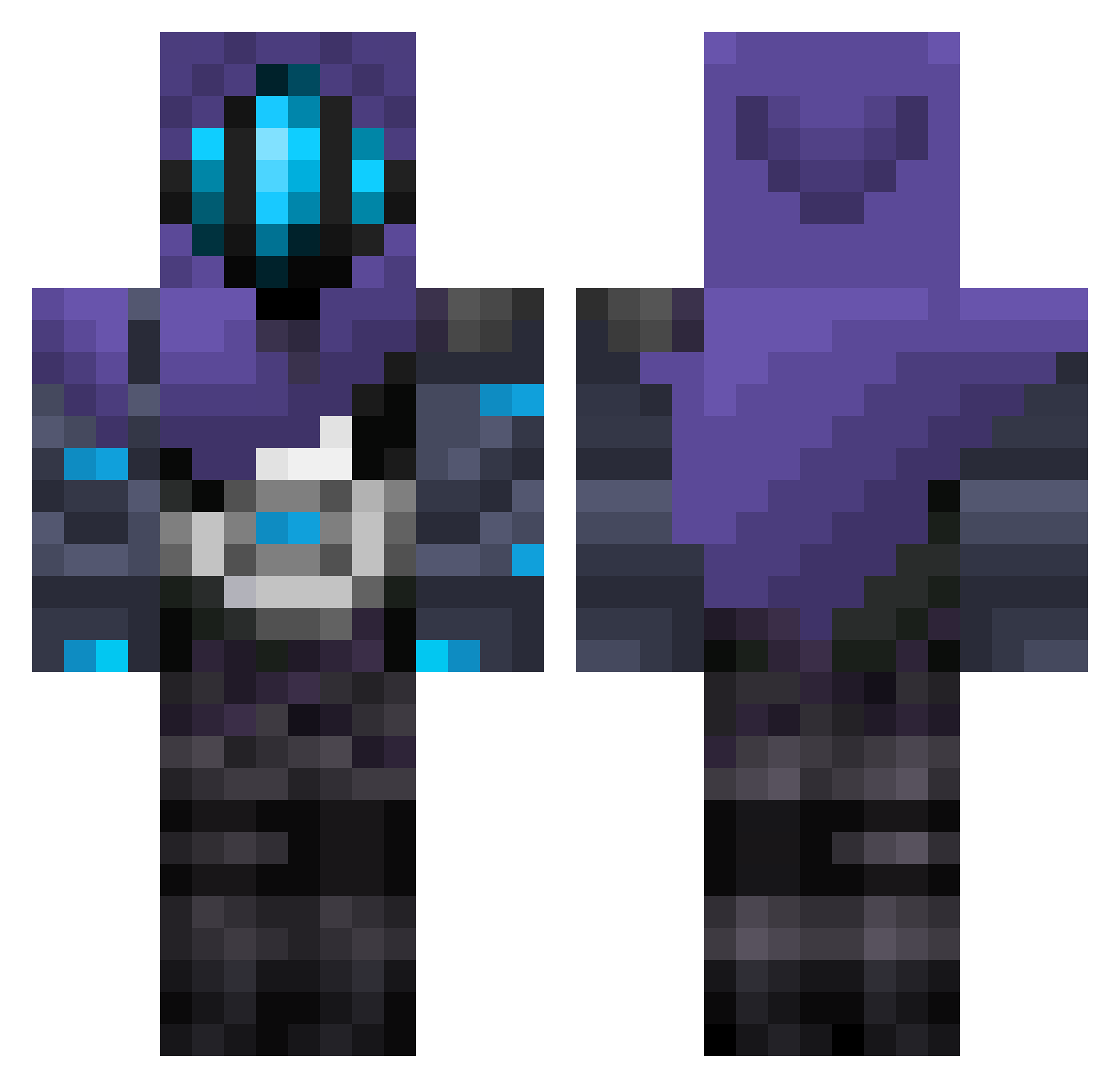
Current Minecraft skin of the player R4in089, loaded from the official Mojang API. Rotate the 3D model with your mouse or finger, then download the skin as a PNG file and use it in Minecraft: Bedrock Edition or Java Edition for free. When R4in089 changes their skin, this page updates automatically and the old skin stays in the history below.
Other players with this skin (297)
R4in089 was the 180th player we have seen with this skin, first spotted on 28.09.2026. The same skin was seen on these players. Open a nickname to see their current skin and skin history.
 TGNoble nanopinga wetwzzrd Bestemonte GeMiNi2160 Opa_Werner Jharana JokerTheBozo SummerRain1101 toxic1user wngud122 letectec Decelis MARKYmaster06 aminnieginger Javaaron Domenic1405 Newbie_124 xXPaloloXx domehd13 Jae1324 ItsJazen T1buu Forenzsic JoshyBudz LaztaVLR R1FAT Cycloninho Shuushoe Alenine CoyPoleCat aflinmh Tonmaii1e mendvza Sacender3 legend_dango FreakyStef ItsGodfire Rakshan2512 RatOmen Aspernaut CreeperFOG1234 BleacheyWhiteO Krawler_05 Luroko Simon0729 not1eo PunishedBenjamin FullmetalSoul Zabradley ItzEvo Synqqq biscuiteds bullkhy so_machan OwenMcGenius lylypuce GY4MOMO ypua bishoup_19
More Omen Minecraft skins
How to install the R4in089 skin
- Press the Download button above to save the skin as a PNG file.
- Minecraft: Bedrock Edition (PE): open the Dressing Room from the main menu (or tap your character → Edit Character), go to Classic Skins → Owned, press the + (new skin) button, choose the downloaded PNG and pick the Classic (Steve) model. Works on PC and mobile; consoles cannot import custom skins.
- Minecraft: Java Edition: open the Minecraft Launcher, go to the Skins tab, click New Skin, load the PNG, pick the Classic (Steve) model and press Save & Use. You can also upload it at minecraft.net → Profile → Change Skin.
The skin does not show up after import - what should I do?
Restart Minecraft and open the Dressing Room again - imported skins sometimes appear only after a restart. Also make sure you selected the imported skin and picked the Classic (Steve) model.
Which model should I choose, Classic or Slim?
This skin is designed for the Classic (Steve) model. If you pick the wrong model, the arms of the skin will look stretched or squeezed.
Is the skin of R4in089 free to download?
Yes. Press Download, save the PNG file and use it in Minecraft: Bedrock Edition or Java Edition - no payment or registration needed. The skin also works on multiplayer servers and Realms.
More skins
Looking for more? Go back to all Minecraft skins and check the top skins of the week, month and all time, or find any player's skin by nickname.