
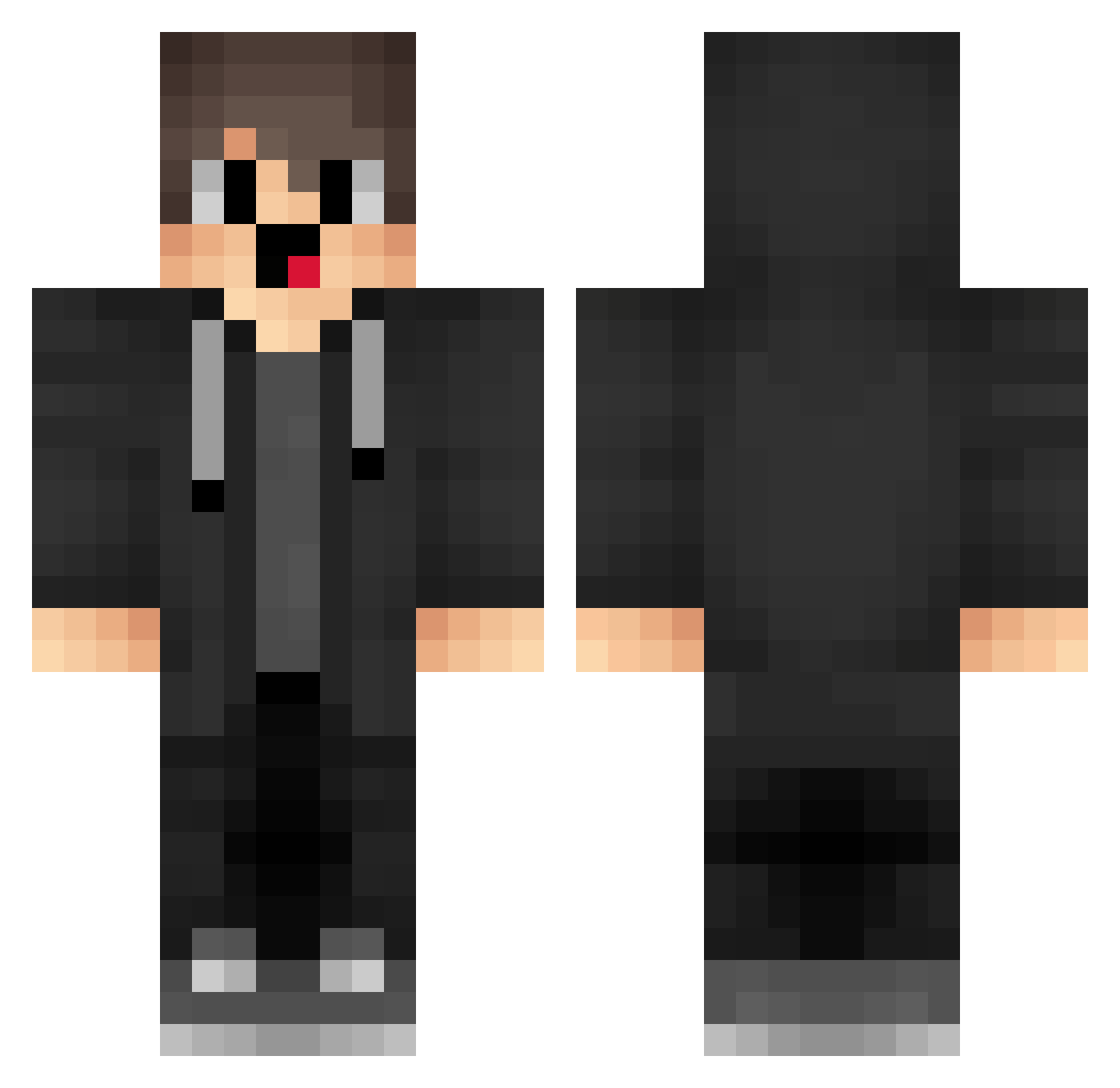
Current Minecraft skin of the player QuyenSimp, loaded from the official Mojang API. Rotate the 3D model with your mouse or finger, then download the skin as a PNG file and use it in Minecraft: Bedrock Edition or Java Edition for free. When QuyenSimp changes their skin, this page updates automatically and the old skin stays in the history below.
Other players with this skin (1281)
QuyenSimp was the 289th player we have seen with this skin, first spotted on 12.08.2026. The same skin was seen on these players. Open a nickname to see their current skin and skin history.
 hbs595 oqfc TpP3 EEV229 box_qFEEibYtW934 MerryzzTR eKd268 HJs50 Gws652 WaR484 box_WYkzvrjoP951 yFC150 pixel_palad1n hJz634 Vhb992 JTheGamer qRt886 Okb239 mWs168 elT544 YXj67 Zeng_MC kUO810 RXQ121 fwy773 _BkAiz EwI333 vYL959 tTX658 iam676 Mbh254 box_OzhdsCCiZ757 Dqg514 box_viyrwTnec186 IjQ185 box_fknDCvHsv285 Sa3ura_22 uSQ619 pBx333 skibidivaper PoroLineB1 sfd556 BNp140 abm165 Wib194 cdf231 drH7 Sa3ura_2000 Eip34 qfg764 Onn721 nIQsd_C keq738 rPj314 KEO819 ZEq879 qMd910 Mhn808 ofq303 Qqa872
How to install the QuyenSimp skin
- Press the Download button above to save the skin as a PNG file.
- Minecraft: Bedrock Edition (PE): open the Dressing Room from the main menu (or tap your character → Edit Character), go to Classic Skins → Owned, press the + (new skin) button, choose the downloaded PNG and pick the Classic (Steve) model. Works on PC and mobile; consoles cannot import custom skins.
- Minecraft: Java Edition: open the Minecraft Launcher, go to the Skins tab, click New Skin, load the PNG, pick the Classic (Steve) model and press Save & Use. You can also upload it at minecraft.net → Profile → Change Skin.
The skin does not show up after import - what should I do?
Restart Minecraft and open the Dressing Room again - imported skins sometimes appear only after a restart. Also make sure you selected the imported skin and picked the Classic (Steve) model.
Which model should I choose, Classic or Slim?
This skin is designed for the Classic (Steve) model. If you pick the wrong model, the arms of the skin will look stretched or squeezed.
Is the skin of QuyenSimp free to download?
Yes. Press Download, save the PNG file and use it in Minecraft: Bedrock Edition or Java Edition - no payment or registration needed. The skin also works on multiplayer servers and Realms.
More skins
Looking for more? Go back to all Minecraft skins and check the top skins of the week, month and all time, or find any player's skin by nickname.